Best BigQuery GUI Tools in 2026 (Free & Paid)
Compare the best BigQuery GUI tools and SQL clients in 2026: BigQuery Studio, DataGrip, DBeaver, Metabase, Count, and QueryPlane.
BigQuery
This post was written by an engineer at QueryPlane. QueryPlane is an app builder for your database: bring your own postgres db and you can create interactive applications to share with other developers, coworkers or even your customers. If you’re interested in trying it out, get started here.
BigQuery’s built-in console handles basic SQL editing and job management. But as your data team grows, you’ll want more—better SQL editing, visualization, collaboration, or the ability to build applications on top of your BigQuery data without exporting it. This post covers the best GUI tools for working with BigQuery.
In this post, we’ll cover:
- QueryPlane - AI-native app builder for databases (sign up)
- BigQuery Studio - Google’s built-in console (free)
- DataGrip - JetBrains database IDE (free for non-commercial / paid)
- DBeaver - Universal database tool (paid for BigQuery)
- Metabase - Open-source BI and visualization (free / paid)
- Count - Collaborative data notebooks (free / paid)
BigQuery Studio
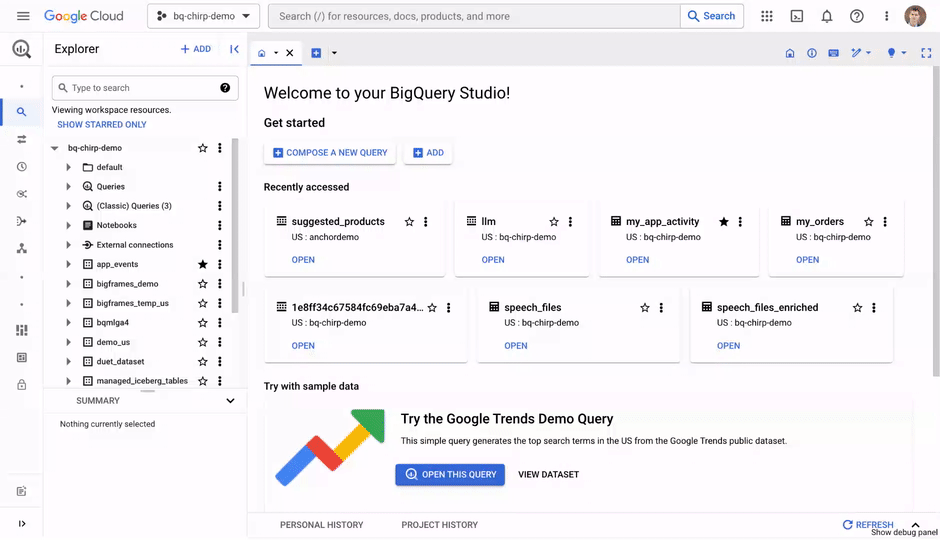
BigQuery Studio is Google’s native web interface for BigQuery. The SQL editor provides autocomplete, syntax validation, and—critically—query cost estimation before execution, showing you how many bytes will be processed (and what that costs) before you run anything.
The console includes a job history tab for monitoring query performance (duration, bytes processed, slot usage), notebook support for mixing Python and SQL in Colab-style notebooks, and BigQuery ML for training models directly from SQL. In 2025, Google added a Files tab for organizing saved queries in folders and a Repository tab with Git version control (preview).
BigQuery Studio is free—you pay for BigQuery compute and storage, not the console. On-demand pricing is $6.25/TB processed, with the first 1 TB/month free.
The limitations are typical of native consoles: browser-only, no multi-database support, limited SQL editing features compared to desktop IDEs, and no offline capability. If BigQuery is your only data warehouse, the built-in console may be all you need.
DataGrip
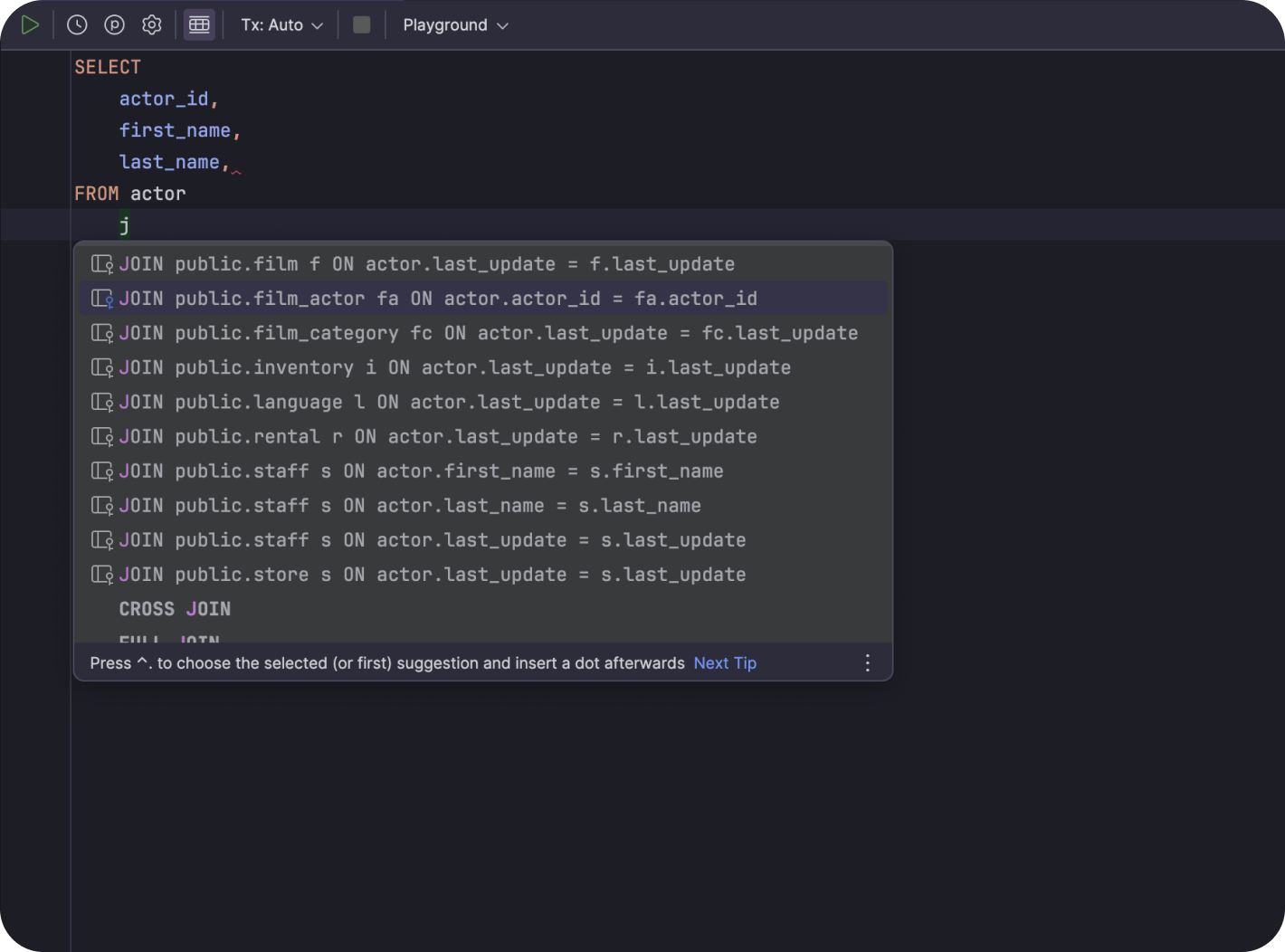
DataGrip provides full BigQuery support with schema browsing, smart SQL completion, and query execution. The main advantage is connecting to BigQuery alongside other databases (PostgreSQL, MySQL, Snowflake, Redshift) in a single IDE with consistent keyboard shortcuts and refactoring tools.
DataGrip is free for non-commercial use. Commercial licenses start at ~$99/year for individuals. The limitation for BigQuery users is no cost-per-query estimation, no job monitoring dashboard, and no BigQuery ML integration. It’s a SQL IDE, not a BigQuery management tool.
DBeaver
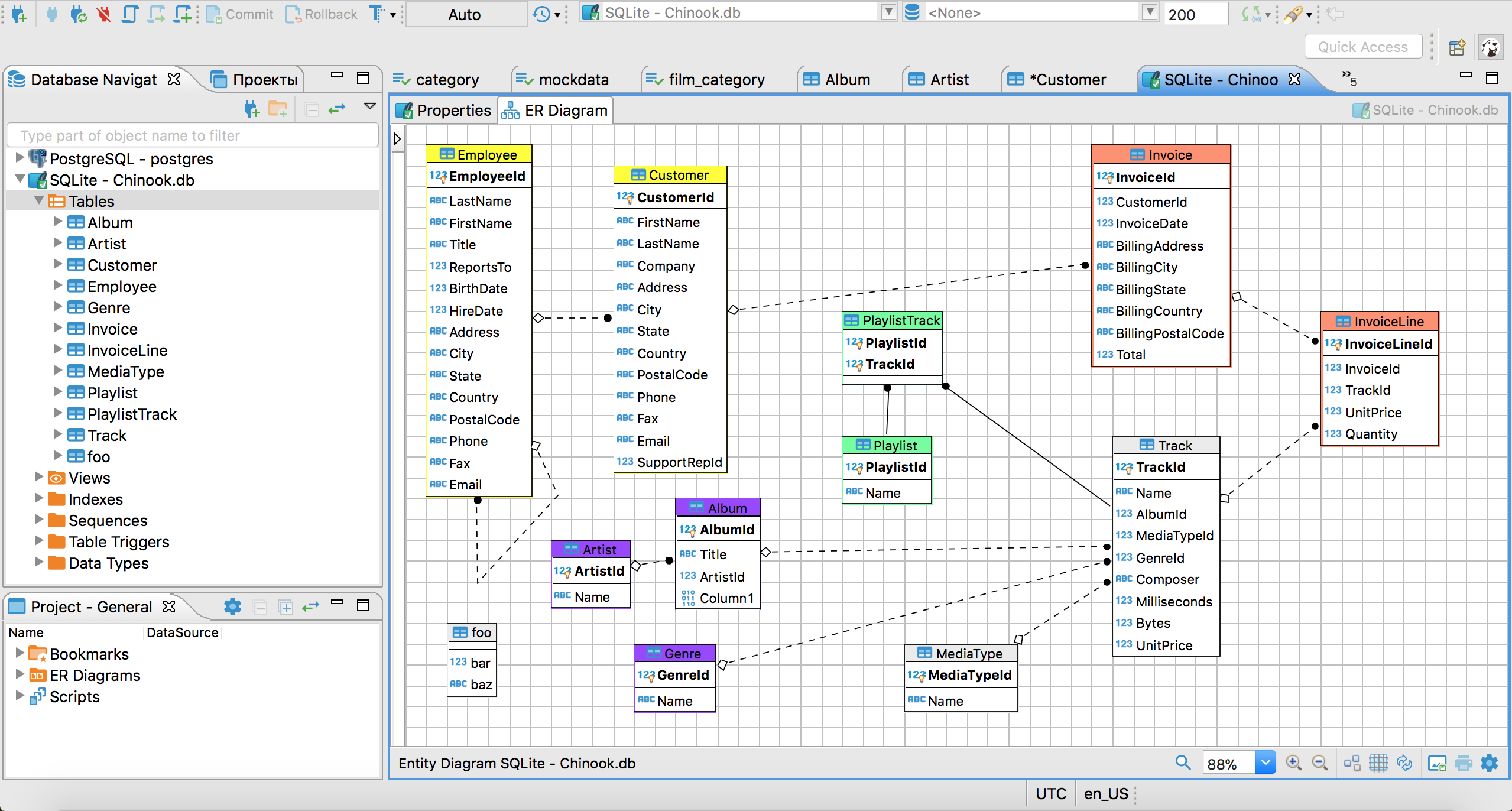
DBeaver connects to BigQuery, but BigQuery support requires the Pro or Enterprise edition (it’s not in the free Community Edition). Pro costs ~$99/year; Enterprise is $250/user/year.
For teams already using DBeaver Pro for other databases, adding BigQuery is seamless. The SQL editor, ER diagrams, and data export tools work the same as with any other database. Connection setup uses a Google Cloud service account JSON key.
DBeaver doesn’t provide BigQuery-specific features like cost estimation, job management, or slot reservation monitoring. If you only need BigQuery, DataGrip (free for non-commercial) or the native console are better starting points.
See what QueryPlane can build for you
Connect to your database, write SQL with AI, and build shareable apps — all from your browser.
Metabase
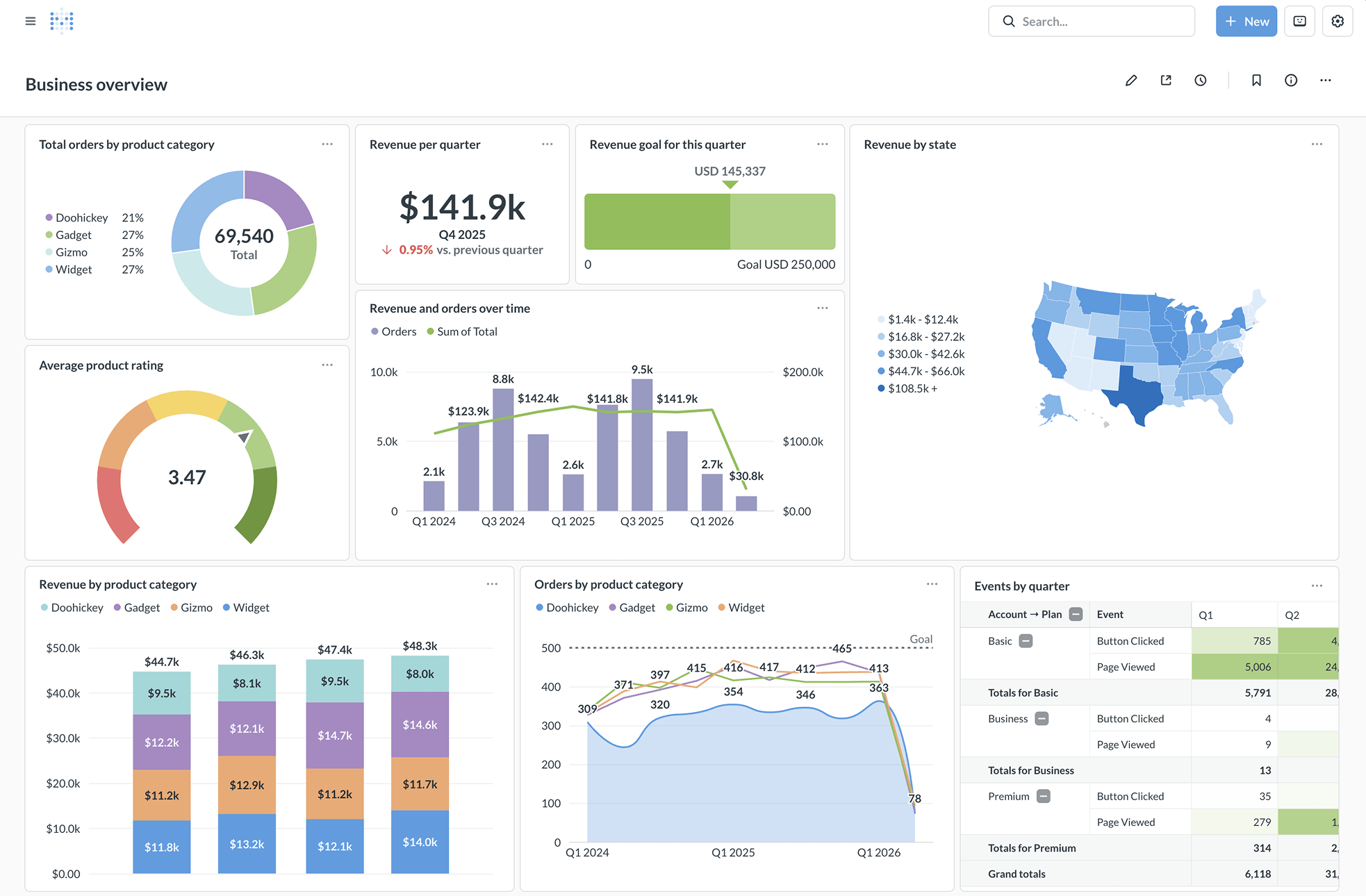
Metabase is a BI and visualization tool that connects natively to BigQuery. The no-code query builder lets non-technical users explore BigQuery data without writing SQL. Power users can switch to SQL mode. Metabase handles BigQuery’s nested and repeated fields natively.
Metabase is open-source (GitHub) and can be self-hosted for free. The cloud-hosted Starter plan is $85/month (5 users included). The Pro plan ($500/month) adds SAML SSO, row-level permissions, and white-labeling.
Metabase isn’t a SQL IDE—it’s a dashboarding tool. It’s best for teams that need to give business users self-service access to BigQuery data through visual dashboards, not for writing complex SQL or managing BigQuery resources.
Count
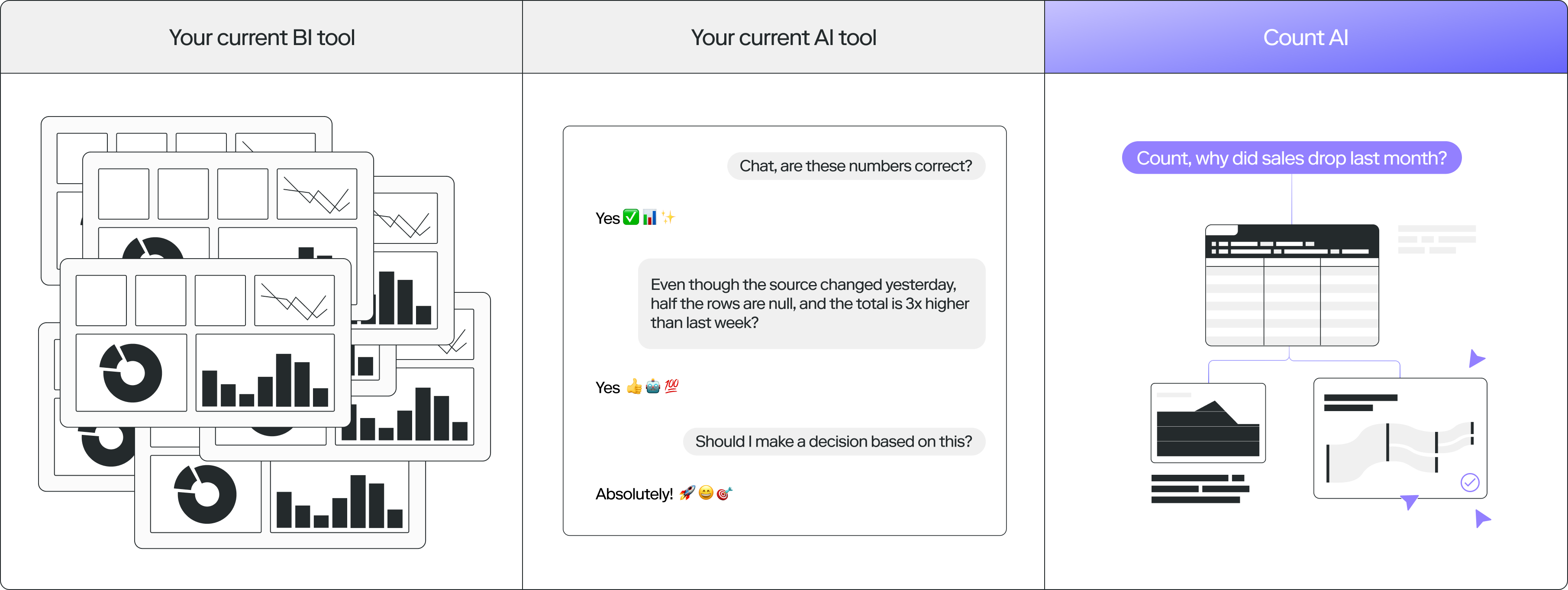
Count is a collaborative data notebook that queries BigQuery directly. You break complex SQL into interconnected cells, with visualizations alongside each step. Downstream cells update automatically when upstream data changes. It’s designed for exploratory analysis and sharing analytical narratives with stakeholders.
The free tier is available for individual use. Paid plans start at $34/editor/month. Count is a niche product—less established than Metabase or Looker—but its canvas-based approach to SQL analysis is unique and well-suited for teams that share analytical workflows.
QueryPlane
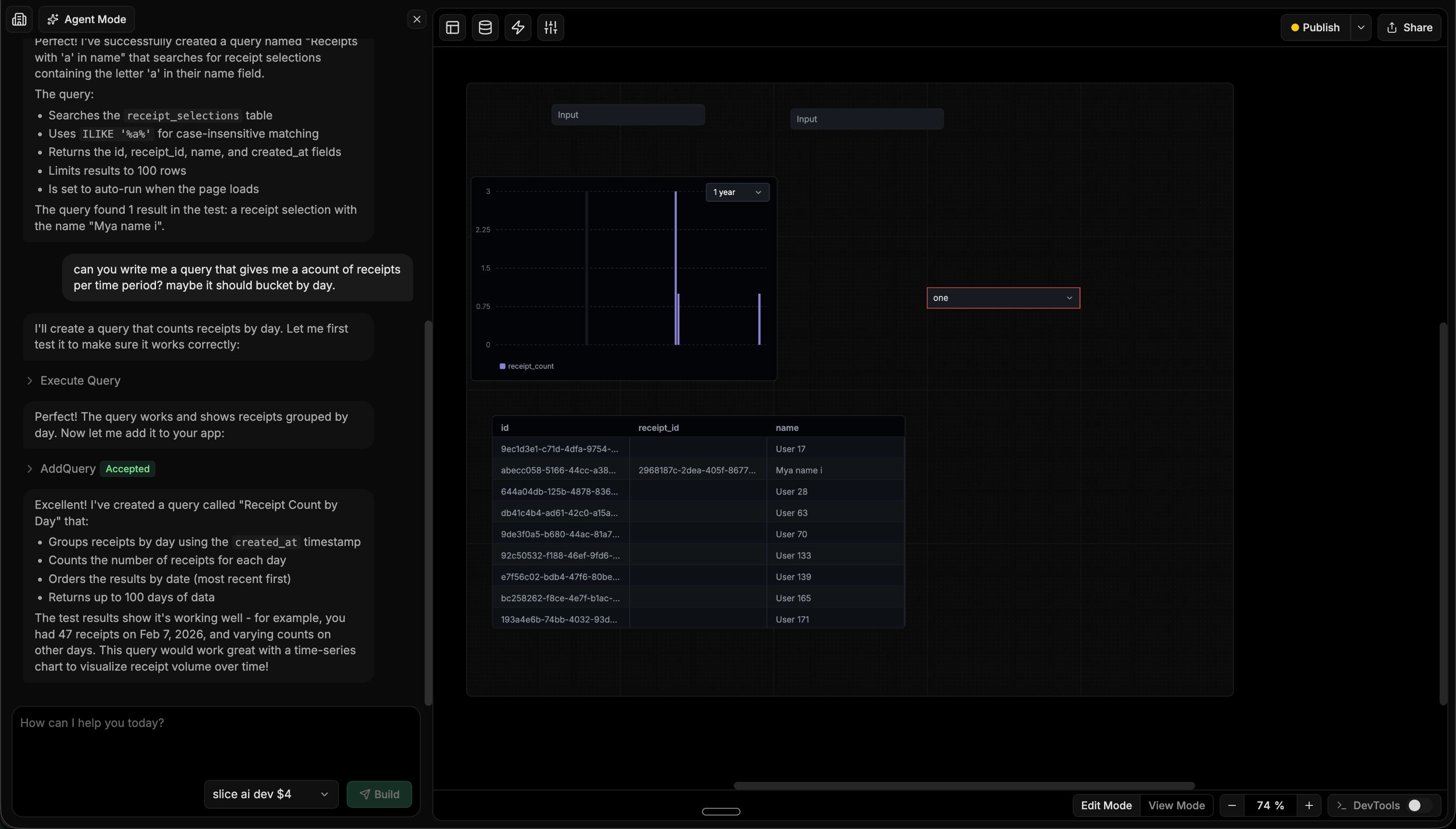
QueryPlane is an AI-native tool builder that connects to BigQuery alongside PostgreSQL, MySQL, and other databases. You describe what you need and an AI agent builds it—writing the BigQuery SQL, testing it, and assembling charts, tables, and forms into a working application.
For BigQuery teams, QueryPlane is most useful when you need to build operational tools on top of your warehouse data—a metrics dashboard, a customer analytics interface, or a data quality monitor—without building a separate frontend or wiring up a BI tool.
BigQuery GUI Tools Comparison
| Tool | Price | Type | Best for |
|---|---|---|---|
| BigQuery Studio | Free (included) | Web | SQL editing with cost estimation and job management |
| DataGrip | Free (non-commercial) / $99-$249/yr | Desktop | Professional SQL development across multiple databases |
| DBeaver | $99-$250/yr (Pro/Enterprise required) | Desktop | Multi-database environments (if already using DBeaver) |
| Metabase | Free (self-hosted) / $85-$500/mo | Web | Self-service BI dashboards for business users |
| Count | Free / $34/editor/mo | Web | Collaborative exploratory data analysis |
| QueryPlane | Free / Paid | Web | AI-powered app building on BigQuery data |
Looking for a BigQuery GUI? Try QueryPlane’s BigQuery integration — connect, query, and build data apps with AI.
Frequently asked questions
What is the best free BigQuery GUI? BigQuery Studio is the best free option because it is the native Google Cloud Console interface — there is nothing to install, and it shows the bytes-scanned cost estimate before you run any query. For desktop work, DataGrip is now free for non-commercial use and is the best free SQL IDE for BigQuery if you want a heavier editor.
Does DBeaver work with BigQuery? Yes, but BigQuery support sits behind the paid DBeaver Pro or Enterprise tiers — the free Community edition does not include the BigQuery driver. If you already use DBeaver for other databases and want a single client, the paid upgrade is the simplest path; if you do not, BigQuery Studio or DataGrip are usually a better starting point.
How do I see query cost before running a query in BigQuery? All major BigQuery GUIs show the planned bytes-scanned and dollar estimate in the editor before you execute. In BigQuery Studio it appears in the top right of the query pane; in DataGrip and DBeaver it appears in the query info panel after a dry-run. The estimate is exact for partitioned tables (because partition pruning is computed at plan time) and a worst-case upper bound for clustered tables.
What is the best BigQuery GUI for building dashboards? For internal BI dashboards consumed by analysts and business users, Metabase is the strongest open-source option — it connects directly to BigQuery, caches queries, and supports parameterized dashboards. For dashboards that need to embed forms, drill-downs, or write-back, QueryPlane is purpose-built for turning BigQuery data into operational apps.
Can I use BigQuery from VS Code?
Yes — the Google Cloud Code extension adds a BigQuery dataset explorer and SQL editor to VS Code, and several community extensions (such as BigQuery Runner) let you execute selected SQL against BigQuery from a regular .sql file. For most teams, a dedicated GUI like BigQuery Studio or DataGrip is still the more productive workflow, but VS Code is viable for engineers who already live in it.
What is the difference between BigQuery Studio and Looker Studio? They solve different problems despite the similar names. BigQuery Studio is the SQL editor and warehouse-management console — it is where engineers and analysts write queries. Looker Studio (formerly Data Studio) is a free BI tool for building dashboards on top of BigQuery and other sources. Most teams use both: BigQuery Studio to develop queries, Looker Studio to expose them as charts.
How do I design BigQuery tables to keep query costs low?
The single biggest lever is partitioning and clustering. Partition tables by a DATE or TIMESTAMP column to enable partition pruning, then cluster by the columns most frequently used in WHERE clauses. Turning on require_partition_filter prevents accidental full-table scans. See BigQuery partitioning and clustering in practice for the design rules, BigQuery materialized views in practice for the projection layer that cuts dashboard scan bytes by 95-99%, and BigQuery query and cost optimization in practice for the slot-time, query-plan, and INFORMATION_SCHEMA.JOBS side of the same problem.
Wrapping up
BigQuery Studio’s built-in cost estimation makes it the essential starting point—always know what a query will cost before running it. For deeper SQL editing, DataGrip connects BigQuery alongside your other databases. For business-facing dashboards, Metabase is the strongest open-source option. And for turning BigQuery data into shareable applications with AI, QueryPlane handles the SQL and UI assembly.