Best ClickHouse GUI Tools in 2026 (Free & Paid)
Compare the best ClickHouse GUI tools in 2026. Covers ClickHouse Cloud SQL console, DBeaver, DataGrip, DbVisualizer, Beekeeper Studio, and QueryPlane.
ClickHouse
This post was written by an engineer at QueryPlane. QueryPlane is an app builder for your database: bring your own postgres db and you can create interactive applications to share with other developers, coworkers or even your customers. If you’re interested in trying it out, get started here.
ClickHouse is famous for raw query speed, but the SQL experience you get depends a lot on the client. Some teams are happy with the built-in ClickHouse Cloud console. Others want a better desktop SQL editor, a cross-database GUI, or a browser-based layer they can share with the rest of the company.
This guide compares the best ClickHouse GUI tools in 2026 and explains which one fits each workflow.
In this post, we’ll cover:
- QueryPlane - AI-native app builder for databases (sign up)
- ClickHouse Cloud SQL console - ClickHouse’s built-in interface (included with ClickHouse Cloud)
- DBeaver - Universal database tool with ClickHouse support (free / paid)
- DataGrip - JetBrains database IDE (free for non-commercial / paid)
- DbVisualizer - Mature cross-platform database client (free / paid)
- Beekeeper Studio - Modern SQL editor with ClickHouse support (free / paid)
ClickHouse Cloud SQL Console
ClickHouse Cloud includes an interactive SQL console that is the easiest way to get started if you are already on the managed service. ClickHouse describes it as the fastest and easiest way to connect, explore, query, and visualize ClickHouse Cloud databases.
That matters because the built-in tool understands the environment you are already using. There is nothing to install, connection setup is trivial, and new users can get from zero to first query quickly. For teams that mostly need a convenient browser editor and schema explorer, that is often enough.
The downside is scope. The Cloud SQL console is tied to ClickHouse Cloud, so it is not the best answer for self-hosted environments, mixed-database teams, or workflows where you want a dedicated desktop SQL client. If you need one tool for ClickHouse plus Postgres, Snowflake, and MySQL, you will outgrow the native console quickly.
DBeaver
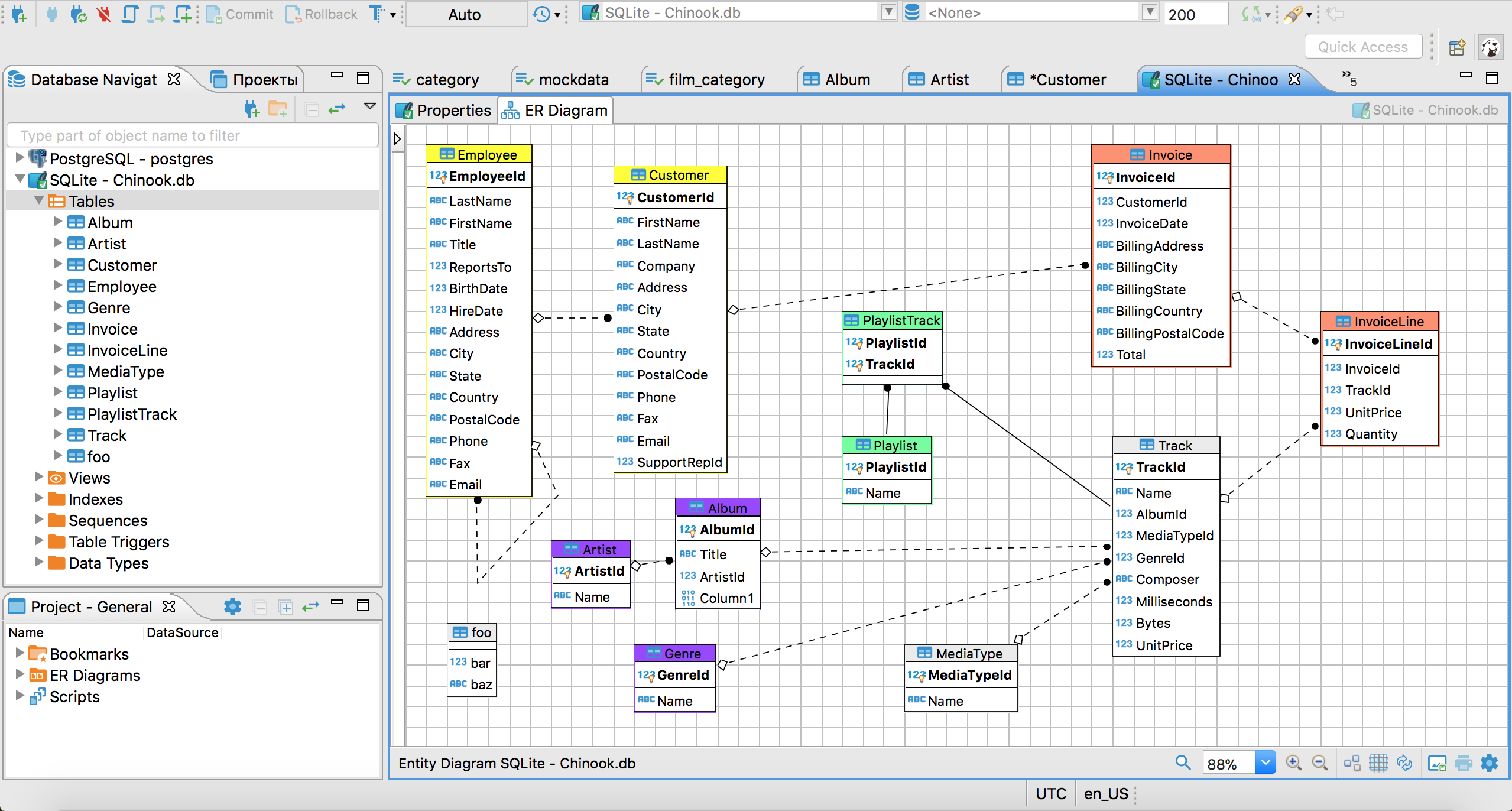
DBeaver is one of the most practical ClickHouse GUI tools because its ClickHouse documentation is solid and ClickHouse itself lists DBeaver among its supported SQL client integrations. DBeaver handles ClickHouse connections over JDBC, supports modern ClickHouse drivers, and exposes common database workflows in a familiar interface.
This is a strong option for engineers who work across several systems. You can keep ClickHouse next to PostgreSQL, Snowflake, and MySQL in the same client, reuse saved connections, export data, and avoid switching between vendor-specific consoles.
DBeaver also documents ClickHouse-specific caveats clearly. For example, it notes that ER diagrams are less useful in ClickHouse because the database does not rely on foreign-key-driven referential integrity the way OLTP systems do. That is the kind of detail you want from a client that actually understands the engine it is connecting to.
The tradeoff is that DBeaver is still a general-purpose tool. It is not trying to be a ClickHouse-native analytics application layer or a perfect replica of the Cloud console. It is best when you want a dependable desktop client that happens to support ClickHouse very well. If you want a browser-based alternative, compare QueryPlane vs DBeaver.
See what QueryPlane can build for you
Connect to your database, write SQL with AI, and build shareable apps — all from your browser.
DataGrip
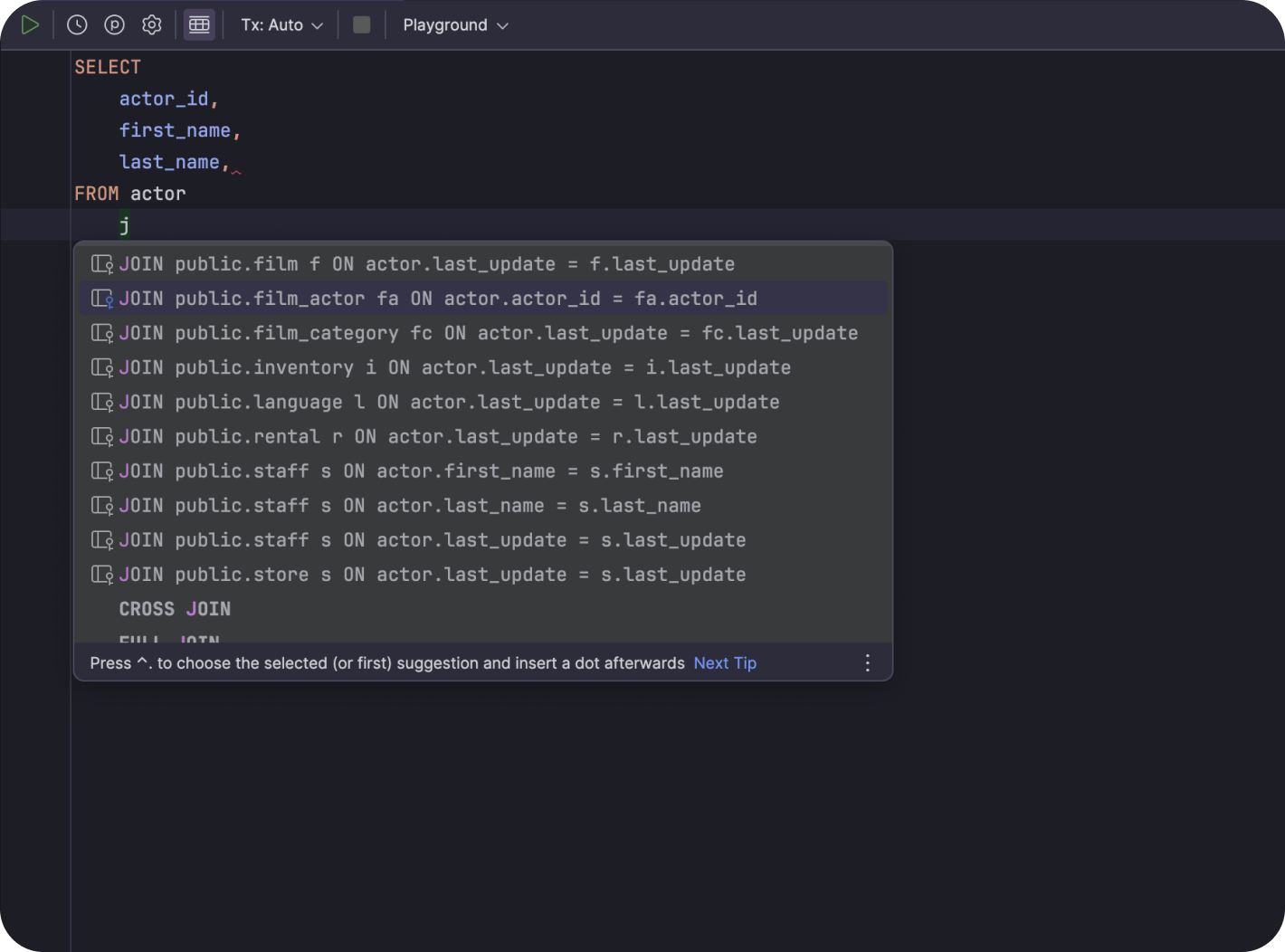
DataGrip is the best ClickHouse GUI on this list if SQL editing quality is the top priority. ClickHouse has an official DataGrip integration page, which is a good signal that the pairing is common and supported in practice.
JetBrains also made DataGrip free for non-commercial use, which makes it much easier to recommend for individual developers, students, and side projects.
For ClickHouse specifically, DataGrip is attractive when you want a serious SQL IDE: schema navigation, refactoring, query history, smart completion, and a generally faster editing loop than most browser tools provide. If you spend your day shaping analytical SQL rather than mostly browsing a console, DataGrip is hard to beat.
Like DBeaver, the limitation is that it is an editor-first tool, not a platform console. It will not replace every ClickHouse Cloud workflow, and it is less relevant if your goal is to share interfaces with non-technical teammates. If you are comparing that desktop workflow with a browser-based product layer, see QueryPlane vs DataGrip.
DbVisualizer
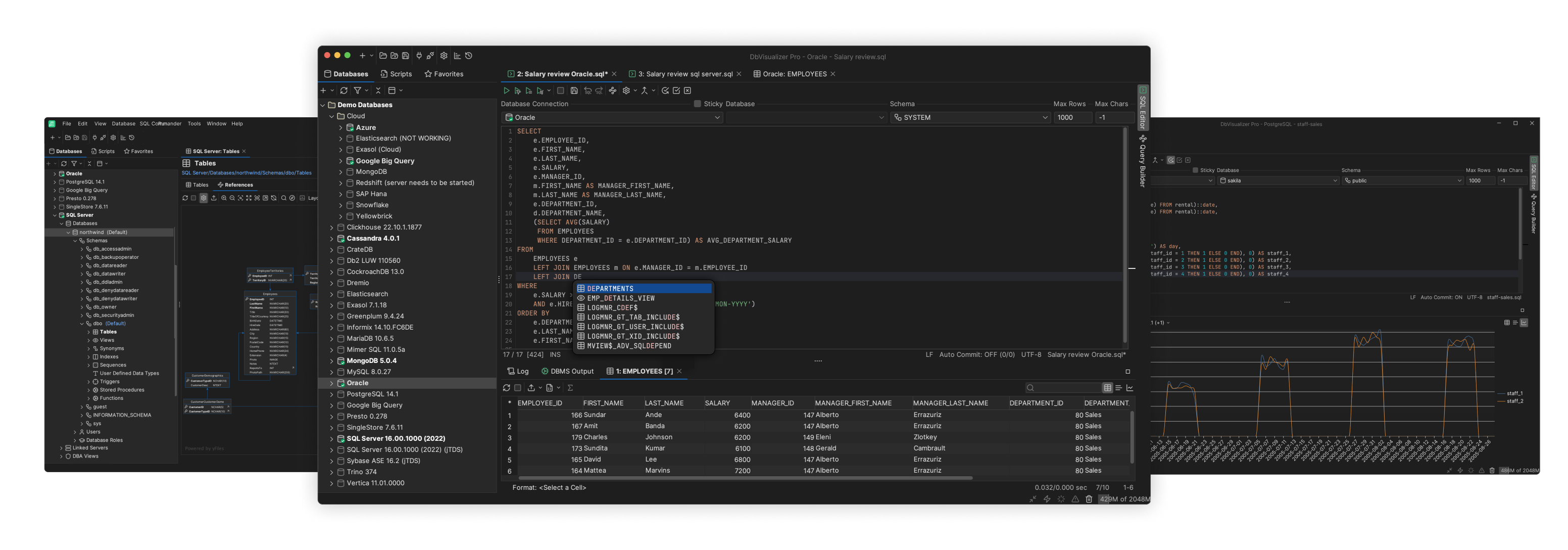
DbVisualizer is another mature multi-database client that supports ClickHouse. DbVisualizer has a dedicated ClickHouse page, and ClickHouse also lists DbVisualizer in its broader integration catalog.
DbVisualizer is a good middle ground if you want something more traditional than a browser console but less IDE-heavy than DataGrip. It handles connection management, schema browsing, query execution, and export workflows well, and the product has been around long enough that most teams know what kind of tool they are getting.
Compared with DBeaver, DbVisualizer often feels a bit narrower and more focused. Compared with DataGrip, it feels less like a developer IDE and more like a database client first. That can be a better fit for analysts and platform engineers who want stable routines over advanced IDE features.
If you want to compare a classic desktop client with a browser-based alternative, see QueryPlane vs DbVisualizer.
Beekeeper Studio
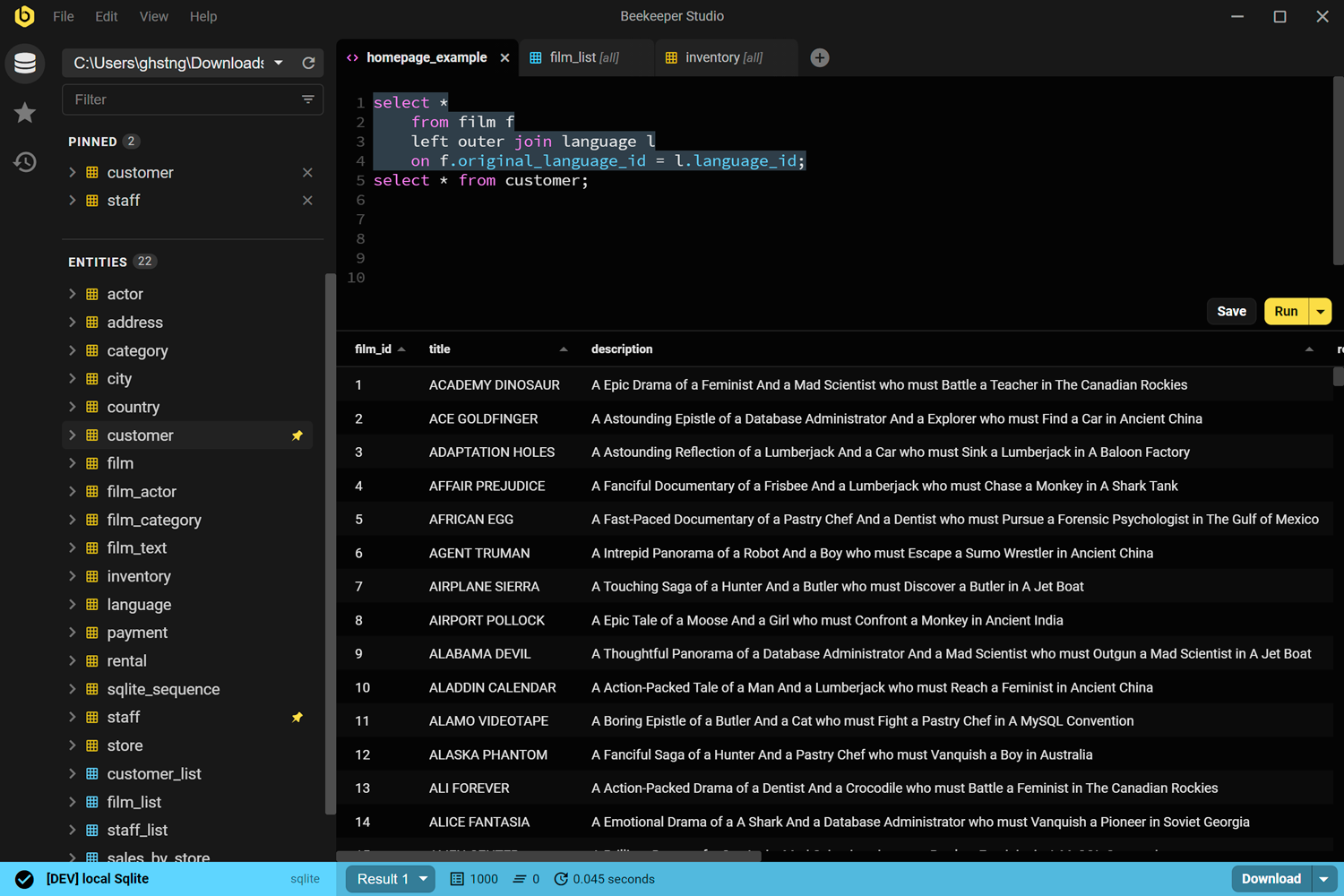
Beekeeper Studio is the most modern-feeling desktop client on this list. Beekeeper has a dedicated ClickHouse client page and shipped ClickHouse support through its 5.0 release cycle, which makes it one of the cleaner lightweight options for ClickHouse work today.
Where Beekeeper stands out is ease of use. It is simpler and friendlier than heavyweight Java clients, the interface is clean, and it is a good fit for people who want to query ClickHouse regularly without learning a sprawling enterprise UI.
The flip side is that it is not as deep as DBeaver or DataGrip. If you need the widest feature surface, broad enterprise auth options, or an especially mature plugin ecosystem, the older tools are safer picks.
Beekeeper is best when you want a modern SQL editor with ClickHouse support and you care more about day-to-day comfort than maximum feature depth. If you want a shareable browser-based workflow instead, compare QueryPlane vs Beekeeper Studio.
QueryPlane
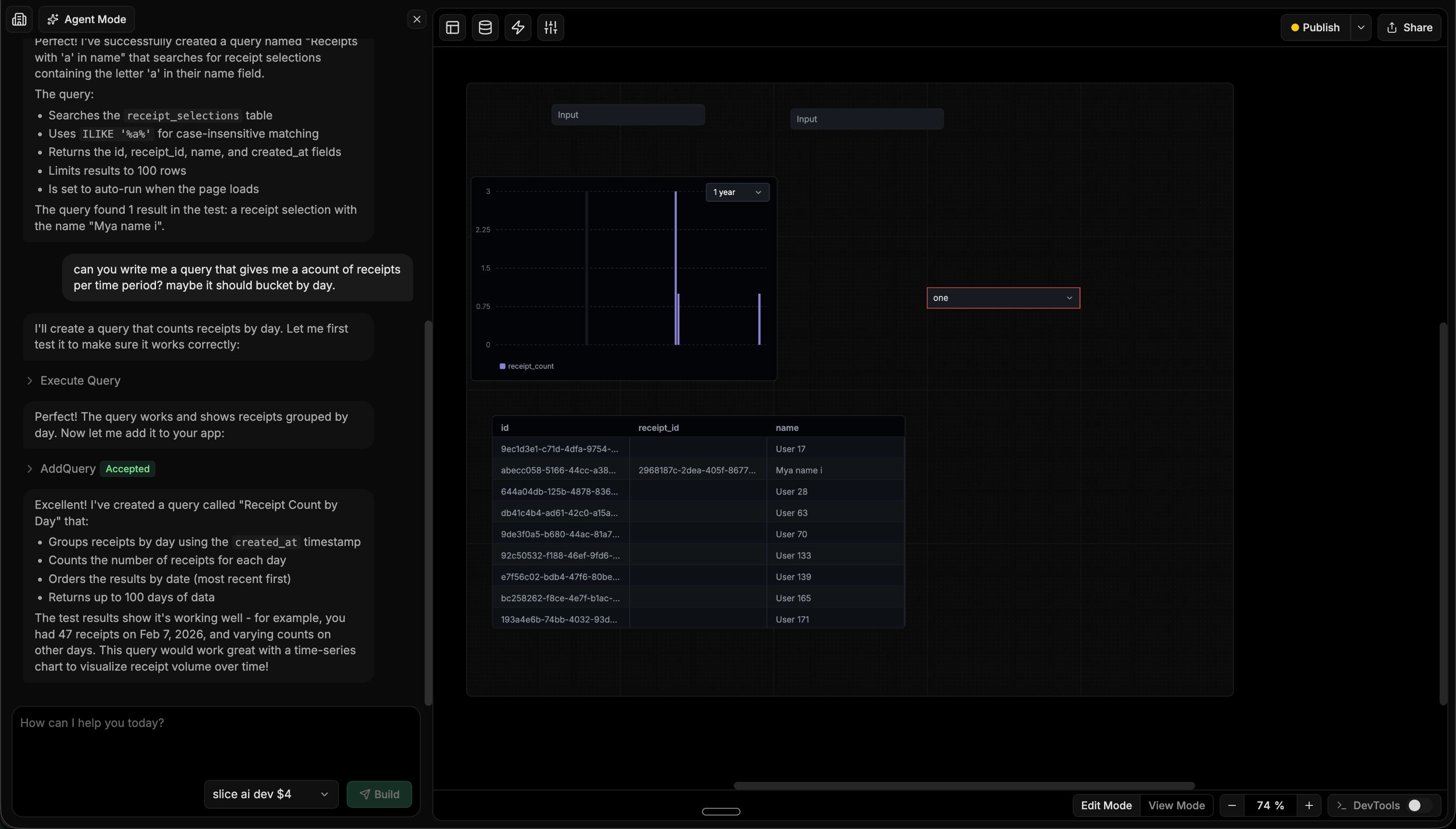
QueryPlane is an AI-native tool builder for databases. For ClickHouse teams, that matters because the work often does not stop at running a query. You frequently need to turn ClickHouse data into a live dashboard, an exploration tool, or an operational interface for someone who should not have to write SQL.
QueryPlane is strongest when your next step after querying is sharing. You describe the workflow you want, and the product helps generate the SQL, assemble tables and charts, and turn the result into something a teammate can actually use.
If your need is strictly “best desktop SQL client for ClickHouse,” DataGrip or DBeaver may fit better. If your need is “best way to make ClickHouse useful to the rest of the company,” QueryPlane is much closer to that outcome. You can start from the ClickHouse integration to see how that workflow differs from a traditional SQL client.
ClickHouse GUI Tools Comparison
| Tool | Price | Type | Best for |
|---|---|---|---|
| ClickHouse Cloud SQL console | Included with ClickHouse Cloud | Web | Native console workflow for ClickHouse Cloud |
| DBeaver | Free / Paid | Desktop | Multi-database desktop workflows |
| DataGrip | Free for non-commercial / Paid | Desktop | Engineers who want the best SQL editing |
| DbVisualizer | Free / Paid | Desktop | Stable cross-platform database client workflows |
| Beekeeper Studio | Free / Paid | Desktop | Modern, lightweight daily querying |
| QueryPlane | Free / Paid | Web | Building shareable tools and dashboards on ClickHouse |
How to Choose the Best ClickHouse GUI Tool
Choose the ClickHouse Cloud SQL console if you are already on ClickHouse Cloud and want the fastest path from sign-in to first query.
Choose DBeaver if you want one dependable client for ClickHouse plus the rest of your stack.
Choose DataGrip if writing analytical SQL is the main job and editor quality matters most.
Choose DbVisualizer if you want a mature database client without the full IDE feel.
Choose Beekeeper Studio if you want a cleaner, lighter desktop experience for day-to-day querying.
Choose QueryPlane if you want to turn ClickHouse data into dashboards, tools, or workflows that teammates can use directly.
ClickHouse GUI FAQ
What is the best free ClickHouse GUI?
If you are using ClickHouse Cloud, the built-in SQL console is the best free starting point. For desktop use, DBeaver Community is one of the strongest free ClickHouse GUI options, and Beekeeper Studio is a good lightweight alternative.
What is the best ClickHouse GUI for SQL editing?
For serious SQL editing, DataGrip is the strongest option. DBeaver is a close alternative if you want a broader multi-database client rather than a dedicated SQL IDE.
Is there an official ClickHouse GUI?
Yes. ClickHouse Cloud includes its own SQL console, and ClickHouse publishes an integrations catalog with supported third-party SQL clients such as DataGrip, DBeaver, and DbVisualizer.
What should I use if I need to share ClickHouse data with non-technical teammates?
Use QueryPlane when the end result needs to be a dashboard, app, or workflow rather than just a query tab. That is where a browser-based application layer is more useful than a traditional desktop GUI.
Does ClickHouse have its own GUI?
Yes. ClickHouse Cloud ships with the Cloud SQL console for managed deployments, and the open-source distribution includes clickhouse-client (CLI) plus a basic Play UI exposed on port 8123 at /play. The Play UI is enough for ad-hoc queries against a self-hosted instance, but most teams pair it with a desktop client like DBeaver, DataGrip, or Beekeeper Studio for daily work.
What is the difference between DBeaver and DataGrip for ClickHouse?
DBeaver is a free, plugin-based, multi-database client with broad coverage and a community edition that is enough for most ClickHouse work. DataGrip is a paid JetBrains IDE (free for non-commercial use) that emphasizes SQL editor quality — refactoring, smart completion, and query history feel materially better. Pick DBeaver if you want a no-cost, broad client; pick DataGrip if writing analytical SQL is your daily job and editor ergonomics matter most.
Can I use DBeaver or DataGrip with ClickHouse Cloud?
Yes. Both connect to ClickHouse Cloud over the standard HTTPS/JDBC endpoints. You point the client at the hostname Cloud gives you, supply the username and password, and enable SSL. The same connection string also works against self-hosted ClickHouse, which makes a single desktop client viable across multiple environments.
How do I connect a ClickHouse GUI to a ClickHouse cluster behind a private network?
You either run the GUI inside the network (e.g., on a bastion host or a dev container in the same VPC) or open a tunnel — typically an SSH tunnel from your laptop, or a private link if your cloud provider supports it. Once the JDBC/HTTP endpoint is reachable, every GUI on this list works the same way as it would against a public instance. Avoid exposing ClickHouse directly to the public internet to satisfy a client tool.
Which ClickHouse GUI is best for inspecting system.asynchronous_inserts and other system tables?
Any client that handles wide tables well will work — DataGrip, DBeaver, and DbVisualizer all render the system.asynchronous_inserts, system.asynchronous_insert_log, and system.part_log tables cleanly. For teams that need to share those monitoring views with on-call engineers or non-data folks, QueryPlane lets you wrap the queries in a dashboard so the underlying SQL is hidden behind a “Pending async-insert buffers” or “Failed flushes last 24h” tile. Our ClickHouse async inserts guide covers the exact monitoring queries to drop into either workflow.
What ClickHouse-specific features should a GUI support?
The features that materially affect day-to-day ClickHouse work: native FORMAT support so the editor doesn’t choke on FORMAT JSONEachRow and similar; visible parts of the system.parts, system.merges, and system.mutations tables for diagnosing the merge state; recognition of LowCardinality, Nullable, Array, Map, and Tuple types in the data browser; and the ability to run SETTINGS async_insert = 1 clauses on INSERT statements without the editor flagging them as errors. DBeaver and DataGrip handle all of these; lighter clients sometimes mis-render the typed columns.
Looking for a ClickHouse GUI? Try QueryPlane’s ClickHouse integration — connect, query, and build data apps with AI.
Wrapping up
The best ClickHouse GUI depends on what you are optimizing for. If it is convenience inside ClickHouse Cloud, use the native console. If it is desktop SQL work, use DataGrip, DBeaver, DbVisualizer, or Beekeeper Studio depending on how deep and how heavy you want the tool to be.
If it is making ClickHouse useful beyond the data team, use a product layer like QueryPlane. ClickHouse is already fast. The real question is which GUI helps your team turn that speed into a workflow.
For the cluster-tuning side of the same workload, our ClickHouse async inserts guide and LowCardinality guide cover the two highest-leverage knobs a ClickHouse team usually has on the table.