Best Databricks GUI Tools in 2026 (Free & Paid)
Compare the best Databricks GUI tools and SQL clients in 2026 — free and paid options including the Databricks SQL Editor, DataGrip, and DBeaver.
Databricks
This post was written by an engineer at QueryPlane. QueryPlane is an app builder for your database: bring your own postgres db and you can create interactive applications to share with other developers, coworkers or even your customers. If you’re interested in trying it out, get started here.
Databricks’ built-in SQL editor and notebooks cover most querying and analysis workflows. But as your team grows, you may want more powerful SQL editing, multi-database support, or the ability to build applications on top of your Databricks data. This post covers the best GUI tools for working with Databricks.
In this post, we’ll cover:
- QueryPlane - AI-native app builder for databases (sign up)
- Databricks SQL Editor - The built-in SQL and notebook interface (included)
- DataGrip - JetBrains database IDE (free for non-commercial / paid)
- DBeaver - Universal database tool (paid for Databricks)
- DbVisualizer - Cross-platform database client (free / paid)
Databricks SQL Editor
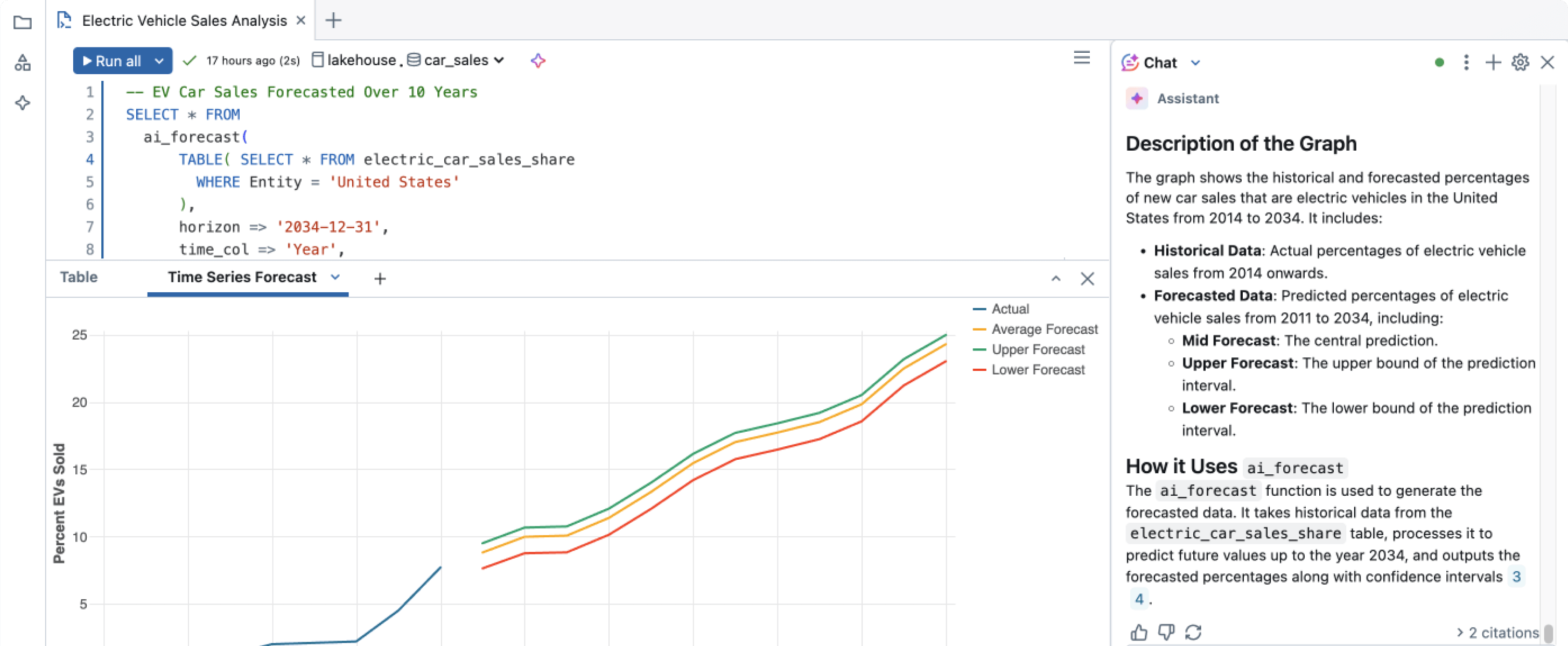
The Databricks SQL editor is built into every Databricks workspace. It supports multiple statement results, inline execution history, and real-time collaboration where multiple users can edit simultaneously. The Databricks Assistant (AI) generates SQL from natural language descriptions.
Databricks notebooks extend beyond SQL to Python, Scala, and R in a single notebook. The Unity Catalog integration provides data governance—lineage tracking, access controls, and metadata management—directly in the interface. Delta Lake table management (time travel, OPTIMIZE, VACUUM) is built in.
In 2025, Databricks shipped an improved chart system, preset date range parameters, keyboard shortcuts, and faster tab navigation. Query results are now preserved in version history.
The SQL editor is included with Databricks. You pay for compute in Databricks Units (DBUs)—SQL Serverless ranges from ~$0.22-$0.70/DBU depending on your cloud and tier.
The limitations: it’s web-only with no desktop client, tied to the Databricks ecosystem (you can’t query non-Databricks databases), and the SQL editing features are good but not IDE-level—no advanced refactoring or customizable keybindings.
DataGrip
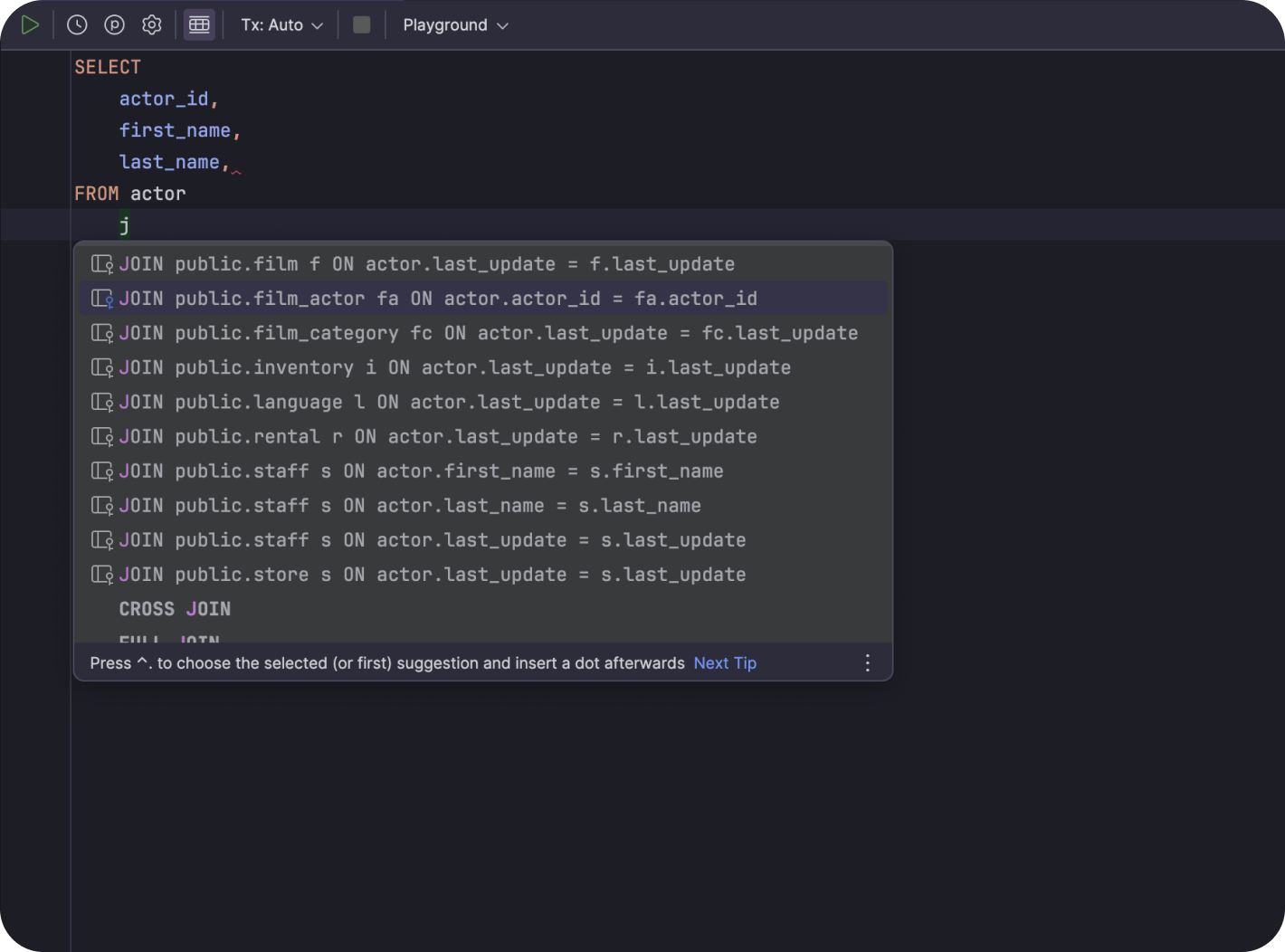
DataGrip has an officially documented integration with Databricks. It connects via the Databricks SQL Warehouse endpoint and provides smart SQL completion, schema navigation, and query analysis.
The main advantage is connecting to Databricks alongside other databases (PostgreSQL, Snowflake, BigQuery, Redshift) in a single IDE. For teams that use Databricks as their lakehouse but also query transactional databases, DataGrip provides a consistent editing experience across all of them.
DataGrip is free for non-commercial use. Commercial licenses start at ~$99/year for individuals. The limitation is no Delta Lake-specific operations, no notebook support, no Spark/cluster management, and no Unity Catalog UI. It’s a SQL IDE, not a Databricks management console.
DBeaver
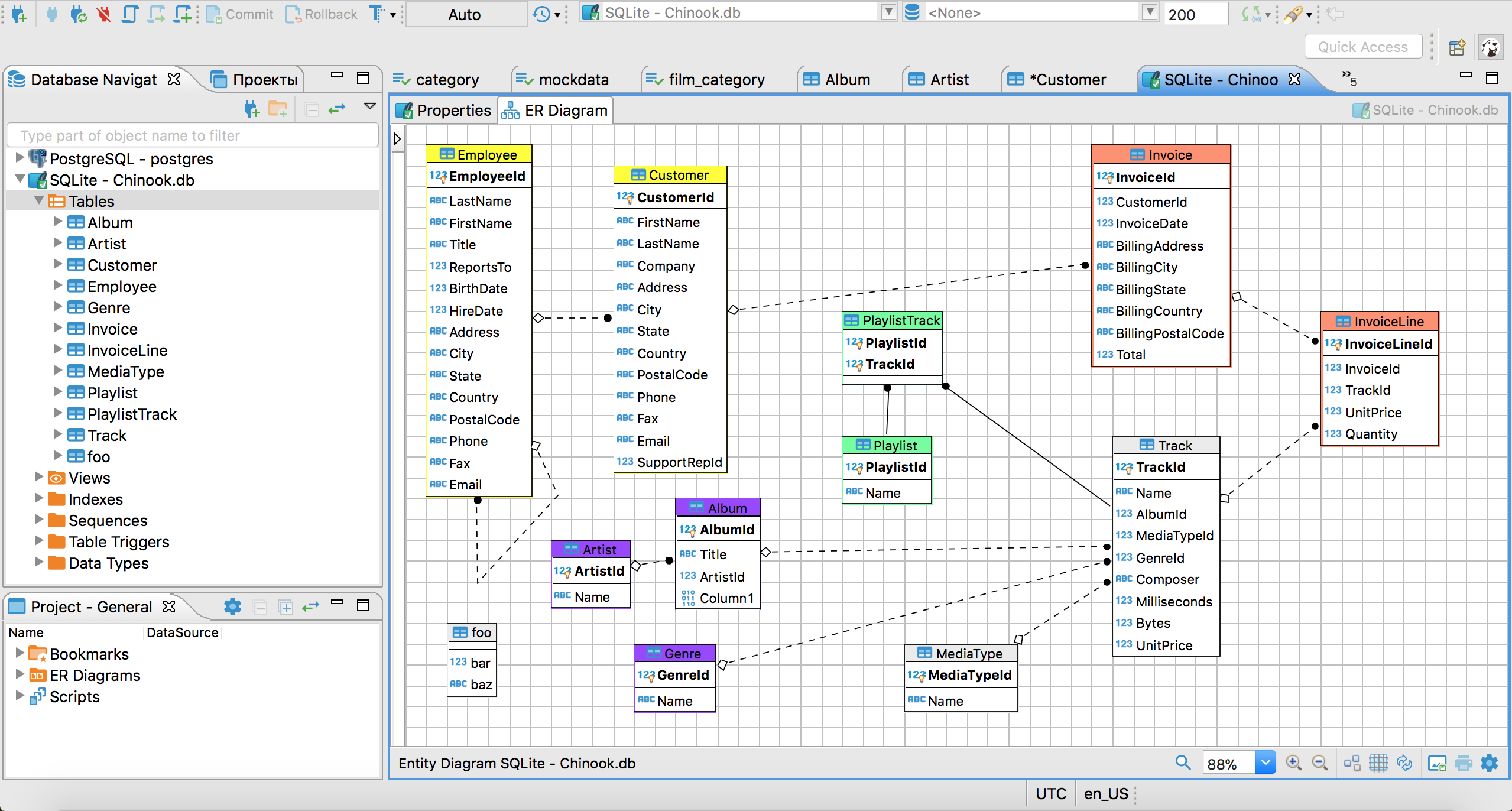
DBeaver connects to Databricks SQL Warehouses via JDBC/ODBC. The SQL editor, ER diagrams, and data browsing work similarly to other database connections. Databricks connectivity requires the Pro or Enterprise edition—it’s not available in the free Community Edition.
DBeaver Pro costs ~$99/year; Enterprise is $250/user/year. For teams already using DBeaver for other databases, adding Databricks is seamless—same interface, same keyboard shortcuts.
DBeaver doesn’t support Delta Lake table management, Unity Catalog browsing, notebook workflows, or Spark job monitoring. It treats Databricks as a SQL endpoint, not a full lakehouse platform. If you only need Databricks, the native SQL editor is the better starting point.
See what QueryPlane can build for you
Connect to your database, write SQL with AI, and build shareable apps — all from your browser.
DbVisualizer
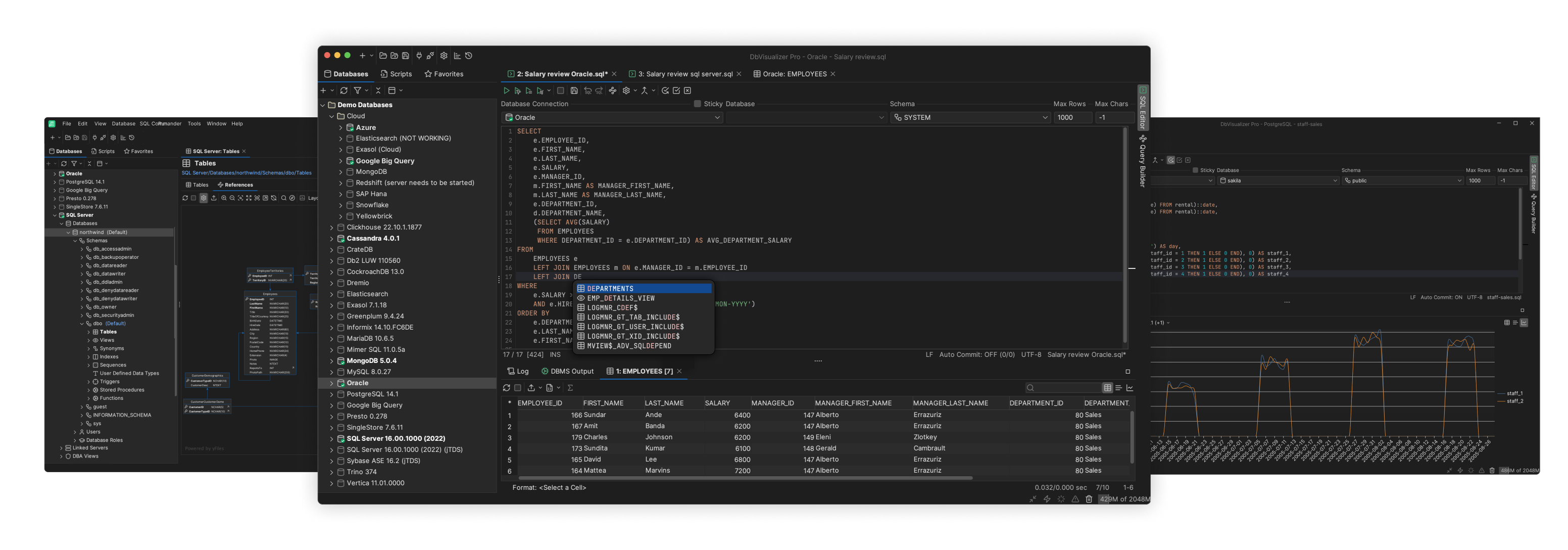
DbVisualizer is a cross-platform database client that supports 50+ databases including Databricks. It provides visual explain plans, ER diagrams, and data editing. The interface is cleaner and more modern than SQL Workbench/J while covering similar use cases.
The free edition handles basic connectivity. Pro licenses start at $197/user for the first year ($69/year renewal)—a perpetual license model where you buy once and use that version forever, with optional renewals for updates.
DbVisualizer doesn’t offer Databricks-specific management features. It’s a good option for teams that need a general-purpose desktop SQL client that happens to connect to Databricks alongside other databases.
QueryPlane
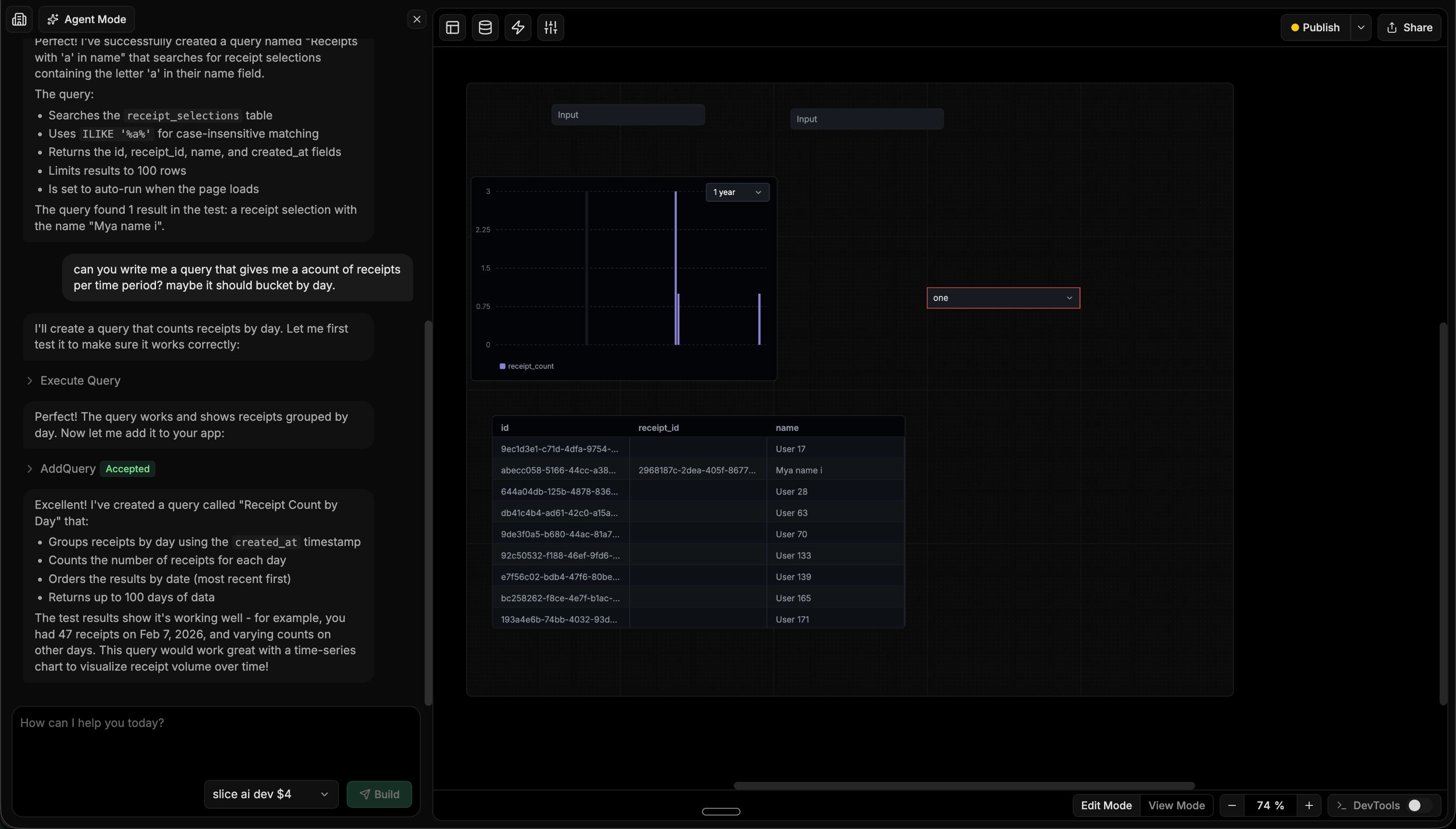
QueryPlane is an AI-native tool builder that connects to Databricks alongside PostgreSQL, MySQL, and other databases. You describe what you need to an AI agent, and it writes the SQL, tests it against your Databricks warehouse, and assembles charts, tables, and forms into a working application.
For Databricks teams, QueryPlane is most useful when you need to build operational tools on top of your lakehouse data—a metrics dashboard, a data quality monitor, or a reporting interface—without building a separate frontend or configuring a BI tool.
Databricks GUI Tools Comparison
| Tool | Price | Type | Best for |
|---|---|---|---|
| Databricks SQL Editor | Included | Web | SQL editing, notebooks, and Delta Lake management |
| DataGrip | Free (non-commercial) / $99-$249/yr | Desktop | Professional SQL development across multiple databases |
| DBeaver | $99-$250/yr (Pro/Enterprise required) | Desktop | Multi-database environments (if already using DBeaver) |
| DbVisualizer | Free / $197/yr+ | Desktop | General-purpose desktop SQL client |
| QueryPlane | Free / Paid | Web | AI-powered app building on Databricks data |
Looking for a Databricks GUI? Try QueryPlane’s Databricks integration — connect, query, and build data apps with AI.
Wrapping up
The built-in Databricks SQL editor and notebooks are the strongest native experience of any cloud data platform—real-time collaboration, AI assistance, and deep Delta Lake integration. For teams that need a desktop SQL IDE or multi-database support, DataGrip provides the best editing experience. DBeaver and DbVisualizer are solid alternatives for teams already invested in those tools. And for turning Databricks data into shareable applications with AI, QueryPlane handles the SQL and UI assembly.
If you’re building data pipelines on top of these warehouses, our guide to Databricks Lakeflow Declarative Pipelines (Delta Live Tables) in practice walks through streaming tables, materialized views, expectations, and CDC patterns for the Lakeflow-era pipeline runtime.