Best MongoDB GUI Tools in 2026 (Free & Paid)
Compare the best MongoDB GUI tools and clients in 2026 — free and paid options including MongoDB Compass, Studio 3T, Robo 3T, and DataGrip.
General
This post was written by an engineer at QueryPlane. QueryPlane is an app builder for your database: bring your own postgres db and you can create interactive applications to share with other developers, coworkers or even your customers. If you’re interested in trying it out, get started here.
MongoDB’s document model makes a GUI tool more valuable than with relational databases. Nested documents, arrays, and schema-less collections are harder to inspect and edit in a terminal. A good MongoDB GUI client lets you visually browse document structures, build aggregation pipelines, and manage indexes without memorizing the query syntax. This post covers the best MongoDB GUI tools available today.
In this post, we’ll cover:
- QueryPlane - AI-native app builder for databases (sign up)
- MongoDB Compass - The official MongoDB GUI (free)
- Studio 3T - Full-featured commercial MongoDB IDE (paid)
- Robo 3T - Lightweight open-source shell (free)
- DataGrip - JetBrains database IDE with MongoDB support (paid)
- NoSQLBooster - Shell-centric MongoDB GUI (free / paid)
MongoDB Compass
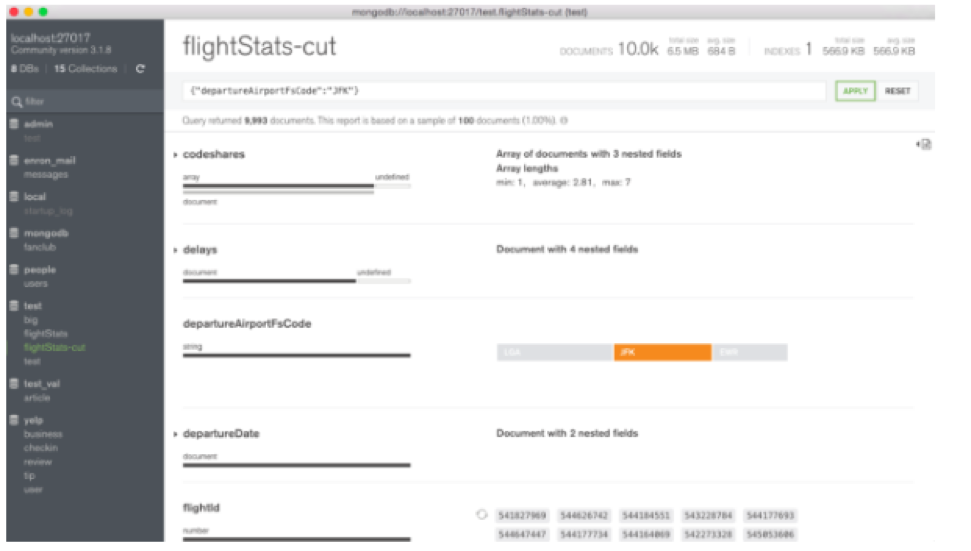
MongoDB Compass is the official GUI for MongoDB, developed by MongoDB Inc. It’s free, open-source, and available on Windows, macOS, and Linux.
Compass provides a visual document browser that renders nested documents and arrays in a tree view. You can expand, collapse, and edit individual fields without switching to a JSON editor. The schema analyzer scans your collection and visualizes the shape of your documents—showing field types, value distributions, and how consistent the schema is across documents. This is invaluable for understanding collections you didn’t create.
The aggregation pipeline builder is Compass’s strongest feature. You build pipelines stage by stage, with a preview of the output at each step. This makes complex aggregations much easier to debug than writing them in the shell, where you can’t see intermediate results.
Compass includes a query performance analyzer that shows explain plans for your queries, helping you identify missing indexes. The index management interface lets you create, drop, and analyze indexes visually. You can also validate documents against JSON Schema validation rules.
Compass connects to MongoDB Atlas, self-hosted instances, and replica sets. It supports SSH tunneling and SSL/TLS connections. The interface is clean and responsive, though it can slow down when browsing very large documents.
Studio 3T
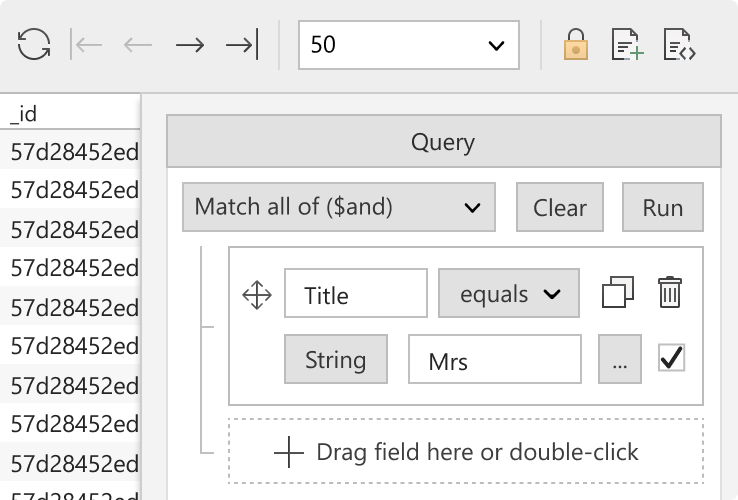
Studio 3T (formerly MongoChef) is the most full-featured commercial MongoDB GUI. It provides tools that go well beyond what Compass offers, particularly for teams working with MongoDB at scale.
The visual query builder lets you construct MongoDB queries by clicking through fields and operators—useful for team members who aren’t fluent in MongoDB’s query syntax. The SQL Query feature lets you query MongoDB collections using SQL syntax, which Studio 3T translates to MongoDB queries under the hood. This bridges the gap for developers coming from relational databases.
The aggregation editor is more powerful than Compass’s. You can build, test, and debug pipelines with stage-by-stage previews, and export the pipeline as Java, Python, Node.js, C#, or shell code. The code generation is a time saver when you need to embed aggregations in application code.
Studio 3T includes data import/export between MongoDB and SQL databases, CSV, JSON, and BSON. The migration tool can move data from MySQL, PostgreSQL, or SQL Server into MongoDB with field mapping. The compare tool lets you diff two collections, databases, or entire clusters.
Studio 3T also provides an in-place data masking feature for creating anonymized copies of production data—useful for staging environments.
Pricing starts at $149/year per user for the Personal edition. The Professional edition ($599/year) adds team features, task scheduling, and enterprise authentication. There’s a 30-day free trial.
Robo 3T
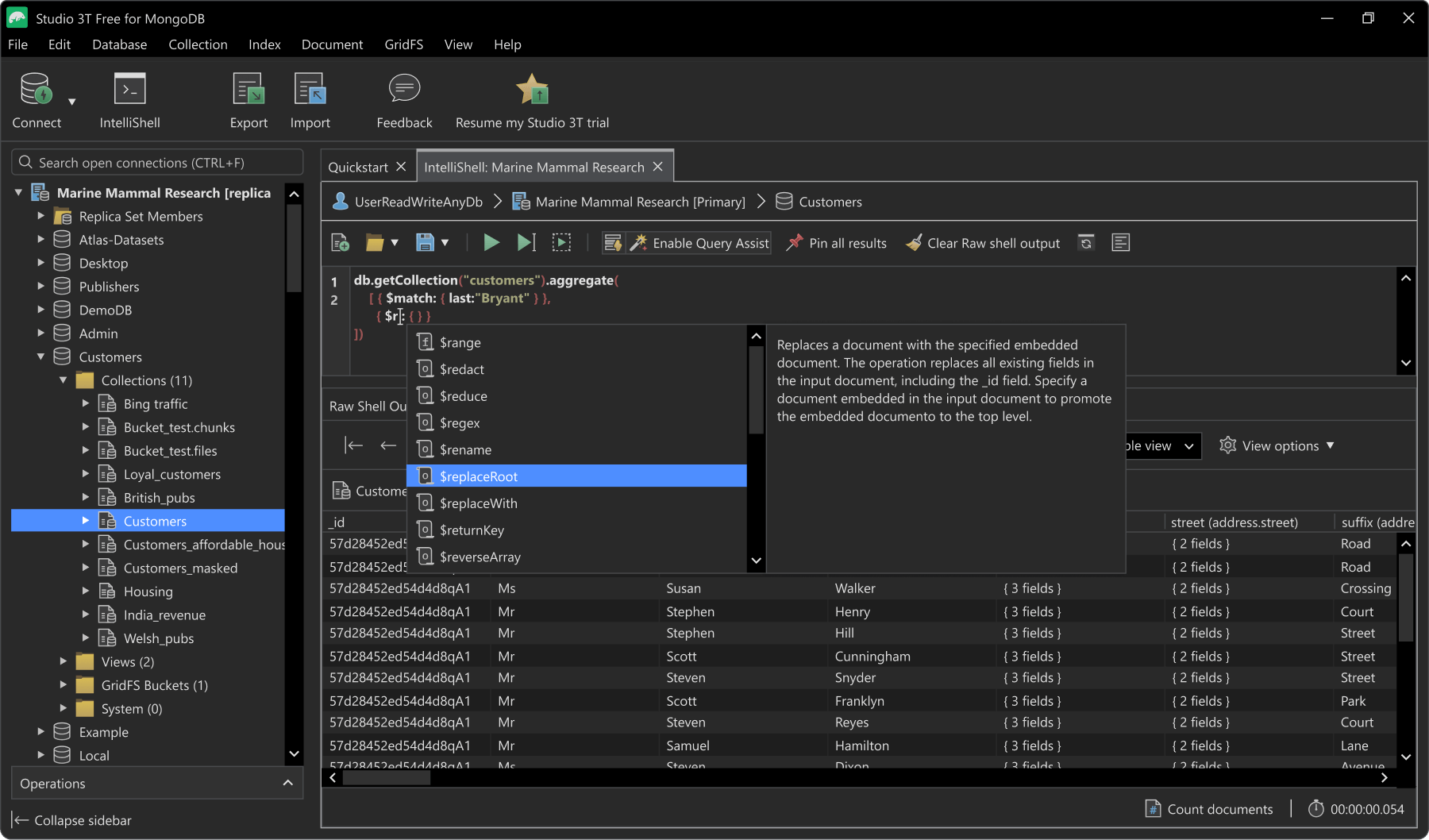
Robo 3T (formerly Robomongo) is a free, lightweight MongoDB GUI that embeds the MongoDB shell. It was acquired by Studio 3T but remains available as a free, open-source tool.
Robo 3T’s approach is simple: it gives you the MongoDB shell with a visual results panel. You write queries in the shell, and results render as expandable document trees, tables, or JSON. This makes it popular with developers who are comfortable with MongoDB’s query language but want visual feedback.
The interface is minimal—no visual query builders, no aggregation pipeline editors, no data migration tools. You get a connection manager, a shell with auto-completion, and a results viewer. For many developers, this is exactly what they want: a fast, lightweight tool that doesn’t try to abstract away MongoDB’s query language.
Robo 3T supports replica sets and SSL connections. It runs on Windows, macOS, and Linux. The lack of features compared to Compass or Studio 3T is also its advantage: it starts instantly, uses minimal memory, and stays out of your way.
Note that Robo 3T hasn’t seen major updates since the Studio 3T acquisition. For new users, MongoDB Compass is the better free option. But Robo 3T still has a loyal following among developers who prefer its shell-first approach.
See what QueryPlane can build for you
Connect to your database, write SQL with AI, and build shareable apps — all from your browser.
DataGrip
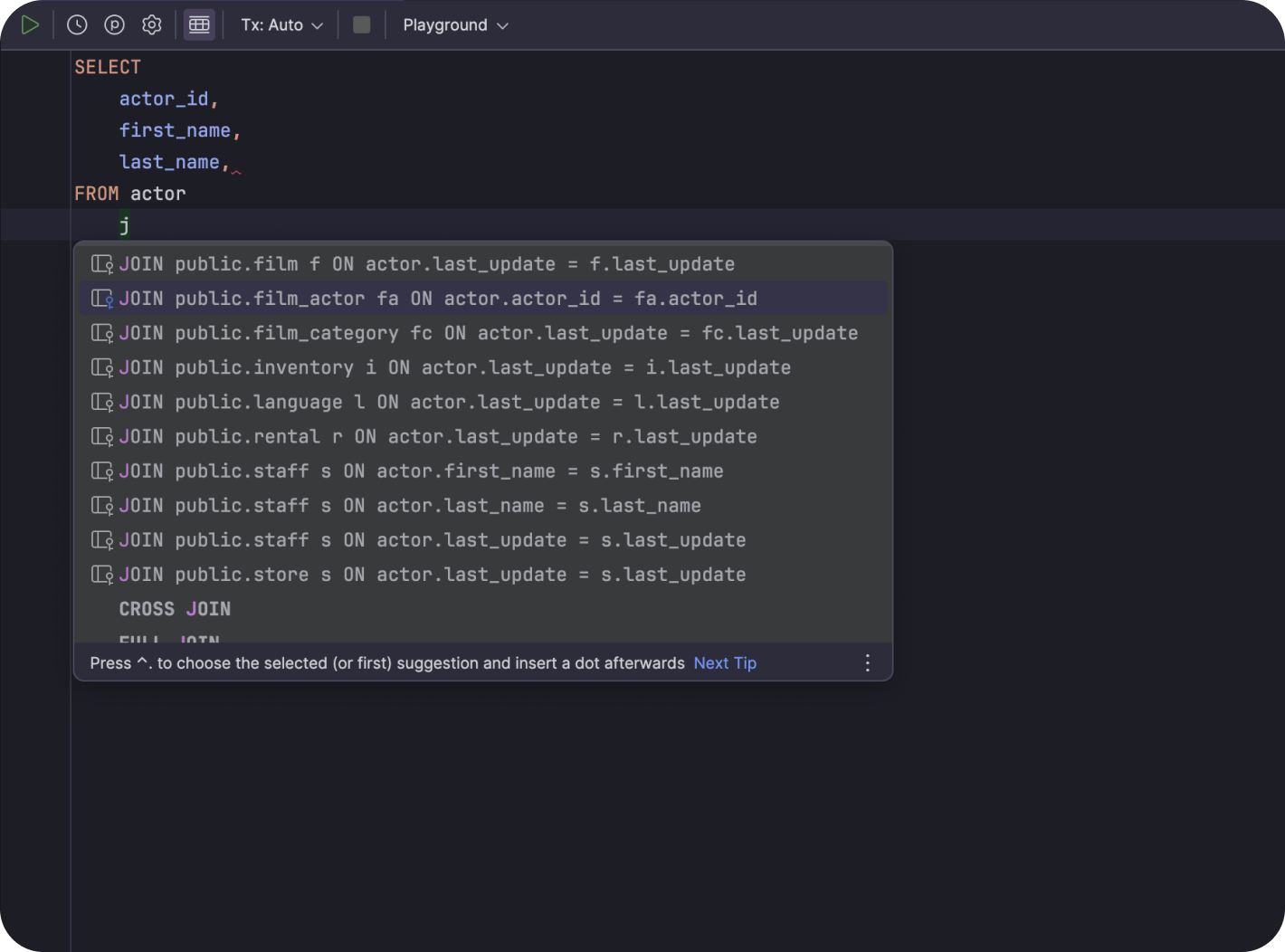
DataGrip is JetBrains’ database IDE. While primarily known for SQL databases, DataGrip added MongoDB support and provides a capable interface for working with document databases.
DataGrip’s MongoDB support includes a query console where you write MongoDB shell commands with auto-completion and syntax highlighting. The data editor displays documents in both tree and table views, with inline editing. You can filter, sort, and paginate through collection data.
The main advantage of DataGrip for MongoDB is if you already use it for other databases. Having PostgreSQL, MySQL, and MongoDB in the same IDE with consistent keyboard shortcuts and workflows reduces context switching. The query history feature tracks everything you’ve run across all databases.
DataGrip’s MongoDB support is less deep than Compass or Studio 3T. It doesn’t have a visual aggregation pipeline builder, schema analysis, or MongoDB-specific performance tools. It’s a good option for developers who occasionally work with MongoDB alongside relational databases, but not the best choice if MongoDB is your primary database.
DataGrip costs $199/year for individuals, with discounts for students and open-source contributors.
NoSQLBooster
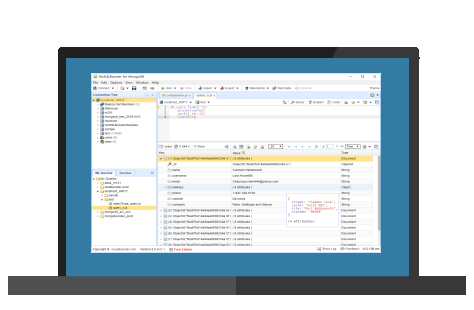
NoSQLBooster is a shell-centric MongoDB GUI that enhances the MongoDB shell with IntelliSense-style auto-completion, code snippets, and visual explain plans.
The auto-completion is NoSQLBooster’s differentiator. It goes beyond basic keyword completion—it inspects your collection’s documents and suggests field names, nested paths, and even values. This makes writing complex queries significantly faster, especially on unfamiliar collections.
NoSQLBooster supports running MongoDB queries using SQL syntax (similar to Studio 3T) and can generate shell scripts from visual query builders. The aggregation editor provides a fluent API builder that chains stages with auto-completion at each step.
The free version covers basic querying and browsing. The Personal edition ($129 one-time) adds the SQL query feature, visual explain, and other power features. The Professional edition ($249 one-time) adds additional enterprise features.
NoSQLBooster runs on Windows, macOS, and Linux using Electron. It’s a good middle ground between the minimal Robo 3T and the full-featured Studio 3T.
QueryPlane
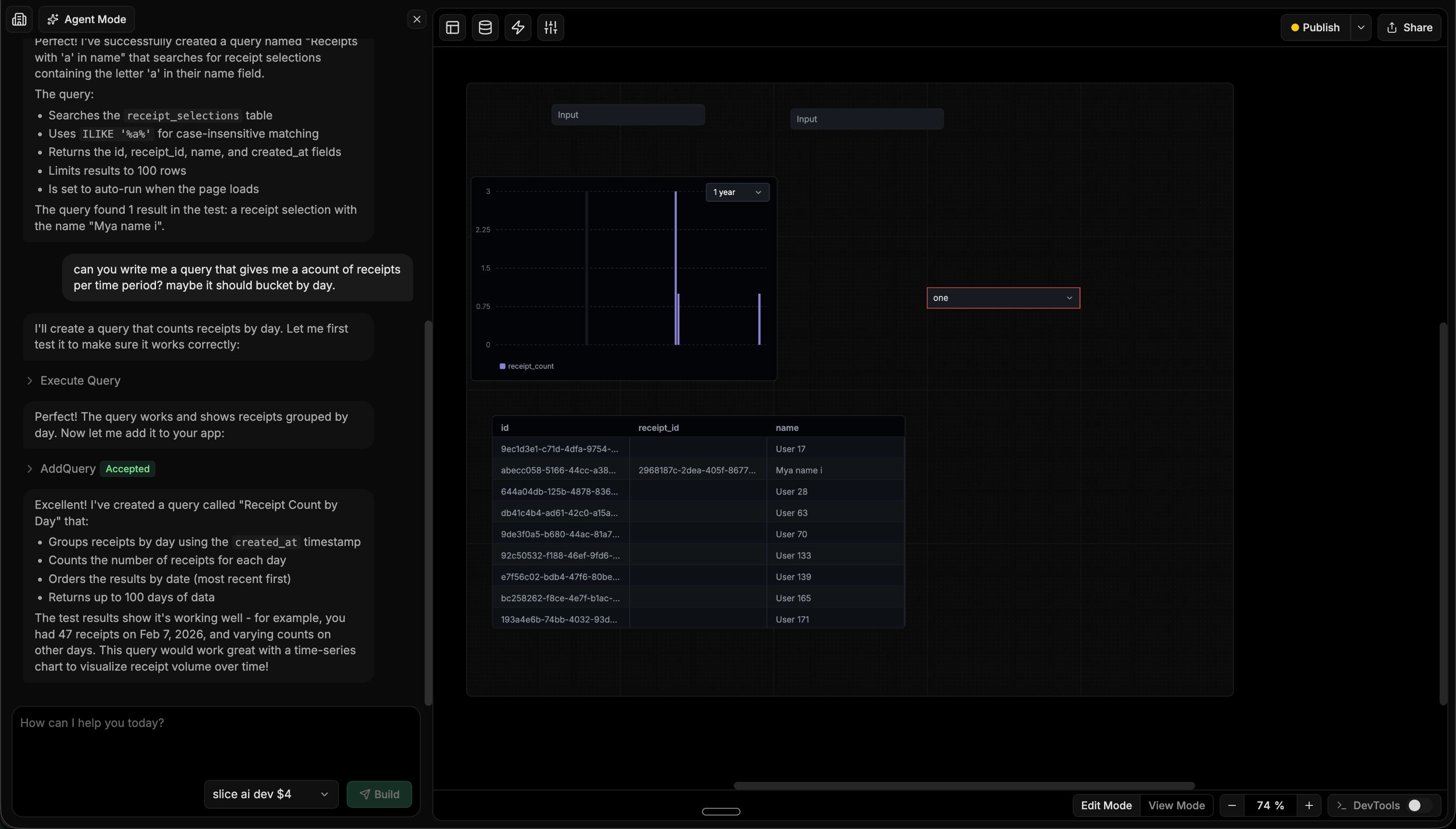
QueryPlane is an AI-native tool builder that connects to MongoDB alongside PostgreSQL, MySQL, and other databases. Instead of manually writing aggregation pipelines or building dashboards by hand, you describe what you need and an AI agent builds it—writing the queries, testing them, and assembling the UI.
For MongoDB users, this is especially valuable because aggregation pipelines are verbose and hard to write correctly. Describing “show me a chart of orders by month with a breakdown by product category” and having the agent generate the $group, $sort, and $project stages is faster than building the pipeline manually.
QueryPlane runs as a web application. The applications you build are shareable through role-based access controls, making it useful for giving non-technical teammates access to MongoDB data through dashboards and forms rather than direct database access.
MongoDB GUI Tools Comparison
| Tool | Price | Platforms | Best for |
|---|---|---|---|
| MongoDB Compass | Free | Windows, Mac, Linux | Schema exploration and aggregation pipeline building |
| Studio 3T | $149/yr+ | Windows, Mac, Linux | Full-featured professional MongoDB development |
| Robo 3T | Free | Windows, Mac, Linux | Lightweight shell with visual results |
| DataGrip | $199/yr | Windows, Mac, Linux | Multi-database IDE with MongoDB support |
| NoSQLBooster | Free / $129+ | Windows, Mac, Linux | Shell-centric development with IntelliSense |
| QueryPlane | Free / Paid | Web | AI-powered app building on your database |
How to Choose
Choose MongoDB Compass if you want a free, official GUI with strong schema analysis and aggregation pipeline building. It’s the best starting point for most MongoDB users.
Choose Studio 3T if you need the most powerful MongoDB tooling: SQL query translation, data migration from relational databases, collection comparison, and code generation. Worth the cost for professional MongoDB development.
Choose Robo 3T if you prefer working in the MongoDB shell and just want visual results rendering. It’s fast, free, and minimal.
Choose DataGrip if you work with MongoDB alongside SQL databases and want one IDE for everything. The MongoDB support is capable but not as deep as dedicated tools.
Choose NoSQLBooster if you want a shell-centric experience with excellent auto-completion and IntelliSense that actually inspects your data.
Choose QueryPlane if you need to build shareable dashboards and applications on top of your MongoDB data using AI, without writing a separate backend.
Looking for a MongoDB GUI? Try QueryPlane’s MongoDB integration — connect, query, and build data apps with AI.
Wrapping up
MongoDB’s document model benefits more from visual tooling than most databases. The right GUI tool depends on your workflow: Compass and Studio 3T provide the deepest MongoDB-specific features, DataGrip works best as part of a multi-database setup, and QueryPlane turns your MongoDB data into shareable applications with AI. Most of these tools offer free versions or trials—try the ones that match your needs before committing.