Best MySQL GUI Tools in 2026 (Free & Paid)
Compare the best MySQL GUI tools and clients in 2026 — free and paid options including MySQL Workbench, DBeaver, DataGrip, TablePlus, and phpMyAdmin.
General
This post was written by an engineer at QueryPlane. QueryPlane is an app builder for your database: bring your own postgres db and you can create interactive applications to share with other developers, coworkers or even your customers. If you’re interested in trying it out, get started here.
MySQL remains one of the most widely deployed databases in the world. Whether you’re managing a single development database or dozens of production instances, a good GUI client makes the difference between spending minutes or hours on routine tasks. This post covers the best MySQL GUI tools available today—covering free and paid options across Mac, Windows, and Linux.
In this post, we’ll cover:
- QueryPlane - AI-native app builder for databases (sign up)
- MySQL Workbench - The official MySQL GUI (free)
- DBeaver - Open-source universal database tool (free / paid)
- DataGrip - JetBrains IDE for databases (paid)
- TablePlus - Modern native database tool (free / paid)
- Beekeeper Studio - Open-source and privacy-focused (free / paid)
- phpMyAdmin - Web-based MySQL administration (free)
MySQL Workbench
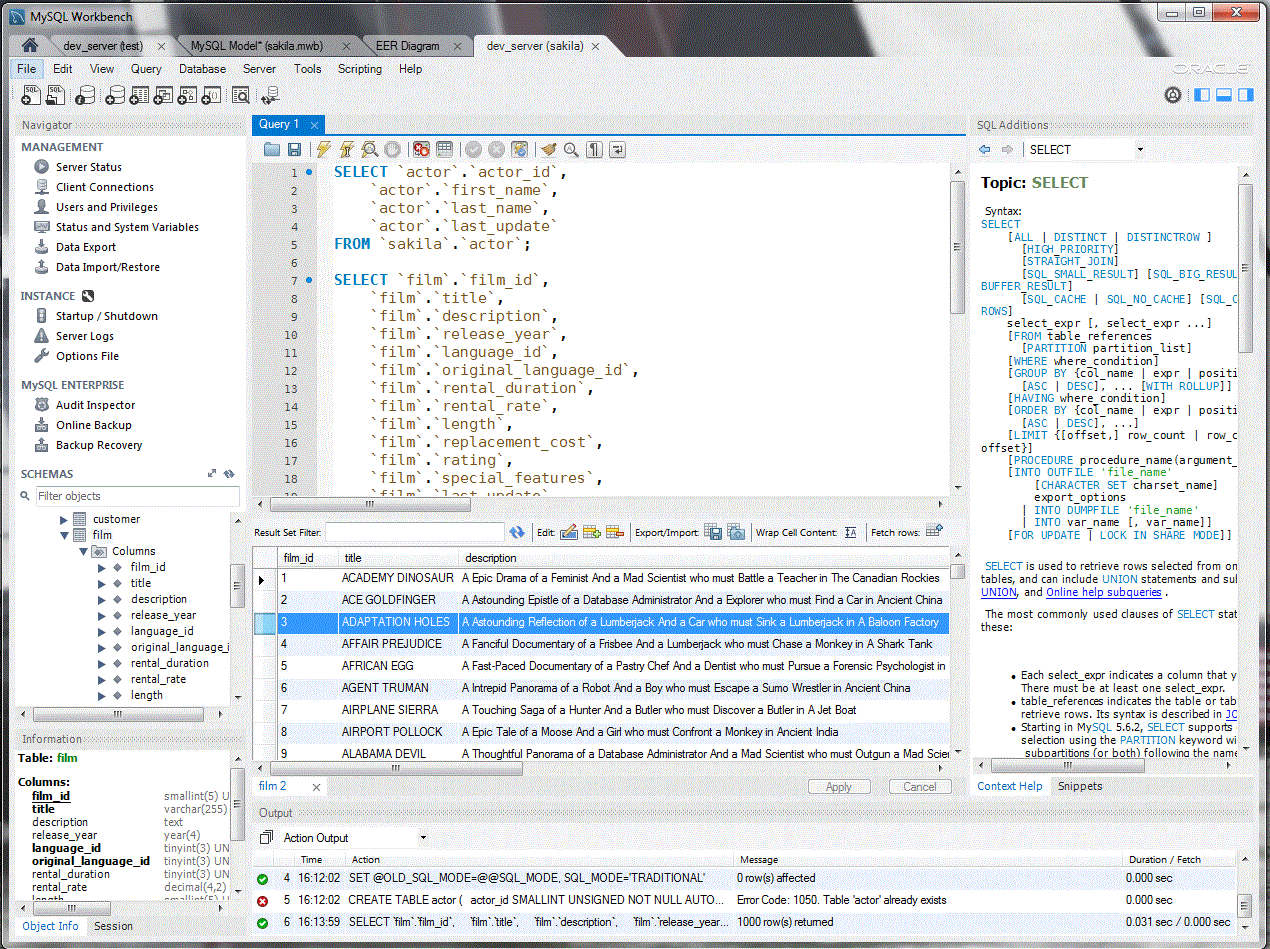
MySQL Workbench is the official GUI tool for MySQL, developed and maintained by Oracle. It’s free, open-source, and available on Windows, macOS, and Linux.
MySQL Workbench provides a visual SQL editor with syntax highlighting, auto-completion, and query history. The results panel supports inline editing, and you can export results to CSV, JSON, XML, and other formats. The query execution plan viewer renders graphical explain plans that show how MySQL processes your queries.
The standout feature is the visual schema designer. You can create and modify database schemas using an ER diagram editor—dragging tables, defining relationships, and generating the DDL automatically. This is particularly useful for designing new databases or documenting existing ones. The forward and reverse engineering capabilities let you sync between diagrams and live databases.
MySQL Workbench also includes server administration features: user management, server status monitoring, data export/import, and MySQL Enterprise Backup integration. The migration wizard helps move databases from SQL Server, PostgreSQL, or other systems to MySQL.
The interface feels dated compared to newer tools—dialog-heavy with a learning curve for the visual modeler. Performance can lag on large schemas. But for a free tool with complete MySQL feature coverage, especially the visual schema design, it’s hard to beat.
DBeaver
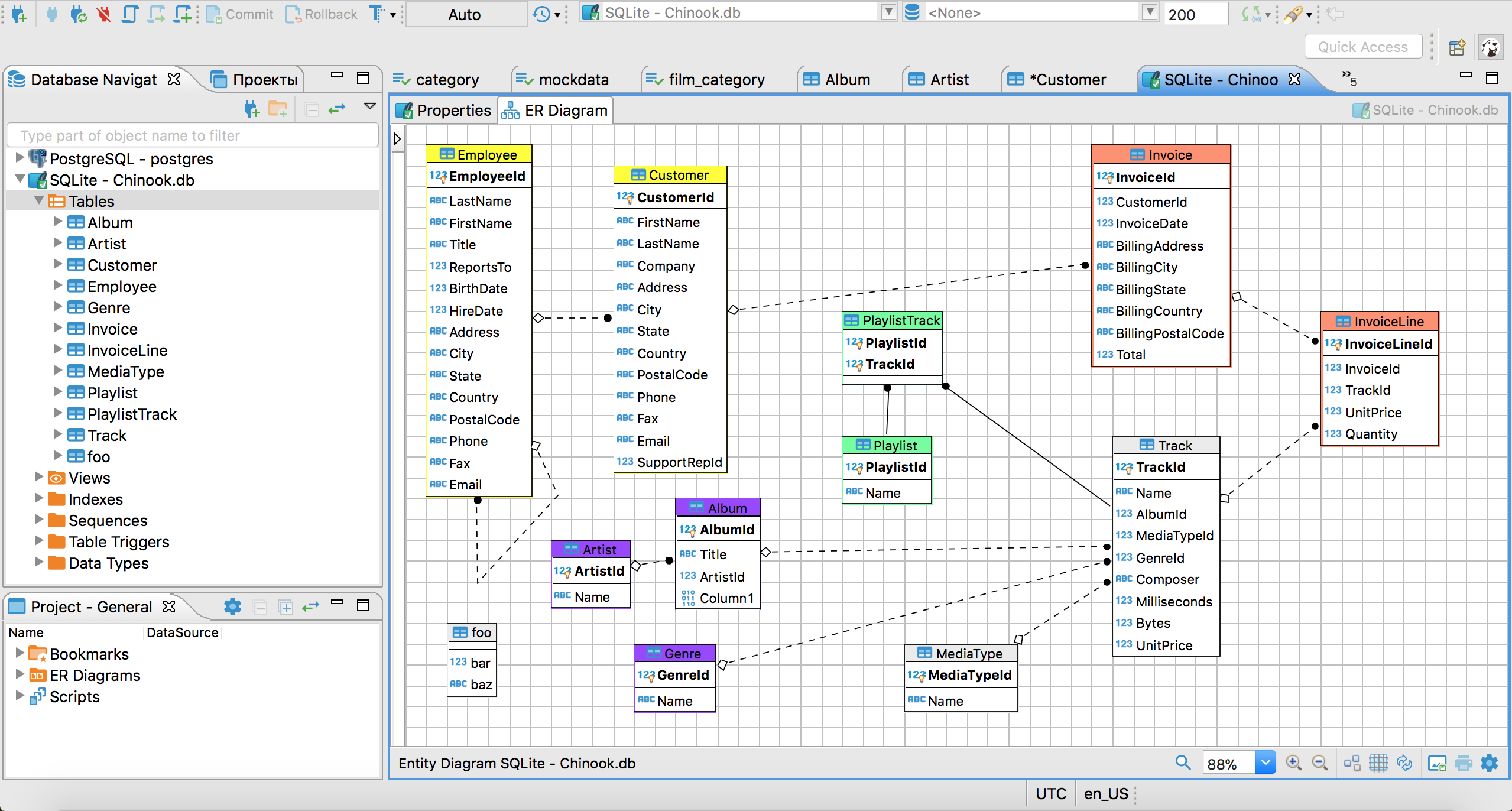
DBeaver is a universal database tool that supports MySQL alongside 80+ other databases. The Community Edition is free and open-source; the Enterprise Edition adds features like ERD editing and NoSQL support.
DBeaver’s SQL editor provides context-aware auto-completion that suggests columns in SELECT clauses and tables in FROM clauses. For MySQL specifically, DBeaver handles stored procedures, functions, triggers, events, and views through dedicated editors. You can browse and edit all MySQL-specific objects in the database navigator tree.
The data transfer tool is a strong point. You can export MySQL data to CSV, JSON, SQL, XML, and other formats, or transfer data between databases directly—useful for one-off migrations or creating test fixtures. The tool handles MySQL-specific data types like ENUM, SET, and spatial types correctly.
DBeaver generates ER diagrams from your schema in the Community Edition (read-only). The Enterprise Edition lets you edit diagrams and generate DDL. If you work with MySQL alongside other databases like PostgreSQL or SQLite, DBeaver provides a consistent interface for all of them.
The tradeoff is weight. DBeaver is built on the Eclipse platform, so startup time and memory usage are higher than lighter tools like TablePlus. For quick queries, the overhead can be noticeable.
DataGrip
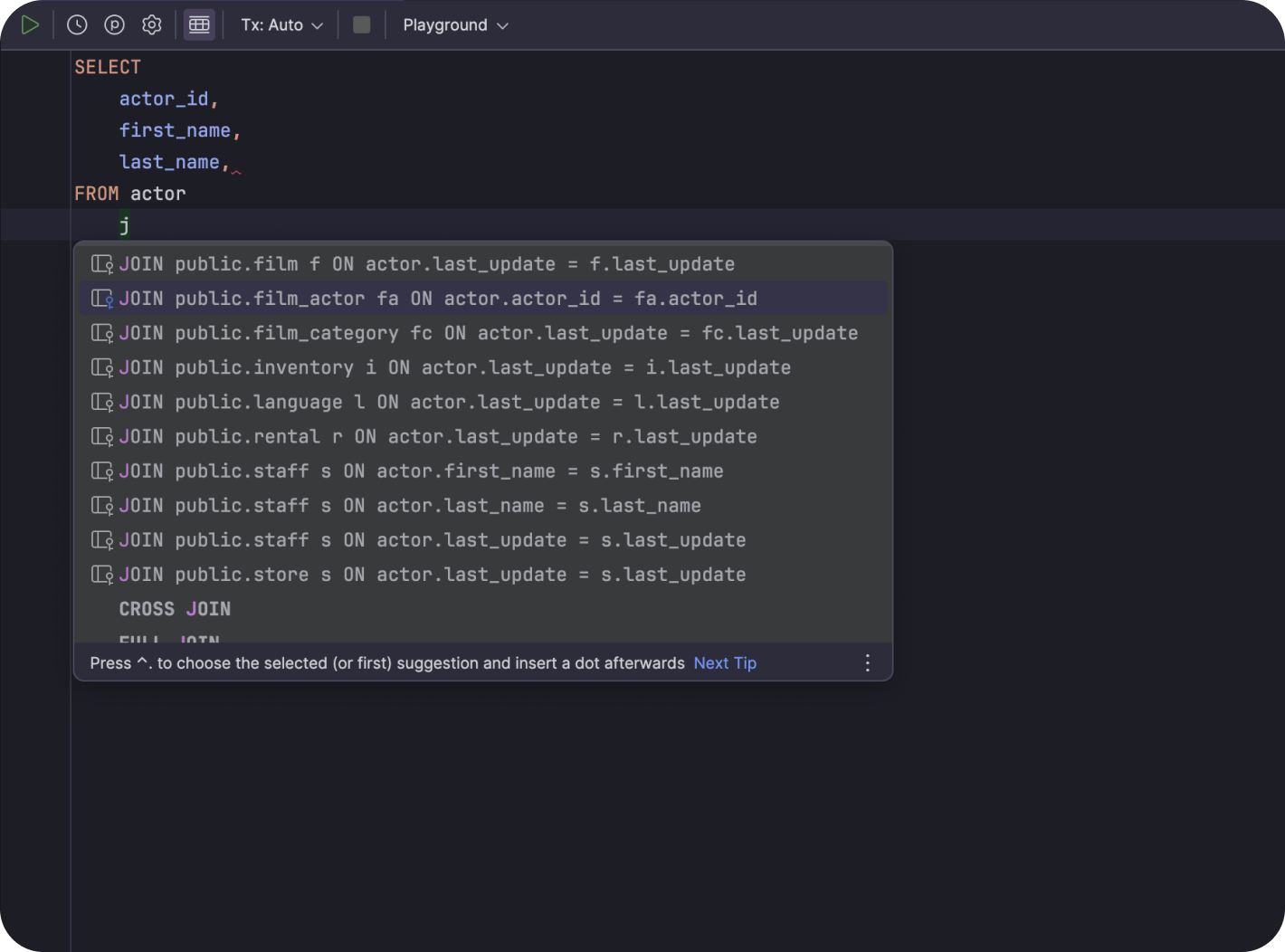
DataGrip is JetBrains’ database IDE and the most full-featured SQL editor on this list. If you use IntelliJ, PyCharm, or other JetBrains tools, the interface is immediately familiar.
DataGrip’s SQL editor is its strength. It provides intelligent code completion that understands MySQL syntax, on-the-fly error detection, and quick-fixes. Refactoring support lets you rename tables or columns across all references. The query console tracks local history, so you can recover queries from days ago without explicitly saving them.
For MySQL specifically, DataGrip supports stored routines, triggers, events, and user-defined functions with syntax highlighting and debugging capabilities. The explain plan viewer shows both traditional and tree-format plans. You can compare execution plans side-by-side to measure the impact of query changes.
The data editor handles MySQL types well, including JSON columns with syntax highlighting and validation. Parameterized queries let you define variables and re-run queries with different values without editing the SQL.
DataGrip is commercial software ($199/year for individuals, less for students and open-source contributors). For professional developers who write MySQL queries daily, the productivity features justify the cost.
See what QueryPlane can build for you
Connect to your database, write SQL with AI, and build shareable apps — all from your browser.
TablePlus
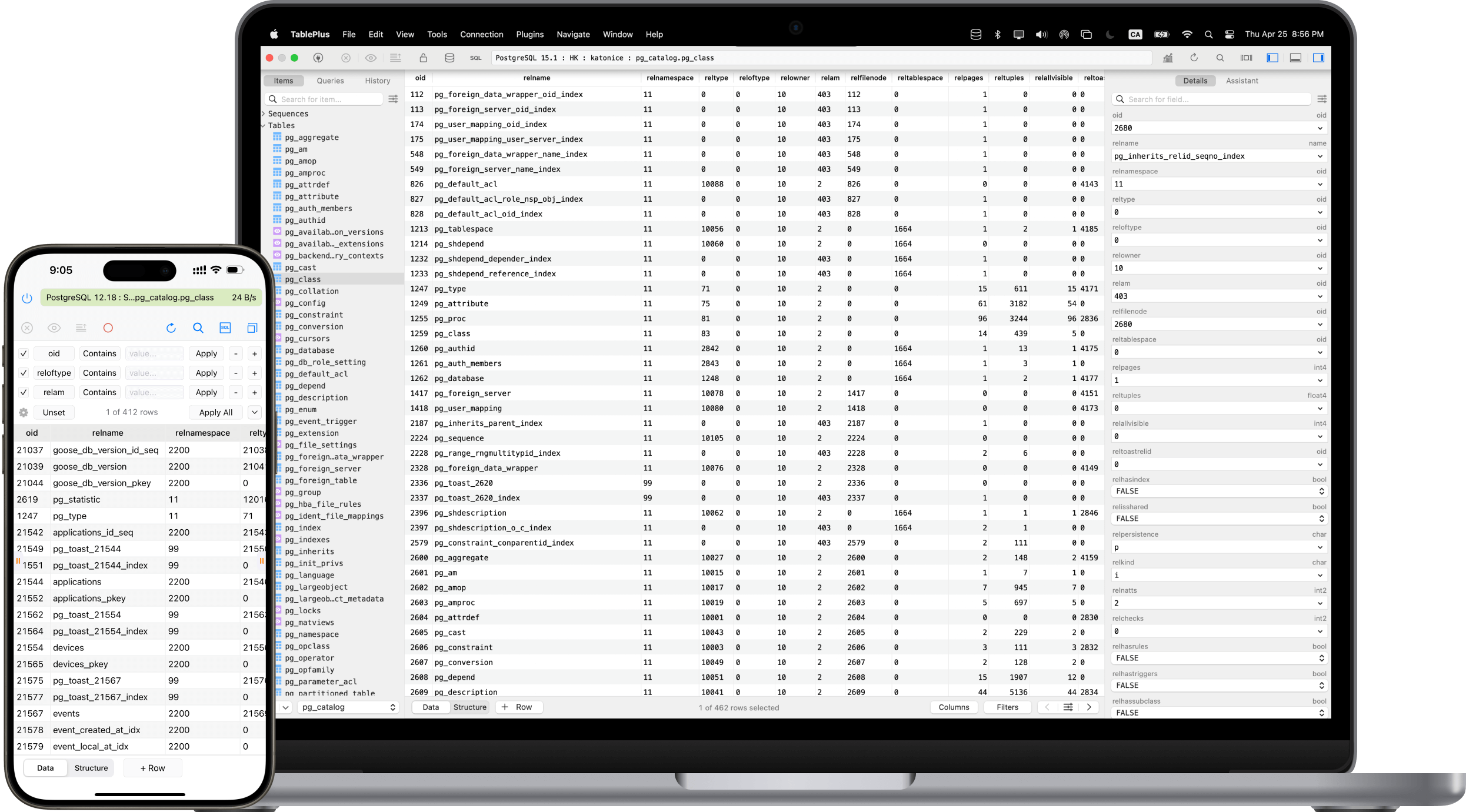
TablePlus is a modern, native database GUI for macOS, Windows, and Linux. It’s widely considered the fastest MySQL GUI client available—opening connections, browsing tables, and running queries all feel instant because it’s a native app, not Electron or web-based.
The query editor is straightforward with syntax highlighting, basic auto-completion, and multi-query execution. Results appear in a tabular view where you can edit cells inline, add rows, and delete rows. Changes are staged locally and committed in a single action, which prevents accidental data modifications.
TablePlus handles MySQL-specific features well: it displays and edits JSON, ENUM, SET, and spatial types correctly. You can view and edit stored procedures, functions, triggers, and events through dedicated tabs. The connection manager supports SSH tunneling and SSL connections.
A standout feature is the ability to open multiple tabs connected to different databases and quickly switch between them—useful when working across development, staging, and production MySQL instances.
The free version limits you to two open tabs and two database connections simultaneously. The paid license ($89 one-time for personal use) removes these limits.
Beekeeper Studio
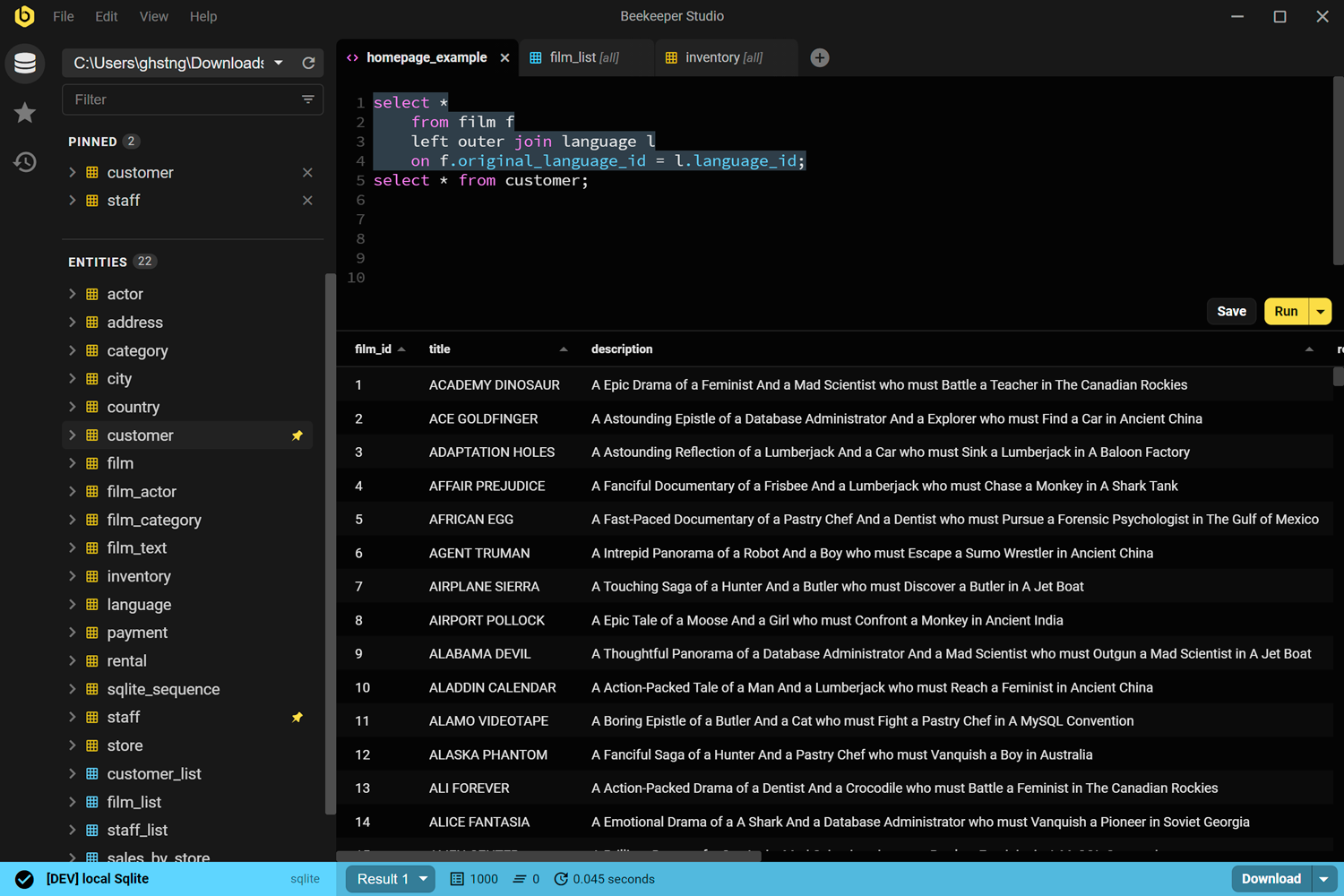
Beekeeper Studio is an open-source database GUI with a focus on privacy and simplicity. It supports MySQL, PostgreSQL, SQLite, SQL Server, and several other databases.
The interface is minimal and modern. The query editor has syntax highlighting and basic auto-completion. Results display in a clean table view with inline editing support. Beekeeper Studio doesn’t try to cover every database feature—it focuses on the core workflow of writing queries, browsing tables, and editing data.
Beekeeper Studio emphasizes privacy. It doesn’t collect telemetry, and connection credentials stay on your machine. For teams with strict data handling requirements, this matters.
The open-source Community Edition covers core features: querying, table browsing, data editing, and import/export. The Ultimate Edition (paid) adds query history search, cloud credential storage, and priority support. The SQL formatter cleans up messy queries with consistent styling.
Beekeeper Studio runs on Electron, so it’s not as fast as native apps like TablePlus, but for most MySQL workflows it’s responsive enough. If you want a clean, simple MySQL GUI without overwhelming complexity, it’s a solid choice.
phpMyAdmin
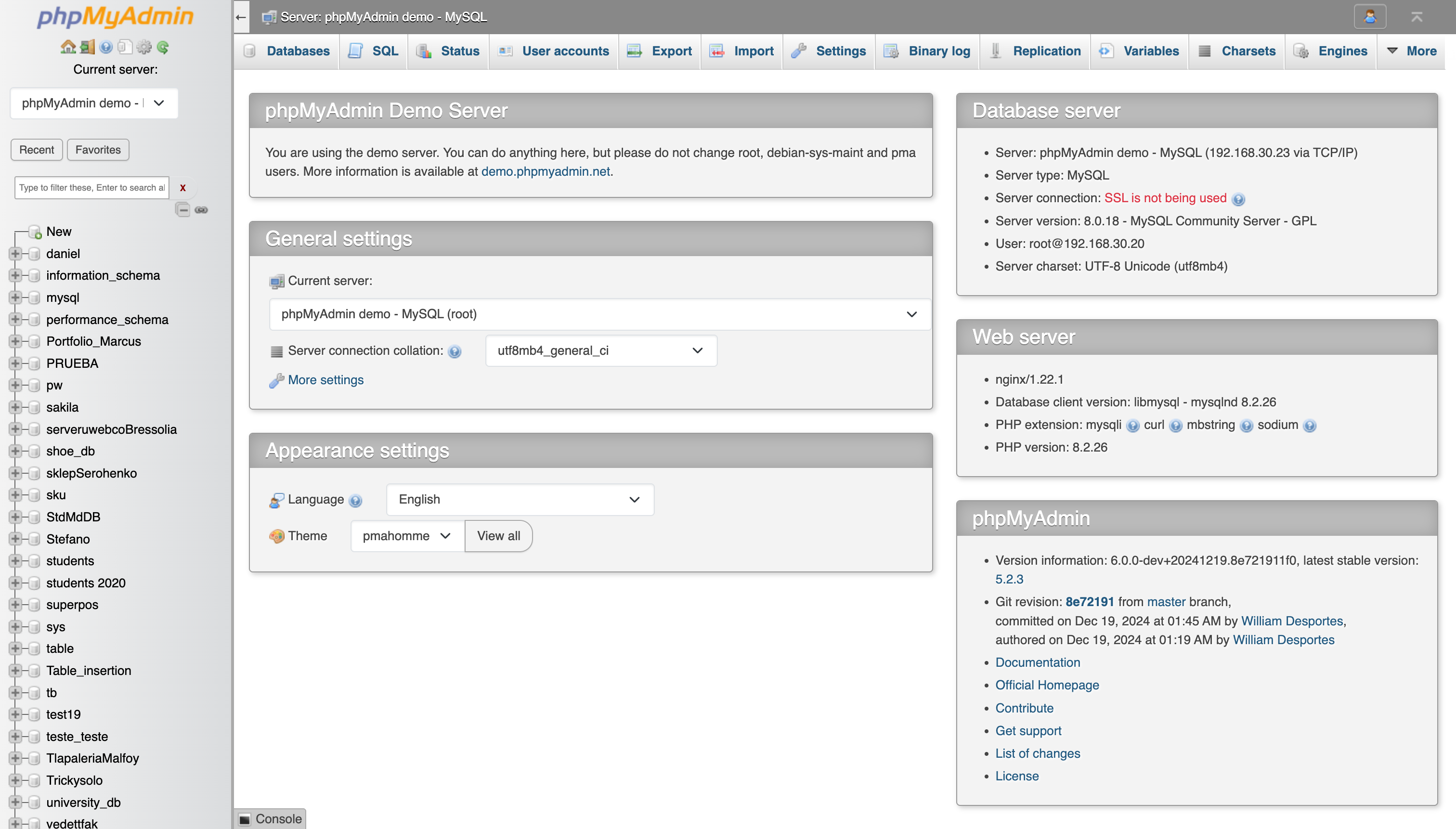
phpMyAdmin is a free, web-based MySQL administration tool written in PHP. It’s been around since 1998 and is bundled with most web hosting control panels (cPanel, Plesk, etc.), making it one of the most widely used MySQL GUI tools in the world.
phpMyAdmin runs in a browser with no installation needed on your local machine. You can manage databases, tables, columns, relations, indexes, users, and permissions through a straightforward web interface. The SQL editor supports syntax highlighting and query bookmarks. You can import and export data in SQL, CSV, XML, PDF, and other formats.
For MySQL-specific tasks, phpMyAdmin handles stored routines, triggers, events, and views. The query-by-example (QBE) interface lets you build queries visually without writing SQL. The search feature can search across an entire database for a value—useful for tracking down data in unfamiliar schemas.
The interface is functional but dated. It lacks the speed and polish of desktop clients, and complex operations require multiple page loads. But phpMyAdmin’s ubiquity is its strength—if you’re managing MySQL on shared hosting or need browser-based access, it’s already there and it works.
QueryPlane
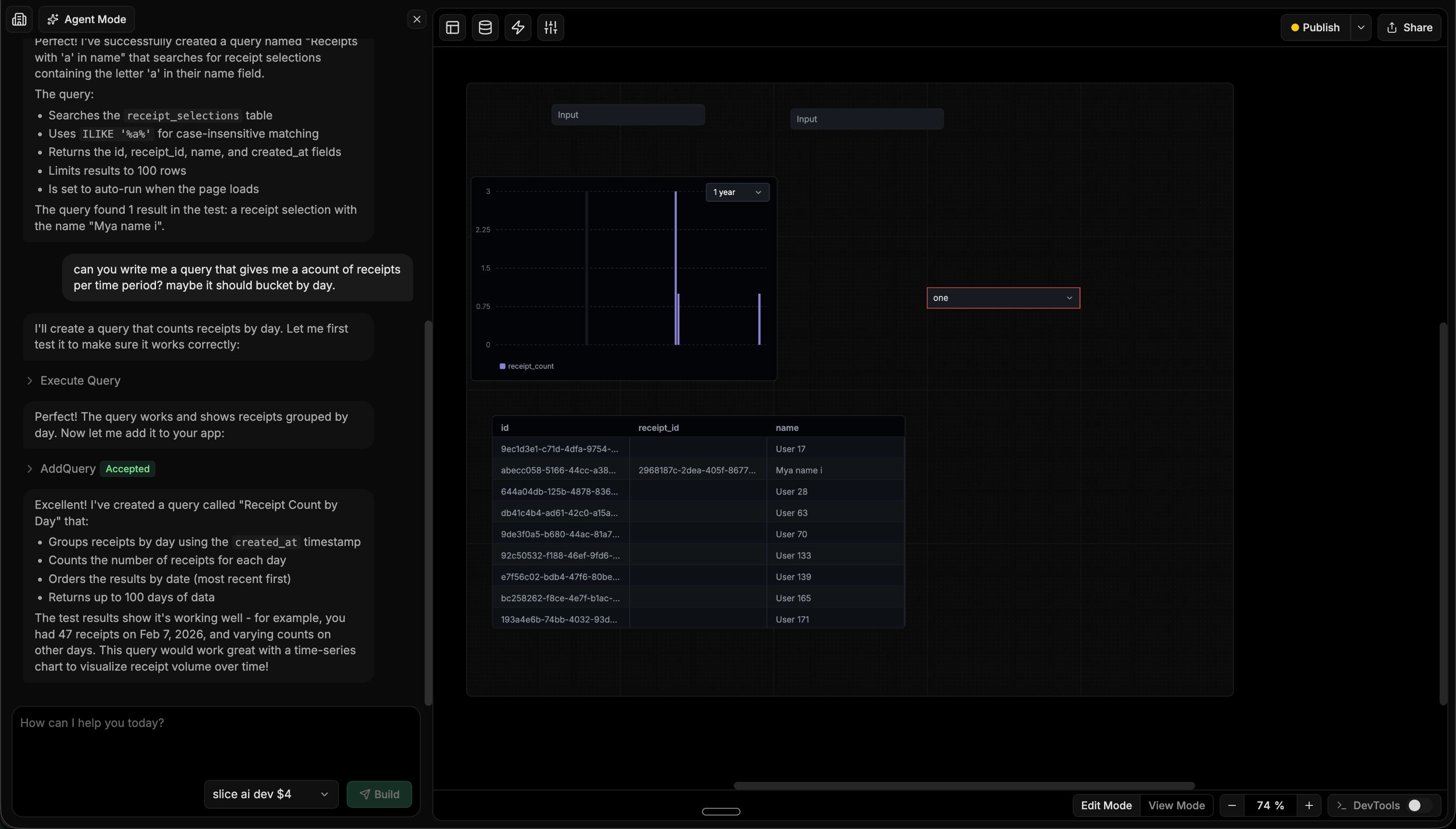
QueryPlane is an AI-native tool builder focused on databases. Rather than manually writing queries and wiring up UI components, you describe what you want in natural language and an AI agent builds it—writing the SQL, testing it against your live database, and assembling charts, tables, and forms into a working application.
QueryPlane connects to MySQL along with PostgreSQL, MongoDB, Snowflake, BigQuery, Redshift, and other databases. You can build internal tools, dashboards, and workflows that your team can use without needing direct database access. The applications you create are shareable through role-based access controls.
For MySQL users, QueryPlane is most useful when you need to build something on top of your data—a customer lookup tool, an order management dashboard, or a reporting interface—without spinning up a separate backend. The AI agent handles the SQL and UI assembly, so the barrier between “I need a tool” and “I have a tool” is a conversation rather than a sprint.
MySQL GUI Tools Comparison
| Tool | Price | Platforms | Best for |
|---|---|---|---|
| MySQL Workbench | Free | Windows, Mac, Linux | Visual schema design and MySQL administration |
| DBeaver | Free / $229/yr | Windows, Mac, Linux | Multi-database environments, data transfer |
| DataGrip | $199/yr | Windows, Mac, Linux | Professional SQL development |
| TablePlus | Free / $89 | Windows, Mac, Linux | Fast, lightweight daily queries |
| Beekeeper Studio | Free / $99 | Windows, Mac, Linux | Privacy-focused, simple workflows |
| phpMyAdmin | Free | Web | Web hosting, browser-based administration |
| QueryPlane | Free / Paid | Web | AI-powered app building on your database |
How to Choose
Choose MySQL Workbench if you need the visual schema designer or full MySQL administration features. It’s the most complete free MySQL GUI, especially for database design and migration tasks.
Choose DBeaver if you work with MySQL alongside other databases and want a single tool. The free Community Edition provides strong value for multi-database teams.
Choose DataGrip if you’re a professional developer writing complex MySQL queries daily. The intelligent editor and refactoring tools pay for themselves in productivity.
Choose TablePlus if you want speed and a clean interface. It’s the most responsive MySQL GUI available, ideal for quick queries and daily database work.
Choose Beekeeper Studio if you want a simple, open-source MySQL client with strong privacy practices and a modern UI.
Choose phpMyAdmin if you need browser-based access or you’re on shared hosting where it’s already installed. It’s ubiquitous and gets the job done.
Choose QueryPlane if you need to build shareable applications and dashboards on top of your MySQL data using AI, without writing a separate backend.
Looking for a MySQL GUI? Try QueryPlane’s MySQL integration — connect, query, and build data apps with AI.
Wrapping up
All of these MySQL GUI tools let you connect to your database and run queries. The differences are in workflow: MySQL Workbench excels at schema design, DataGrip at SQL editing, TablePlus at speed, and QueryPlane at turning database queries into shareable applications. Most offer free versions or trials—try the ones that match your primary workflow before committing.