Best PostgreSQL GUI Clients & Tools in 2026
Compare the best PostgreSQL GUI clients for 2026 — pgAdmin, DBeaver, DataGrip, TablePlus & more. Features, pricing, and which tool fits your workflow.
Postgres
This post was written by an engineer at QueryPlane. QueryPlane is an app builder for your database: bring your own postgres db and you can create interactive applications to share with other developers, coworkers or even your customers. If you’re interested in trying it out, get started here.
The right PostgreSQL GUI tool makes database management faster and less error-prone. Whether you need a postgres viewer to browse tables, a postgres online editor for writing queries from the browser, a postgres schema visualizer to understand relationships, or a full management studio for administering your database, a good GUI client saves hours of work compared to the command line alone.
This post compares the best postgres GUI tools available in 2026—covering free and paid options that run on Mac, Windows, and Linux. We’ll look at what each postgres UI tool does well so you can pick the best PostgreSQL client for your workflow. If you’re specifically looking for a pgAdmin replacement, see our Best pgAdmin Alternatives guide.
In this post, we’ll cover:
- QueryPlane - AI-native app builder for databases (sign up)
- pgAdmin - The official PostgreSQL GUI (free)
- DBeaver - Open-source universal database tool (free / paid)
- DataGrip - JetBrains IDE for databases (paid)
- TablePlus - Modern native database tool (free / paid)
- Beekeeper Studio - Open-source and privacy-focused (free / paid)
pgAdmin
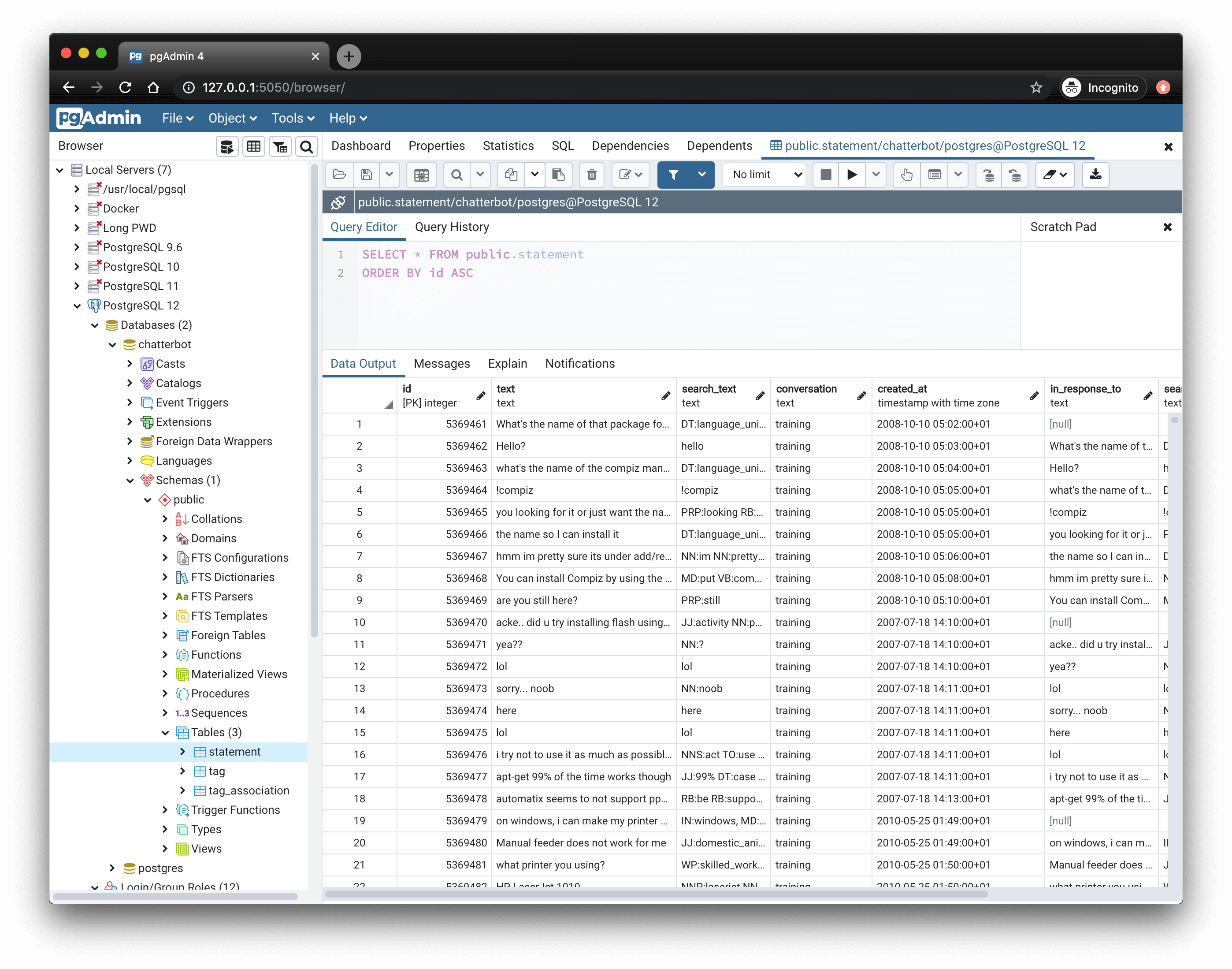
pgAdmin is the official GUI for PostgreSQL, maintained by the PostgreSQL community. It’s free, open-source, and available on Windows, macOS, and Linux.
pgAdmin provides comprehensive access to PostgreSQL features. You can manage databases, schemas, tables, views, functions, triggers, and roles through a tree-based interface. The query tool supports syntax highlighting, auto-completion, and explain plan visualization.
The dashboard shows server activity including active connections, transactions per second, and lock information. This makes it useful for basic monitoring without needing separate tools.
pgAdmin 4 runs as a web application, which means you can deploy it on a server and access it through a browser. This is convenient for shared access but adds deployment complexity compared to native desktop apps. There’s also a desktop runtime that bundles the web app for local use.
The interface is functional but dated compared to newer tools. Complex operations sometimes require navigating through multiple dialogs. Query history and saved queries exist but aren’t as polished as commercial alternatives.
If you’re coming from SQL Server and looking for something like a PostgreSQL management studio, pgAdmin is the closest equivalent. It’s the right choice if you want a free postgres GUI with complete feature coverage, especially for administrative tasks like managing roles, tablespaces, and server configuration. For a deeper look at the tool, see our What is pgAdmin explainer. If you’re deciding between pgAdmin and DBeaver specifically, see our pgAdmin vs DBeaver comparison. If you want a more app-building-oriented option, compare QueryPlane vs pgAdmin.
DBeaver
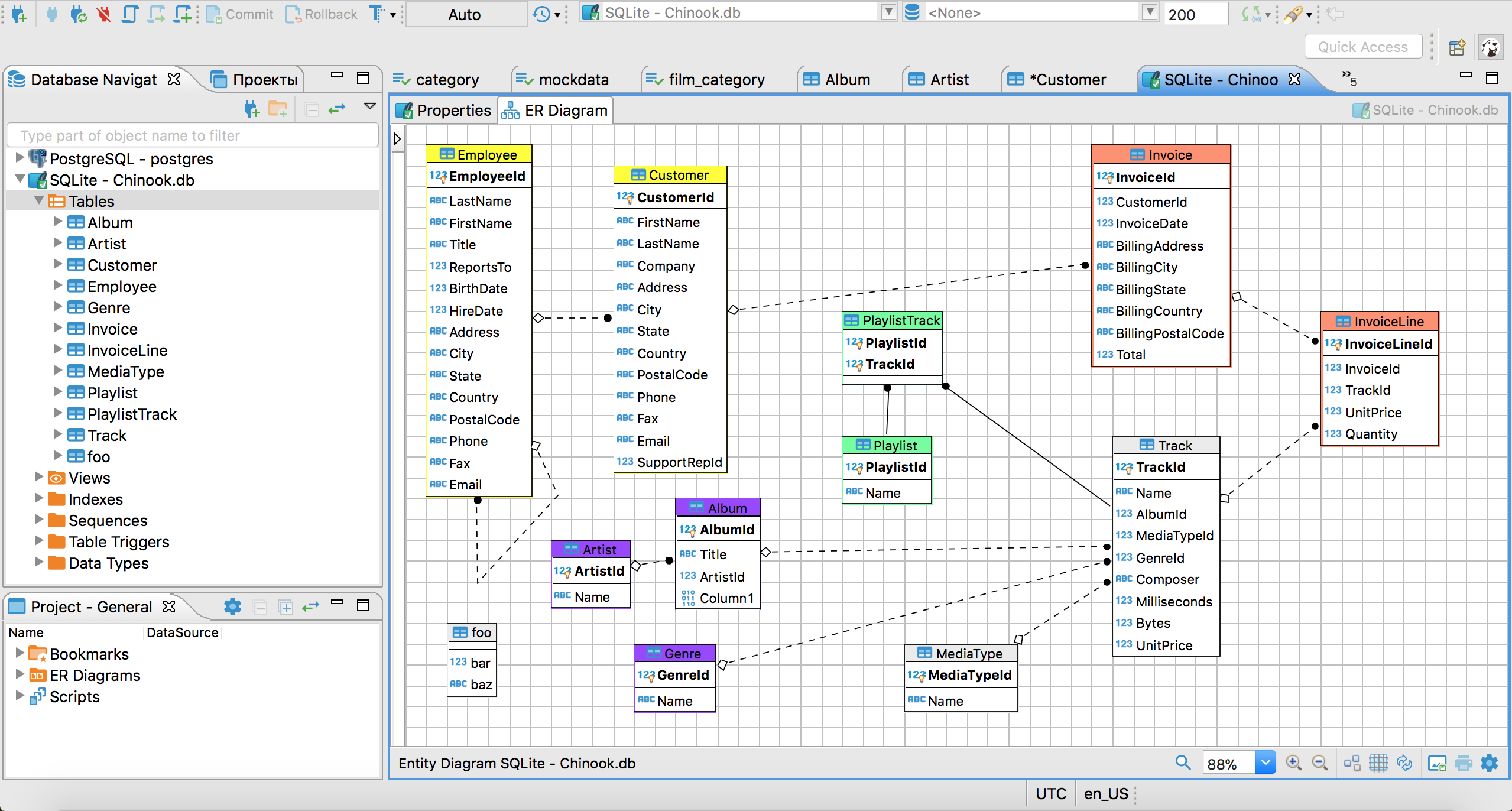
DBeaver is a universal database tool that supports PostgreSQL along with 80+ other databases. The Community Edition is free and open-source; the Enterprise Edition adds features like ERD generation and NoSQL support.
DBeaver uses a familiar IDE-style interface with a database navigator, SQL editor, and results panel. The SQL editor includes intelligent auto-completion that’s context-aware—it suggests columns when you’re in a SELECT clause and tables when you’re in a FROM clause.
For PostgreSQL specifically, DBeaver supports all the standard features: browsing schema objects, editing data inline, importing/exporting data, and visualizing query plans. It also handles PostgreSQL-specific features like extensions, foreign data wrappers, and materialized views.
The ERD (Entity Relationship Diagram) viewer generates visual diagrams of your database schema. In the Community Edition, this is read-only; the Enterprise Edition allows editing diagrams and generating DDL from them.
DBeaver’s data transfer tool is particularly useful. You can export data to CSV, JSON, XML, SQL, and other formats, or transfer data between databases directly. This makes it practical for one-off data migrations or generating test fixtures.
The tradeoff is that DBeaver can feel heavy. It’s built on the Eclipse platform, so startup time and memory usage are higher than lighter native apps. For quick queries, this overhead can be noticeable. For a detailed feature-by-feature comparison with pgAdmin, see our pgAdmin vs DBeaver post.
See what QueryPlane can build for you
Connect to your database, write SQL with AI, and build shareable apps — all from your browser.
DataGrip
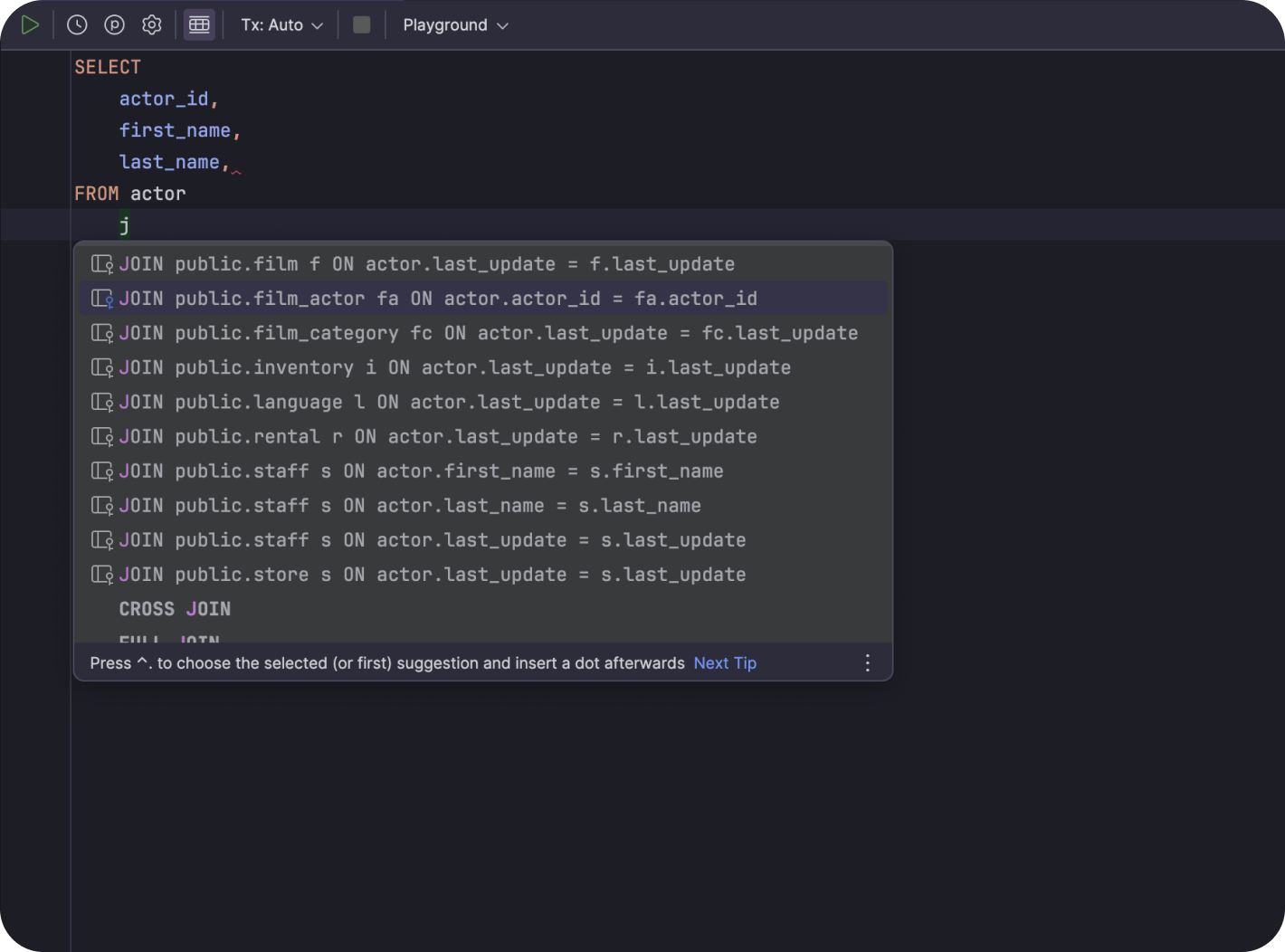
DataGrip is JetBrains’ dedicated database IDE—the most full-featured PostgreSQL IDE on this list. If you use IntelliJ, PyCharm, or other JetBrains tools, DataGrip’s interface will feel immediately familiar.
The SQL editor is DataGrip’s strength. It provides intelligent code completion, on-the-fly error detection, and quick-fixes for common issues. Refactoring support lets you rename tables or columns and update all references automatically.
DataGrip’s query console tracks local history, so you can recover queries you ran days ago even if you didn’t explicitly save them. The parameterized queries feature lets you define variables and rerun queries with different values without editing the SQL.
For PostgreSQL, DataGrip supports explain plan visualization with a graphical view of query execution. You can compare plans side-by-side to see how query changes affect performance.
The data editor allows inline editing with intelligent type handling. It understands arrays, JSON, and other PostgreSQL-specific types. You can edit JSON values with syntax highlighting and validation.
DataGrip is commercial software with a subscription model ($199/year for individuals, less for students and open-source contributors). If you’re looking for a dedicated PostgreSQL IDE rather than a lighter GUI client, DataGrip is the strongest option. For professional developers who spend significant time in databases, the JetBrains productivity features often justify the cost.
TablePlus
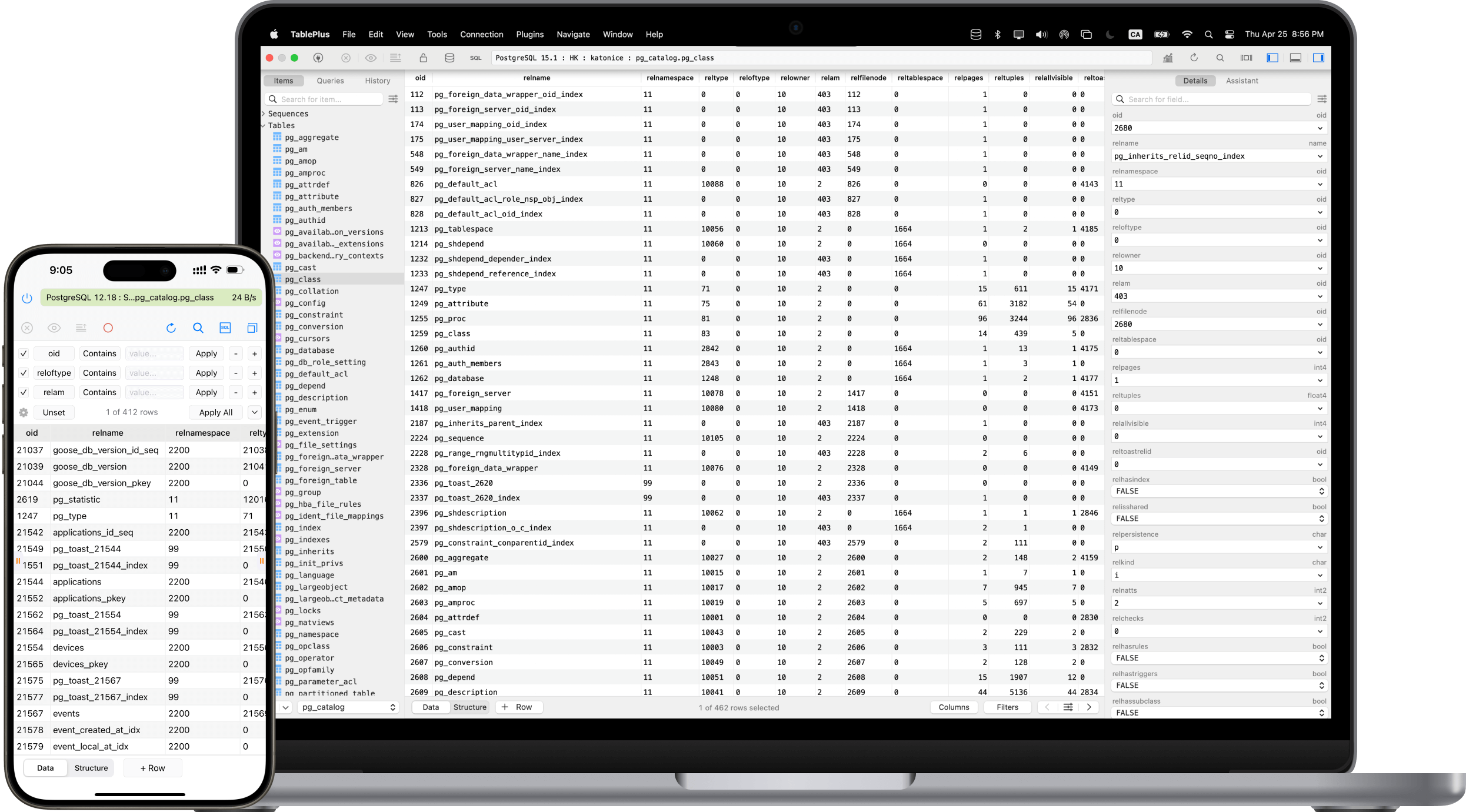
TablePlus is a modern, native database GUI tool for macOS, Windows, and Linux. It started as a Mac-first app and is widely considered the best postgres GUI for Mac, though the Windows and Linux versions are equally capable. The design emphasizes speed and simplicity over comprehensive feature coverage.
The interface is clean and fast. Opening a connection, browsing tables, and running queries all feel instant. TablePlus is a native app (not Electron or web-based), which contributes to the responsiveness.
The query editor is straightforward with syntax highlighting, basic auto-completion, and the ability to run multiple queries in sequence. Results appear in a tabular view where you can edit cells inline, add rows, and delete rows. Changes are staged locally and committed with a single button press.
TablePlus handles PostgreSQL-specific features well. It displays and edits JSON, arrays, and custom types correctly. You can view and edit functions, triggers, and other database objects through dedicated tabs.
A standout feature is the ability to open multiple tabs connected to different databases and quickly switch between them. This is useful when working across development, staging, and production environments.
The free version limits you to two open tabs and two database connections simultaneously. The paid license ($89 one-time for personal use) removes these limits. There’s also a subscription option ($49/year) that includes future major versions. If you like TablePlus’s speed but need something more collaborative, compare QueryPlane vs TablePlus.
Beekeeper Studio
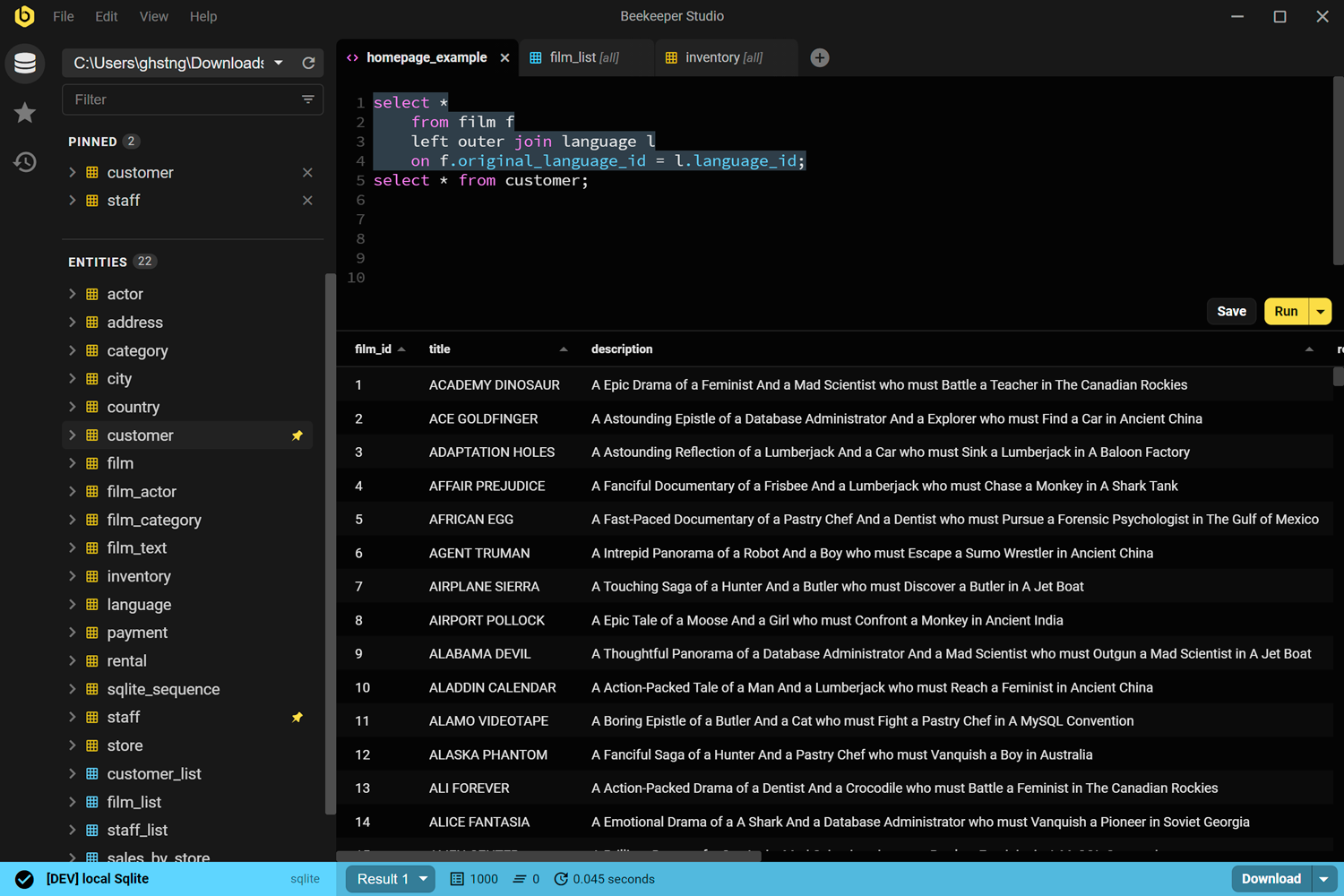
Beekeeper Studio is an open-source database GUI tool with a focus on privacy and simplicity. It supports PostgreSQL, MySQL, SQLite, SQL Server, and several others.
The interface is minimal and modern. You won’t find every feature that pgAdmin or DBeaver offers, but the features that exist work well. If you just need a clean postgres viewer and query editor, Beekeeper Studio delivers. The query editor has syntax highlighting and basic auto-completion. Results display in a clean table view with inline editing support.
Beekeeper Studio emphasizes privacy. It doesn’t collect telemetry, and connection credentials stay on your machine. For teams with strict data handling requirements, this can be an important consideration.
The open-source Community Edition includes the core features: querying, table browsing, data editing, and import/export. The Ultimate Edition (paid) adds features like query history search, cloud credential storage, and priority support.
One nice feature is the SQL formatter that cleans up messy queries with consistent styling. The saved queries feature lets you organize frequently-used queries into folders.
Beekeeper Studio runs on Electron, so performance is between the heavy Java-based tools (DBeaver) and native apps (TablePlus). For most workflows, it’s responsive enough that the framework doesn’t matter. If you want a browser-based alternative that can turn database work into shareable tools, compare QueryPlane vs Beekeeper Studio.
QueryPlane
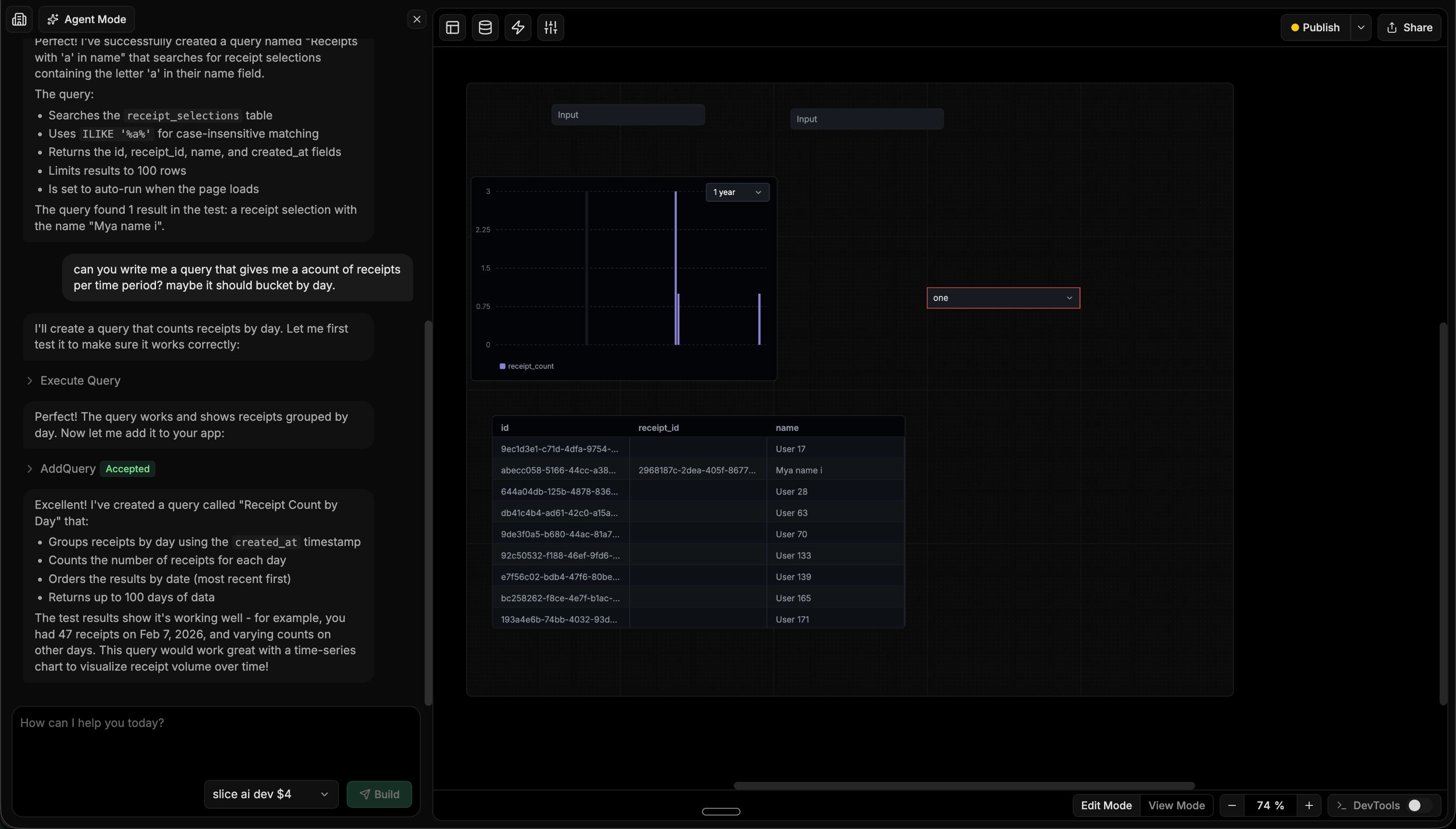
QueryPlane is an AI-native tool builder focused on databases. Rather than manually writing queries and dragging components around, you describe what you want in natural language and an AI agent builds it—writing the SQL, testing it, and assembling the UI components into a working application.
In the screenshot above, a user asks the agent to “write me a query that gives me a count of receipts per time period” and the agent writes the query, validates it against the live database, and adds a time-series chart and data table to the app. This workflow turns what would normally be an hour of SQL writing and UI wiring into a conversation.
QueryPlane runs entirely in the browser as a postgres online editor — no installation required. It supports PostgreSQL along with MySQL, MongoDB, Snowflake, ClickHouse, BigQuery, Redshift, and other databases. You can share the applications you build with developers, operations teams, or customers through role-based access controls. This makes it useful for teams that need to give non-engineers access to database-driven workflows without building custom admin panels.
QueryPlane also works as a postgres dashboard builder and schema visualizer — you can explore tables, relationships, and build interactive views on your data. For developers who spend time building internal tools or one-off admin pages, QueryPlane replaces that work with an AI-powered builder. It’s less of a traditional PostgreSQL GUI client and more of an AI application layer on top of your database.
PostgreSQL GUI Tools Comparison
| Tool | Price | Platforms | Best for |
|---|---|---|---|
| pgAdmin | Free | Windows, Mac, Linux | PostgreSQL administration and management |
| DBeaver | Free / $229/yr | Windows, Mac, Linux | Multi-database environments, data transfer |
| DataGrip | $199/yr | Windows, Mac, Linux | Professional SQL development |
| TablePlus | Free / $89 | Windows, Mac, Linux | Fast, lightweight daily queries |
| Beekeeper Studio | Free / $99 | Windows, Mac, Linux | Privacy-focused, simple workflows |
| QueryPlane | Free / Paid | Web | Building shareable apps on your database |
Free PostgreSQL GUI Tools
If you’re looking for a free PostgreSQL GUI tool, pgAdmin and DBeaver Community Edition are the strongest options. pgAdmin gives you the deepest PostgreSQL-specific feature coverage at no cost, while DBeaver is better if you also work with MySQL, SQLite, or other databases. TablePlus and Beekeeper Studio also offer free tiers, though with some limitations on connections or features.
How to Choose the Best PostgreSQL GUI Tool
Choose pgAdmin if you need comprehensive PostgreSQL database management features and want a completely free GUI tool. It’s the best option for managing roles, permissions, and server configuration.
Choose DBeaver if you work with multiple database types and want a single tool for everything. The free Community Edition provides excellent value as a PostgreSQL GUI tool that also handles MySQL, SQLite, and more.
Choose DataGrip if you’re a professional developer who spends significant time writing SQL. The intelligent editor features pay for themselves in productivity, especially if you already use JetBrains tools.
Choose TablePlus if you prioritize speed and a clean interface. It’s the most responsive PostgreSQL GUI tool and handles day-to-day query work efficiently on Mac, Windows, and Linux.
Choose Beekeeper Studio if you want a simple, open-source option with strong privacy practices. It covers the basics of PostgreSQL database management well without overwhelming complexity.
Choose QueryPlane if you need to build shareable applications and dashboards on top of your PostgreSQL data. It’s the best option when non-technical teammates need to interact with your database through forms, tables, and workflows without you building custom admin panels.
PostgreSQL GUI FAQ
What is the best free PostgreSQL GUI?
If you want a free PostgreSQL GUI, start with pgAdmin or DBeaver Community Edition. pgAdmin is the better choice for PostgreSQL-specific administration, while DBeaver is stronger if you need one tool for PostgreSQL, MySQL, SQLite, and other databases. If you’re comparing them directly, read our pgAdmin vs DBeaver guide.
What is the best PostgreSQL GUI for Mac?
For most Mac users, TablePlus is the most polished native PostgreSQL GUI and the fastest for everyday querying. DataGrip is better if you want IDE-style SQL tooling, and pgAdmin is still the best free option if you need deeper PostgreSQL admin features. If TablePlus is on your shortlist, see QueryPlane vs TablePlus.
Is pgAdmin or DBeaver better for PostgreSQL?
Choose pgAdmin if you care most about PostgreSQL administration: roles, tablespaces, server settings, and the official ecosystem tool. Choose DBeaver if you want a smoother daily workflow, stronger multi-database support, and better data export/import tooling. The answer depends on whether you need an admin console or a general-purpose SQL client.
When should I use QueryPlane instead of a traditional PostgreSQL GUI?
Use QueryPlane when browsing tables and writing queries is only part of the job. If you need to turn PostgreSQL data into internal tools, dashboards, forms, or workflows that other teammates can use, QueryPlane is a better fit than a traditional desktop-only GUI. You can also start with the PostgreSQL integration to see how that workflow differs.
Is there a PostgreSQL online editor I can use in the browser?
Yes. QueryPlane is a browser-based postgres online editor — connect your database and start writing queries without installing anything. pgAdmin also supports a web/server mode, but it requires self-hosting the application on your own server. DBeaver has a cloud edition (CloudBeaver) for browser access as well.
What are the best pgAdmin alternatives?
The best pgAdmin alternatives depend on what you need. DBeaver is the closest free alternative with multi-database support. TablePlus is faster for daily use. DataGrip has the best SQL editor. QueryPlane adds AI-powered querying and app building. See our full Best pgAdmin Alternatives guide.
Can I use a PostgreSQL GUI as a schema visualizer or ERD tool?
Yes. pgAdmin includes a built-in ERD tool for creating and viewing entity-relationship diagrams. DBeaver (Community Edition) provides read-only ER diagrams. DbVisualizer is specifically known for schema visualization. QueryPlane lets you explore schemas visually in the browser.
Looking for a PostgreSQL GUI? Try QueryPlane’s PostgreSQL integration — connect, query, and build data apps with AI.
Can I validate PostgreSQL queries without connecting to a database?
Yes. Before opening a GUI and running a query against production, you can paste it into a free PostgreSQL SQL syntax checker that validates the query in your browser. It catches missing commas, unmatched parentheses, invalid keywords, and unclosed quotes without any database connection, which is useful for peer-review workflows and for writing migrations offline.
Wrapping up
All of these postgres GUI tools connect to your database and let you run queries. The differences are in workflow: how quickly you can navigate, how much the editor helps you write correct SQL, and how well the tool handles PostgreSQL-specific features like JSON types, extensions, and explain plans.
For casual use or as a simple PostgreSQL viewer, any of these GUI clients work fine. For daily professional use, spending time to find the right postgres client for your workflow pays off quickly. Most offer free versions or trials—try a few before committing. If you need a free option, start with pgAdmin or DBeaver. If you want a full PostgreSQL IDE, DataGrip is the best pick. If you want the fastest native postgres GUI for Mac or Windows, go with TablePlus.