Best Redshift GUI Tools in 2026 (Free & Paid)
Compare the best Redshift GUI tools and SQL clients in 2026: Query Editor v2, DataGrip, DBeaver, Aginity, SQL Workbench/J, and QueryPlane.
General
This post was written by an engineer at QueryPlane. QueryPlane is an app builder for your database: bring your own postgres db and you can create interactive applications to share with other developers, coworkers or even your customers. If you’re interested in trying it out, get started here.
Redshift’s built-in Query Editor v2 handles basic SQL and visualization. But as your data team grows, you’ll want better SQL editing, multi-database support, or the ability to build applications on top of your Redshift data without exporting it. This post covers the best GUI tools for working with Redshift.
In this post, we’ll cover:
- QueryPlane - AI-native app builder for databases (sign up)
- Query Editor v2 - AWS’s built-in web editor (free)
- DataGrip - JetBrains database IDE (free for non-commercial / paid)
- DBeaver - Universal database tool (free / paid)
- Aginity (Coginiti) - Analytics-focused Redshift IDE (paid)
- SQL Workbench/J - Free cross-platform SQL tool (free)
Query Editor v2
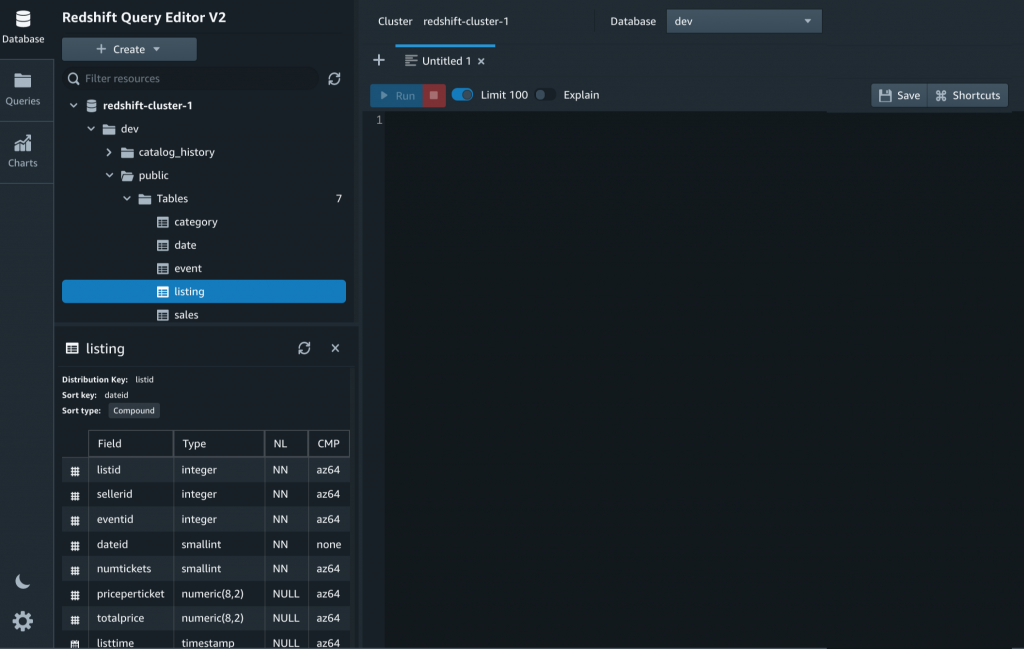
Query Editor v2 is AWS’s built-in web interface for Redshift. It provides a notebook-style editor with SQL cells, inline chart creation from query results, and Amazon Q generative SQL integration for writing queries in plain English.
The editor supports both Redshift Serverless and provisioned clusters. You can share queries and notebooks with team members, and the interface includes a schema browser for navigating tables and columns. Query results can be exported to CSV.
Query Editor v2 is free—you pay for Redshift compute and storage, not the editor itself. It’s the simplest way to get started since there’s nothing to install.
The limitations are typical of native consoles: browser-only, no multi-database support, limited SQL editing compared to desktop IDEs, and no offline capability. If Redshift is your only data warehouse and your queries are straightforward, the built-in editor may be all you need.
DataGrip
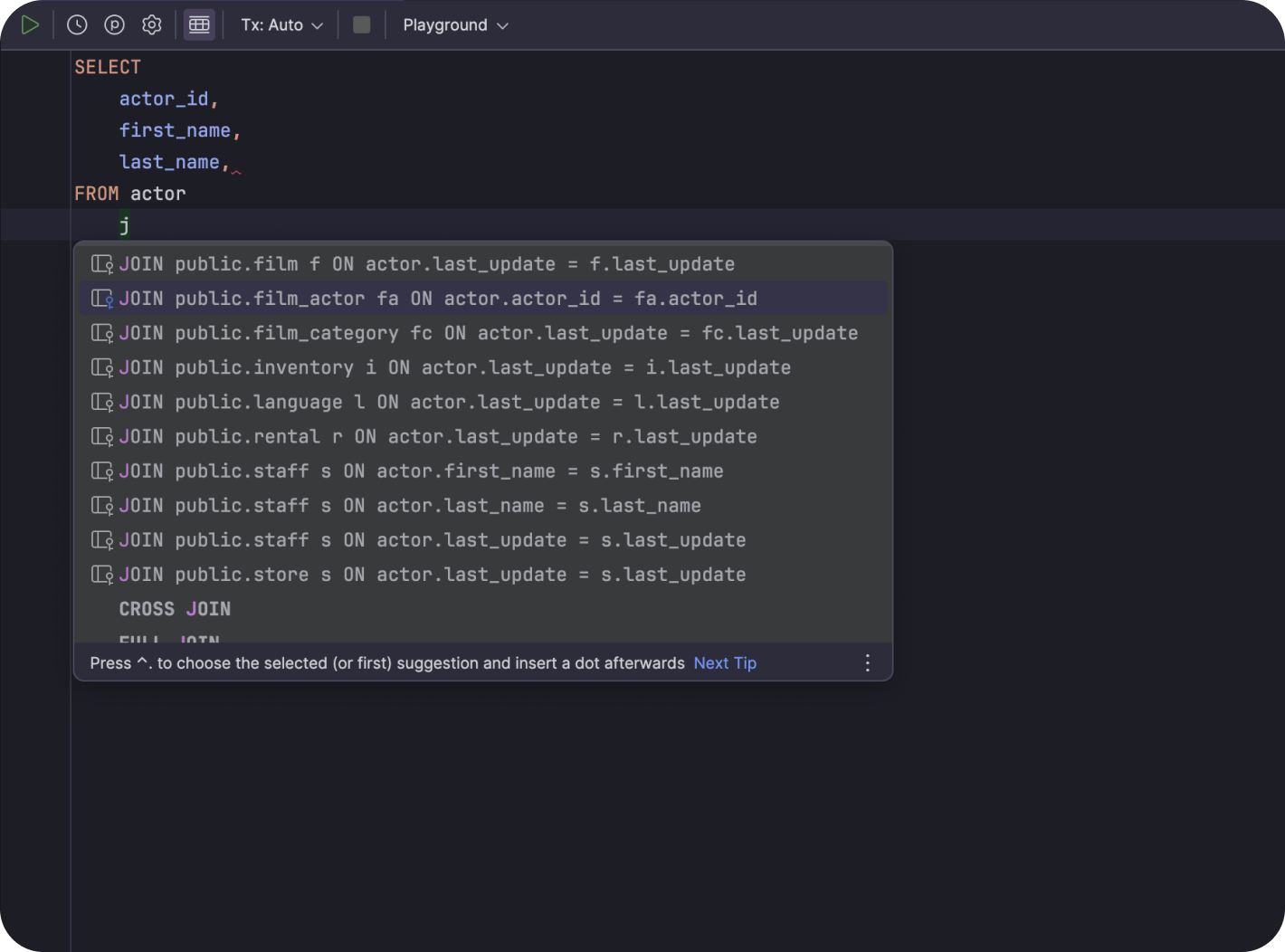
DataGrip treats Redshift as a first-class database with schema browsing, smart SQL completion, and Redshift-specific dialect support. Since Redshift is PostgreSQL-compatible, DataGrip’s deep PostgreSQL support translates well—most features work out of the box.
The main advantage is connecting to Redshift alongside other databases (PostgreSQL, Snowflake, BigQuery, MySQL) in a single IDE with consistent keyboard shortcuts and refactoring tools. Query history tracks everything you’ve run across all connections.
DataGrip is free for non-commercial use. Commercial licenses start at ~$99/year for individuals. The limitation for Redshift users is no WLM (workload management) monitoring, no cluster management, and no query cost estimation. It’s a SQL IDE, not a Redshift management tool.
DBeaver
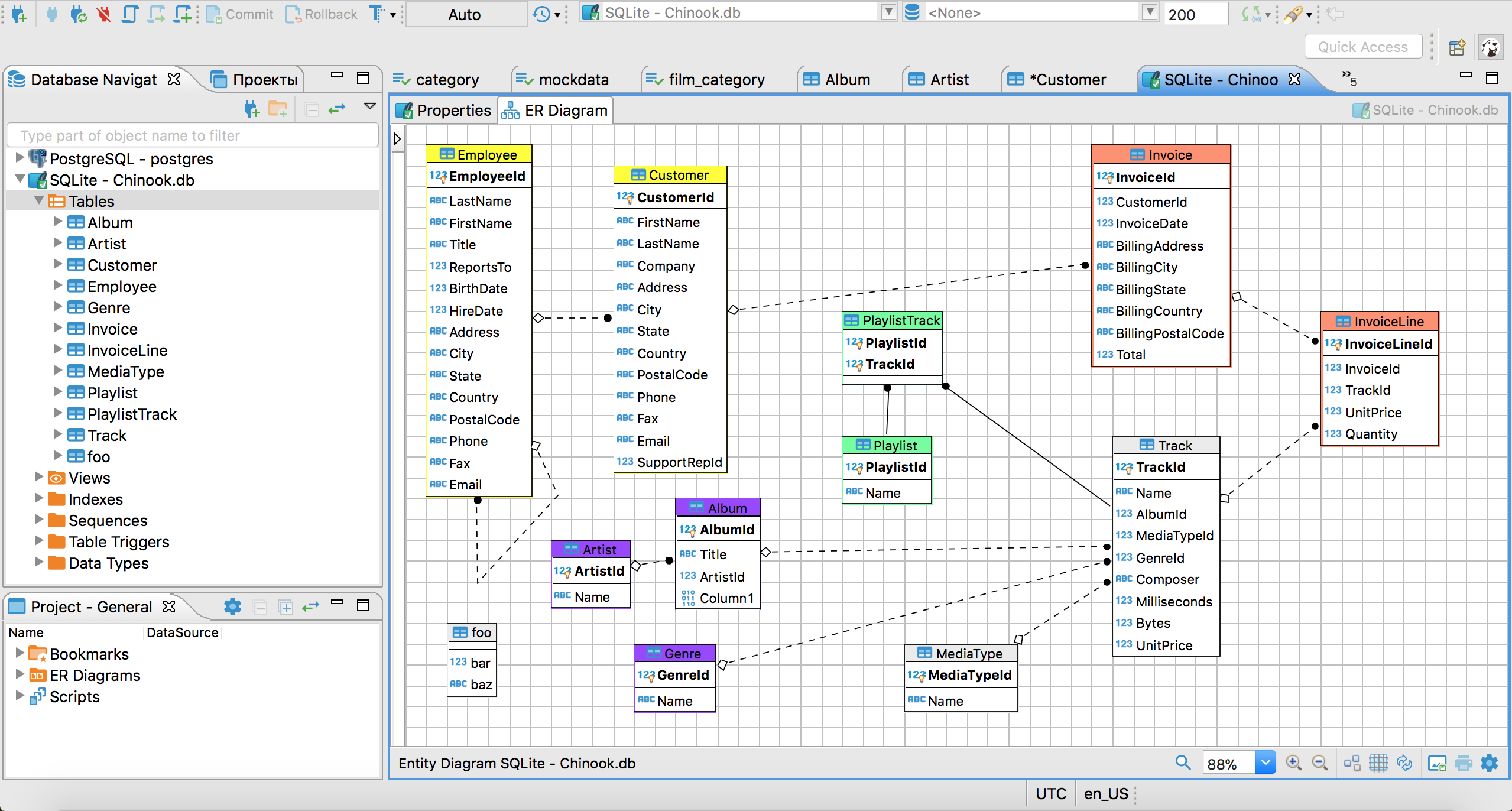
DBeaver connects to Redshift via JDBC. Since Redshift uses a PostgreSQL-compatible wire protocol, the free Community Edition supports basic Redshift connectivity—you can browse schemas, run queries, and generate ER diagrams without paying for a Pro license.
For teams already using DBeaver for other databases, adding Redshift is straightforward. The SQL editor, ER diagrams, data transfer tools, and SSH tunneling work the same as with any PostgreSQL-compatible database. The Pro edition ($99/year) adds visual query building and cloud-optimized features.
DBeaver doesn’t provide Redshift-specific features like WLM monitoring, Spectrum integration, or cluster resize management. If you need those, the AWS console or a Redshift-specific tool is better.
See what QueryPlane can build for you
Connect to your database, write SQL with AI, and build shareable apps — all from your browser.
Aginity (Coginiti)
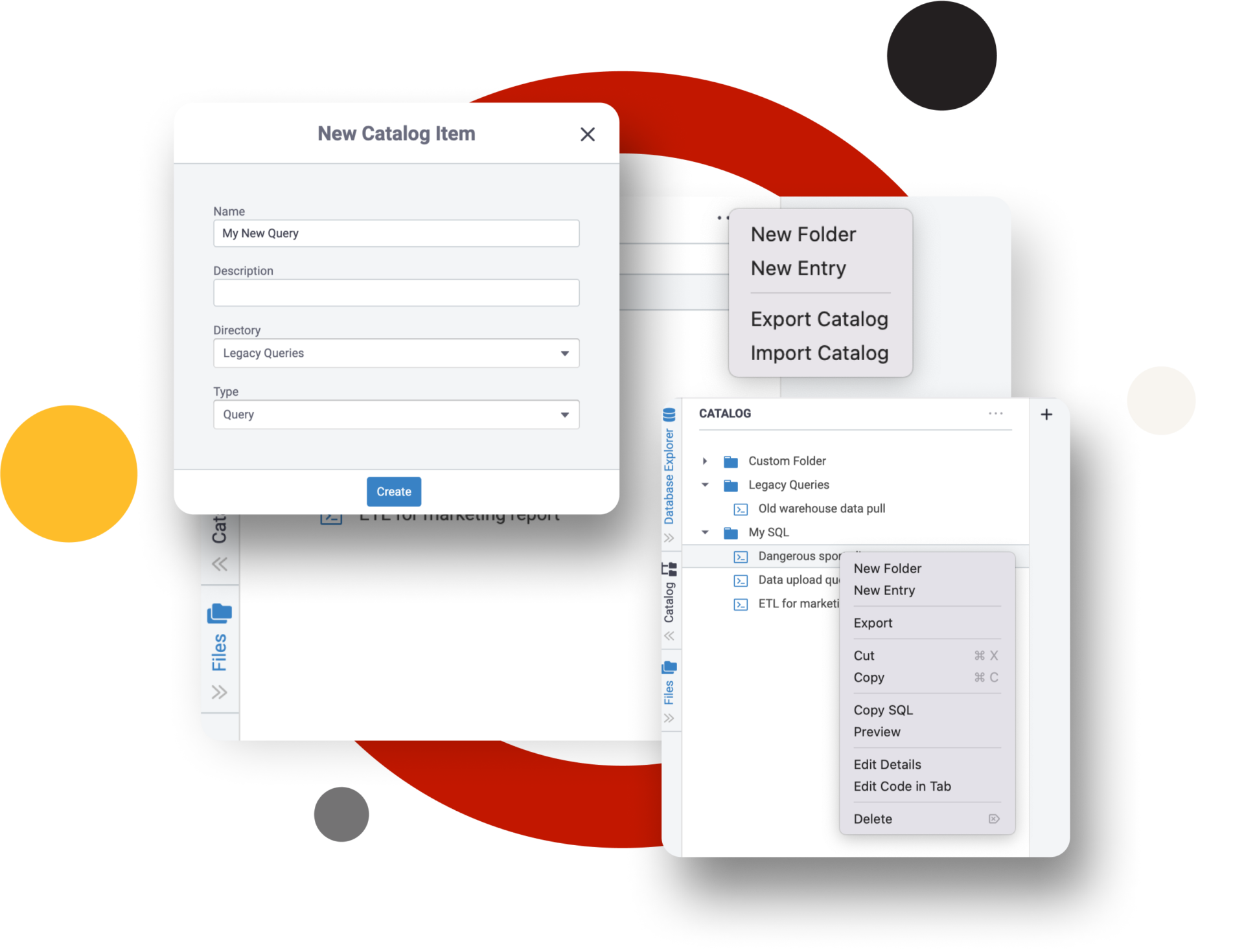
Coginiti Pro (formerly Aginity Pro) is purpose-built for analytics on cloud data warehouses, with Redshift as a primary target. Its differentiator is “analytic building blocks”—reusable, parameterized SQL modules that your team can catalog and share.
For data analysts who write the same types of queries repeatedly with different parameters, this modular approach reduces duplication. The Team edition ($500/user/year) adds a shared catalog so SQL patterns are accessible across the organization.
Coginiti Pro costs $150/user/year for individual use. It’s a niche tool—best for analytics teams that have standardized their Redshift query patterns and want to enforce consistency. For general SQL editing, DataGrip or DBeaver offer more features at a similar or lower price.
SQL Workbench/J
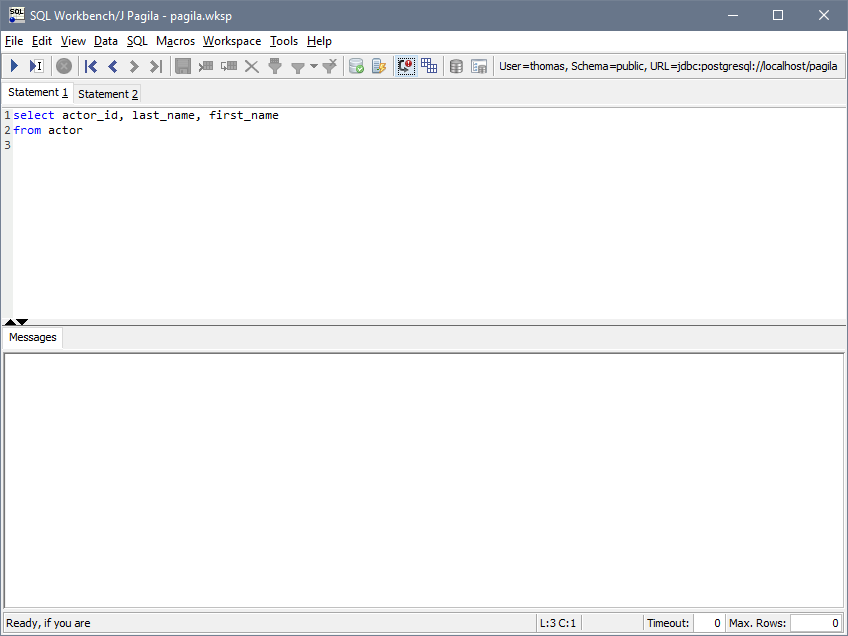
SQL Workbench/J is a free, cross-platform SQL tool that AWS officially recommends in their Redshift documentation. It connects via the Redshift JDBC driver and handles batch execution, data import/export (CSV, Excel), and scripting.
SQL Workbench/J is stable and reliable for basic query work. It’s a good fallback if you need a free desktop tool and DBeaver Community doesn’t meet your needs.
The tradeoff is a dated Java Swing interface, no autocomplete or modern code intelligence, and no visualization or charting. It requires manual JDBC driver setup and Java 11+. For most users, DBeaver Community (also free) is a better starting point.
QueryPlane
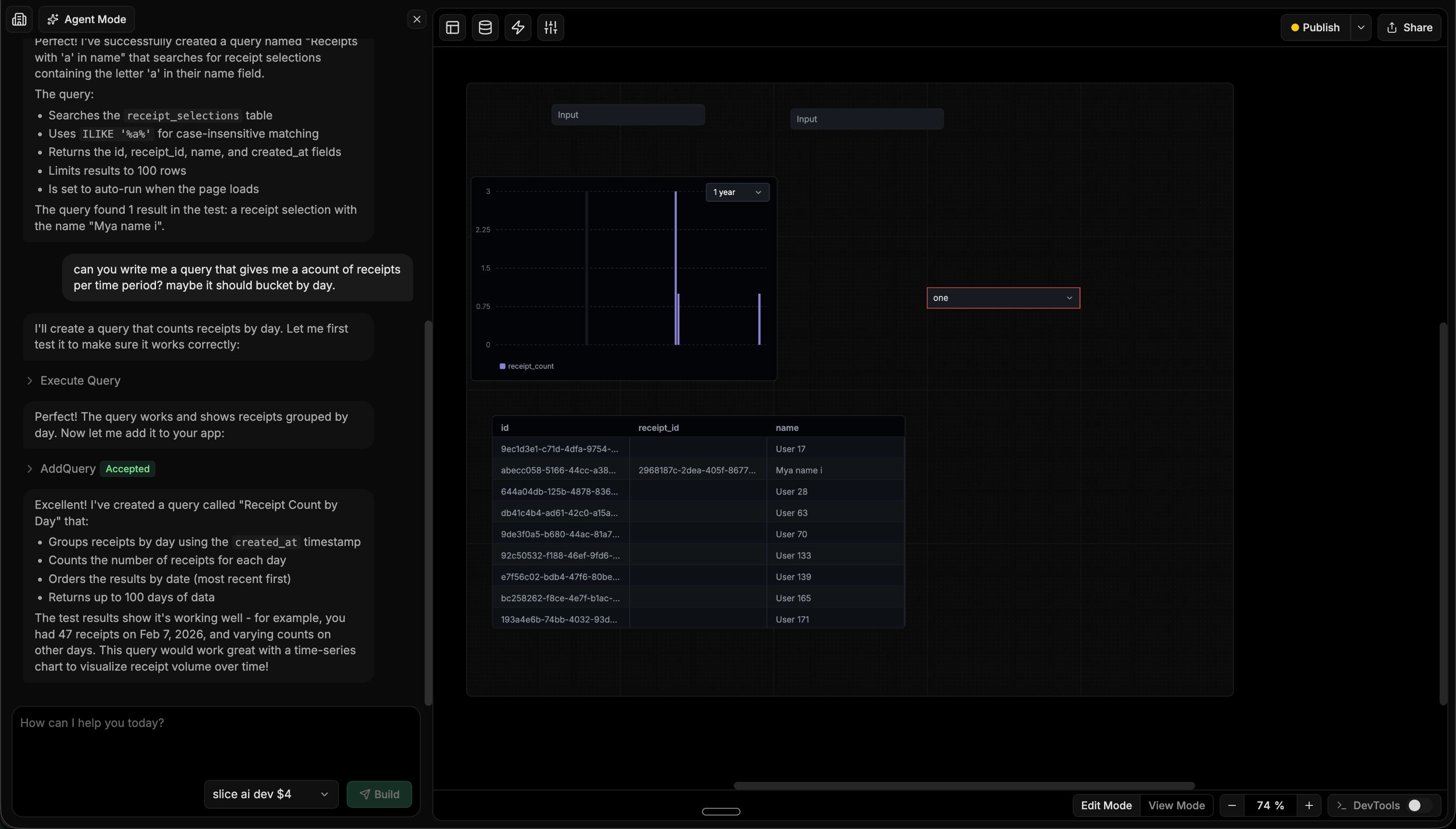
QueryPlane is an AI-native tool builder that connects to Redshift alongside PostgreSQL, MySQL, and other databases. You describe what you need to an AI agent, and it writes the Redshift SQL, tests it, and assembles charts, tables, and forms into a working application.
For Redshift teams, QueryPlane is most useful when you need to build operational tools on top of your warehouse data—a metrics dashboard, a customer analytics interface, or a reporting tool—without building a separate frontend or configuring a BI tool.
Redshift GUI Tools Comparison
| Tool | Price | Type | Best for |
|---|---|---|---|
| Query Editor v2 | Free (included) | Web | Basic SQL editing with notebook-style cells |
| DataGrip | Free (non-commercial) / $99-$249/yr | Desktop | Professional SQL development across multiple databases |
| DBeaver | Free / $99-$250/yr | Desktop | Multi-database environments (PostgreSQL-compatible) |
| Aginity (Coginiti) | $150-$500/yr | Desktop | Analytics teams with reusable SQL patterns |
| SQL Workbench/J | Free | Desktop | AWS-recommended free desktop tool |
| QueryPlane | Free / Paid | Web | AI-powered app building on Redshift data |
Looking for a Redshift GUI? Try QueryPlane’s Redshift integration — connect, query, and build data apps with AI.
Wrapping up
Query Editor v2 is the easiest starting point—nothing to install, and the notebook-style interface handles basic querying and visualization. For deeper SQL editing, DataGrip offers the best editing experience with Redshift alongside your other databases. DBeaver Community is the strongest free desktop option since Redshift’s PostgreSQL compatibility means most features work in the free tier. And for turning Redshift data into shareable applications with AI, QueryPlane handles the SQL and UI assembly.