Best Snowflake GUI Tools in 2026 (Free & Paid)
Compare the best Snowflake GUI tools in 2026. Covers Snowsight, DBeaver, DataGrip, DbVisualizer, Sigma, and QueryPlane.
Snowflake
This post was written by an engineer at QueryPlane. QueryPlane is an app builder for your database: bring your own postgres db and you can create interactive applications to share with other developers, coworkers or even your customers. If you’re interested in trying it out, get started here.
Snowflake’s built-in UI has improved a lot. Snowsight now gives you file-based Workspaces, Git integration, dashboards, and a much better editor than the older worksheet experience. But many teams still want a different Snowflake GUI for day-to-day work: a stronger SQL IDE, a multi-database desktop client, or a way to turn Snowflake data into shareable tools for the rest of the company.
This guide compares the best Snowflake GUI tools in 2026 and explains where each one fits.
In this post, we’ll cover:
- QueryPlane - AI-native app builder for databases (sign up)
- Snowsight - Snowflake’s built-in web interface (included)
- DBeaver - Universal database tool with Snowflake support (free / paid)
- DataGrip - JetBrains database IDE (free for non-commercial / paid)
- DbVisualizer - Mature multi-database SQL client (free / paid)
- Sigma Computing - Spreadsheet-like analytics layer on Snowflake (paid)
Snowsight
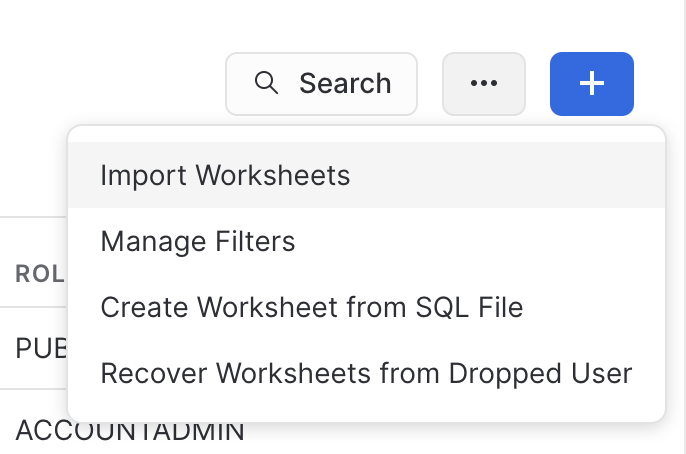
Snowsight is Snowflake’s built-in web interface, and for many teams it is the right starting point. The biggest reason is coverage: Snowsight understands Snowflake objects natively, including warehouses, databases, schemas, stages, streams, tasks, and governance features.
The main upgrade in the last year is Workspaces, Snowflake’s newer file-based editing experience. Workspaces adds folders, files, Git integration, and a more IDE-like environment for SQL, Python, and related project files. Snowflake has also announced that legacy worksheets are being removed on June 22, 2026, which makes Workspaces the direction of travel rather than an optional add-on.
Snowsight is also the tool most likely to expose Snowflake-native workflows first. If you need warehouse selection, object browsing, task visibility, or close alignment with new Snowflake platform features, the built-in interface is the safest bet.
The tradeoff is that Snowsight is still primarily a Snowflake console, not a full SQL IDE. The query text size guidance is still 1 MB per statement, the editing workflow is browser-only, and multi-database teams often prefer a dedicated desktop client for daily query work.
DBeaver
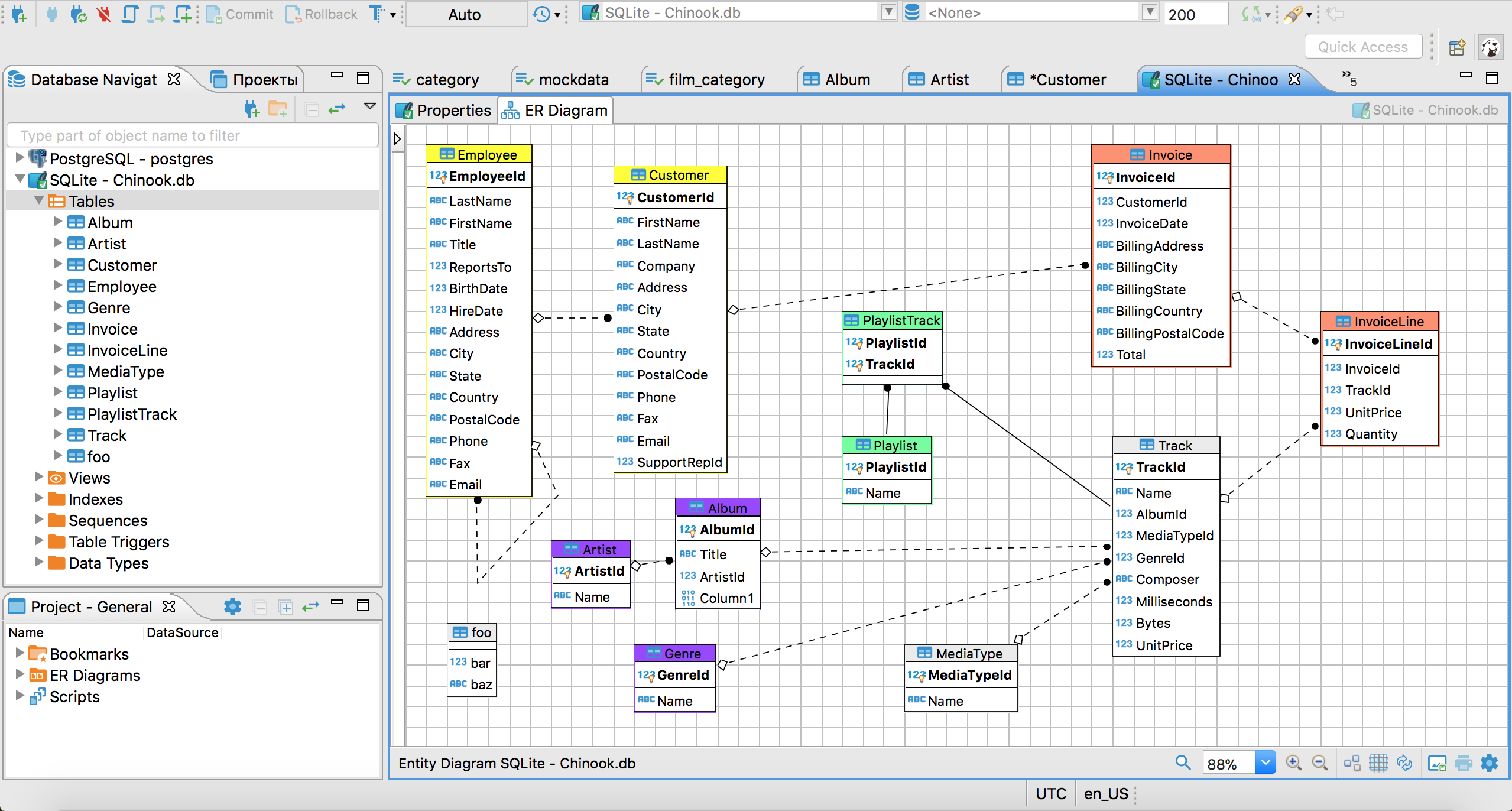
DBeaver is one of the best Snowflake GUI options if you work across multiple databases. DBeaver’s Snowflake documentation shows support for Snowflake objects such as stages, pipes, streams, tasks, and role-based access control.
That breadth matters if your team does not live entirely inside Snowflake. You can keep PostgreSQL, MySQL, ClickHouse, Redshift, and Snowflake in one tool, reuse the same shortcuts and export workflows, and avoid context switching between vendor consoles.
DBeaver also calls out an important Snowflake-specific concern: metadata browsing can trigger compute usage in Snowflake, so it gives you options to control metadata-heavy behavior. That is a practical detail many generic SQL clients gloss over.
The limitation is that DBeaver still is not a Snowflake-first management console. It connects well and exposes a lot, but it will not replace Snowsight for every platform-specific workflow. Use DBeaver when you want a strong general desktop client and Snowsight when you need the deepest native Snowflake experience. If you want a browser-based alternative, compare QueryPlane vs DBeaver.
See what QueryPlane can build for you
Connect to your database, write SQL with AI, and build shareable apps — all from your browser.
DataGrip
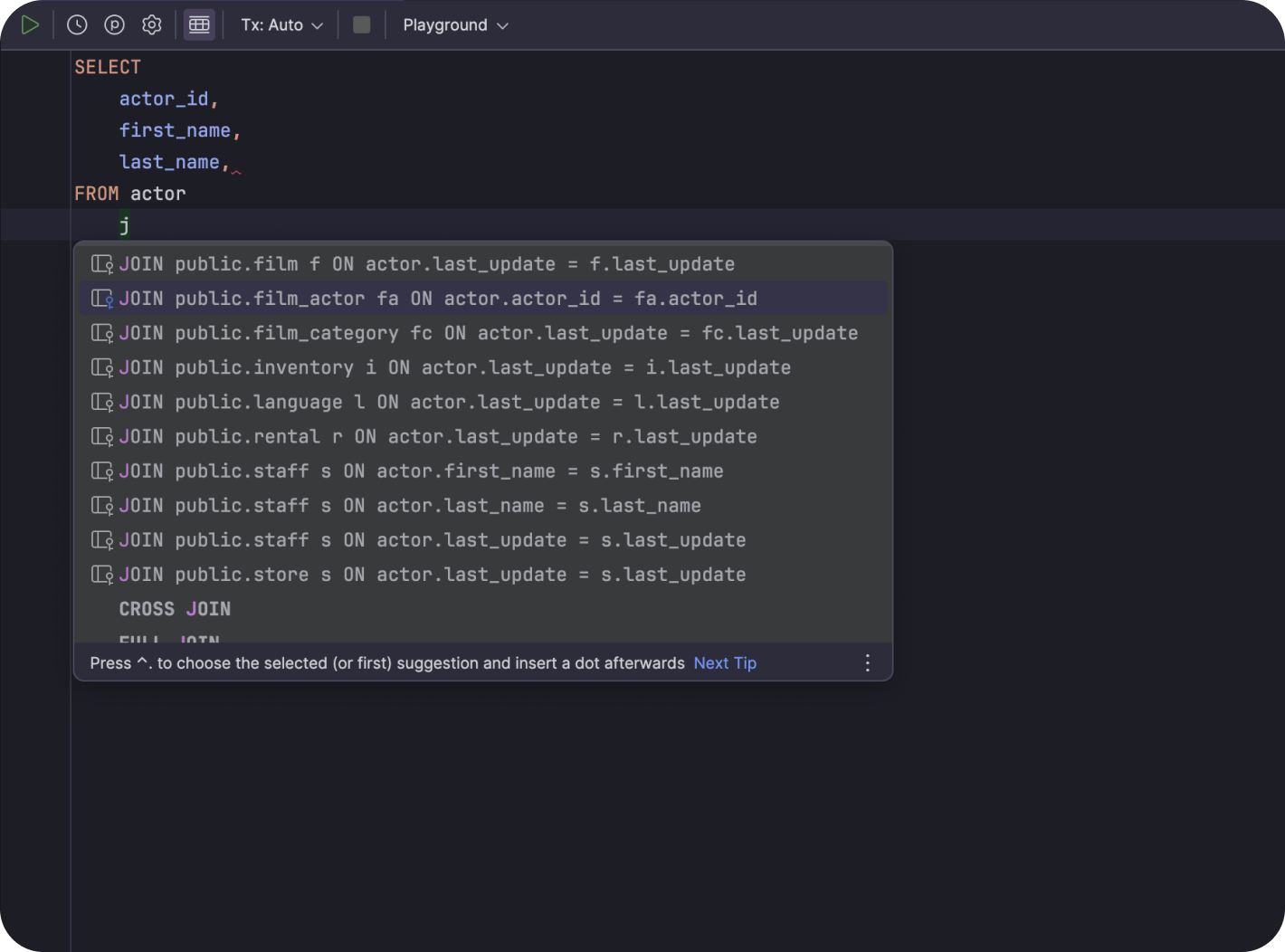
DataGrip is the strongest option here if SQL editing quality is your top priority. JetBrains made DataGrip free for non-commercial use in October 2025, which made it much easier to recommend to individual analysts and engineers.
For Snowflake teams, DataGrip is compelling because the editor is excellent: smart completion, object navigation, refactoring, local history, and a mature IDE workflow. If you spend hours a day writing SQL rather than mostly browsing objects, that editing experience matters more than a long feature checklist.
Like DBeaver, DataGrip is strongest when Snowflake is one of several databases you touch. It is not trying to be a full warehouse administration surface. It is trying to help you write and maintain SQL faster.
The downside is exactly that scope. You will still go back to Snowsight for some Snowflake-native workflows, and teams that want business-user dashboards rather than a developer-oriented SQL IDE will want something else. If you are comparing browser-based app-building against a desktop IDE, see QueryPlane vs DataGrip.
DbVisualizer
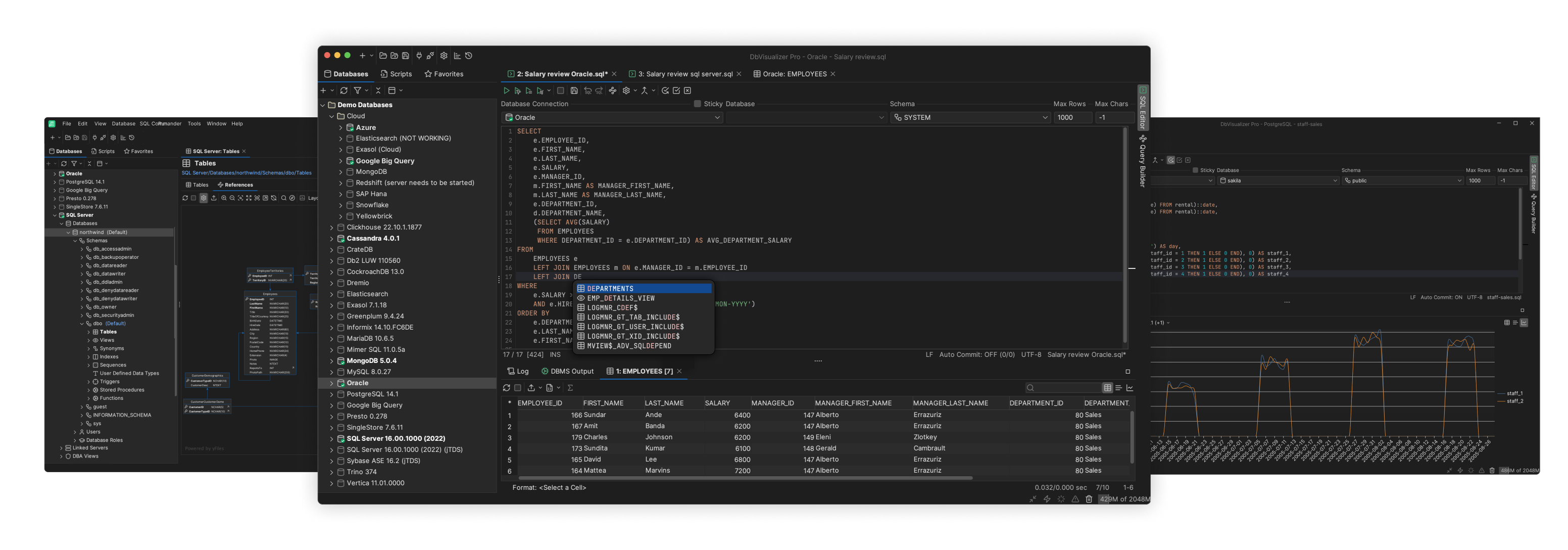
DbVisualizer sits in the same general category as DBeaver: a mature, multi-database desktop client. Its Snowflake page positions it as a strong SQL editor for Snowflake with schema browsing, query execution, and ERD-style object exploration.
DbVisualizer is a good fit for teams that want a traditional database client feel without fully buying into an IDE ecosystem like JetBrains. The UI is stable, it works across Windows, macOS, and Linux, and there is both a free tier and a paid Pro subscription.
Compared with DBeaver, DbVisualizer generally feels narrower and a bit less feature-heavy, which some teams actually prefer. Compared with DataGrip, it feels less like a full developer IDE and more like a dedicated database client.
If you want a Snowflake GUI that is dependable, cross-platform, and not tied to the native Snowflake console, DbVisualizer is an easy tool to shortlist. If you want to compare that style of workflow with a browser-based product, see QueryPlane vs DbVisualizer.
Sigma Computing
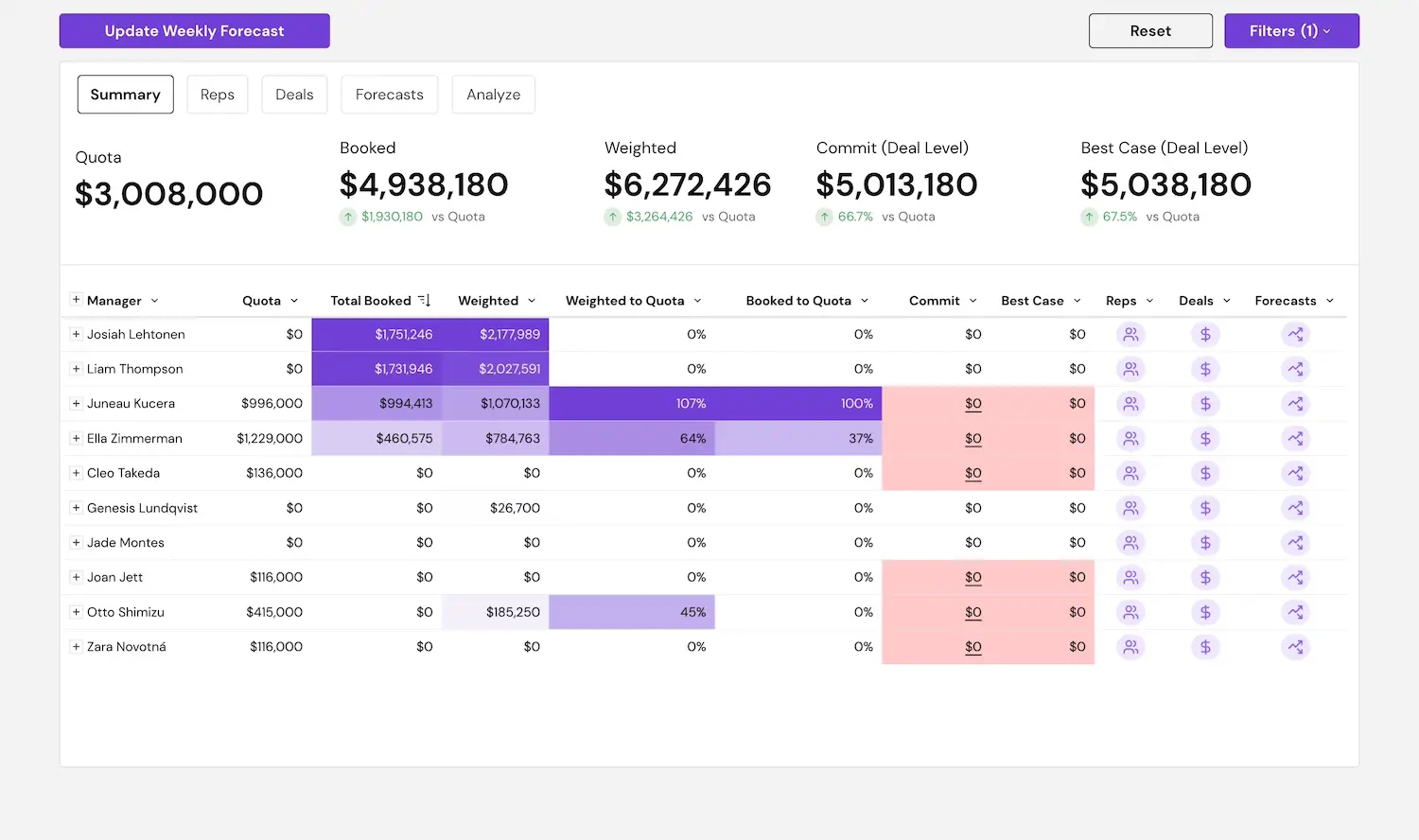
Sigma Computing is the outlier on this list. It is not really a SQL IDE or warehouse admin client. It is an analytics layer designed to sit on top of Snowflake and let non-technical users explore data in a spreadsheet-like UI.
That makes Sigma a great option when the question is not “what editor should the data team use?” but “how do we give business users a GUI on top of Snowflake without forcing them to learn SQL?” In that sense, it absolutely competes for attention when people search for the best Snowflake GUI tool.
Sigma is especially strong when you want governed self-service analysis, lightweight apps, and dashboards that stay close to live warehouse data. It is much weaker if your core need is database development, debugging SQL, or managing Snowflake objects.
So think of Sigma as the best Snowflake GUI for consumers of warehouse data, not for people who want a full-featured SQL editor. If you’re evaluating product-style interfaces on top of warehouse data, compare QueryPlane vs Sigma.
QueryPlane
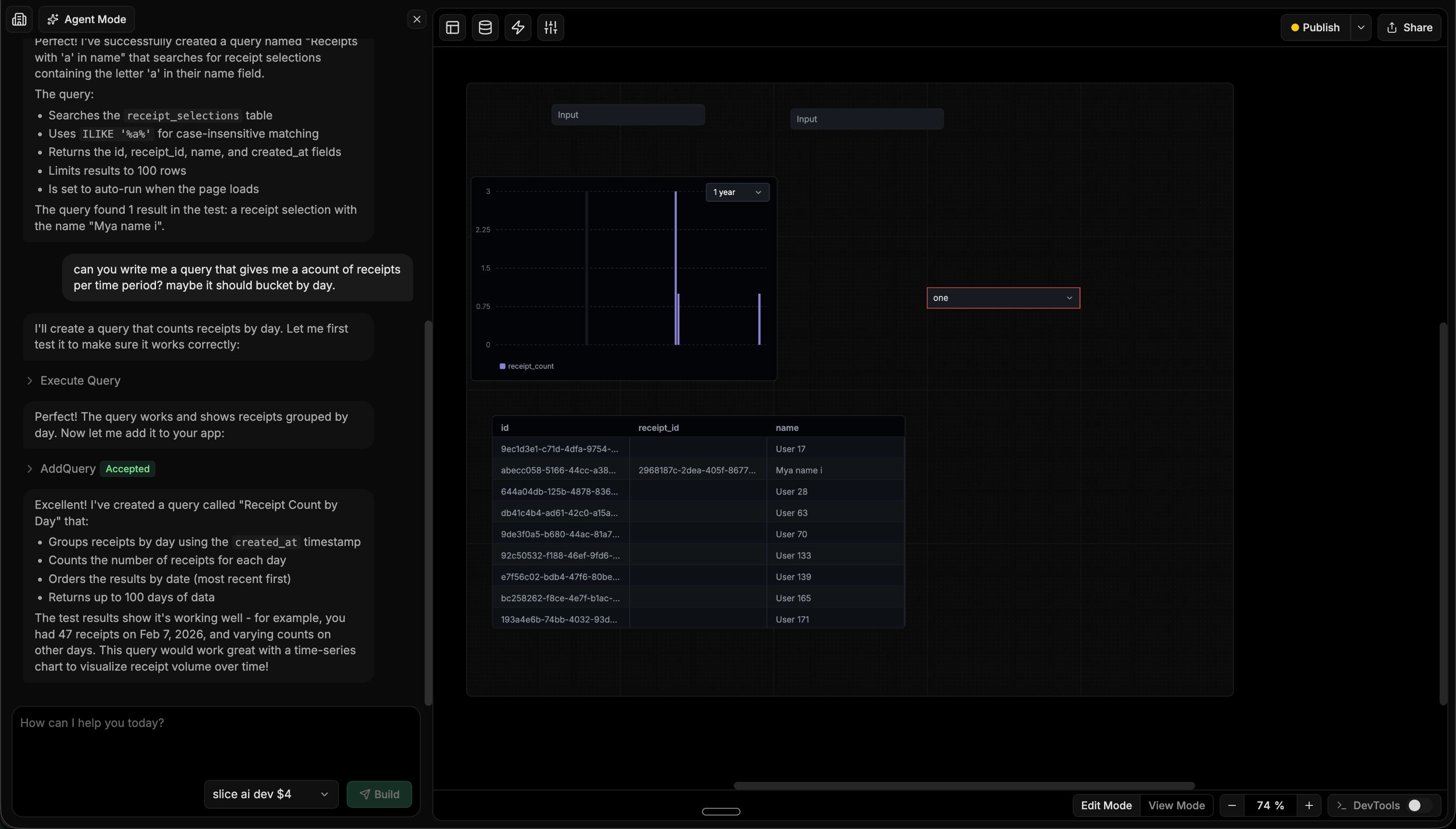
QueryPlane is an AI-native tool builder for databases. Instead of stopping at query execution, it helps you turn Snowflake data into working dashboards, tables, filters, forms, and operational tools by describing what you want in natural language.
That makes it a better fit than a traditional Snowflake GUI when the job is not only to inspect data, but to share a workflow with other people. For example: an ops dashboard on top of warehouse data, a customer-facing metrics view, a finance review tool, or a support workflow that needs live Snowflake queries without a separate frontend project.
If you mostly want a developer desktop client, DataGrip or DBeaver may fit better. If you want to build something on top of Snowflake quickly, QueryPlane is much closer to the end result. You can start with the Snowflake integration to see how that workflow differs from a traditional SQL client.
Snowflake GUI Tools Comparison
| Tool | Price | Type | Best for |
|---|---|---|---|
| Snowsight | Included with Snowflake | Web | Native Snowflake workflows and object management |
| DBeaver | Free / Paid | Desktop | Multi-database teams that still need Snowflake coverage |
| DataGrip | Free for non-commercial / Paid | Desktop | Engineers and analysts who care most about SQL editing |
| DbVisualizer | Free / Paid | Desktop | Mature cross-platform SQL client workflows |
| Sigma Computing | Paid | Web | Business-user analysis on top of Snowflake |
| QueryPlane | Free / Paid | Web | Building shareable tools and dashboards on Snowflake |
How to Choose the Best Snowflake GUI Tool
Choose Snowsight if you want the default answer and the deepest native Snowflake coverage. It is the best place for teams that live entirely inside Snowflake and want the vendor-supported path.
Choose DBeaver if you work across several databases and want a general-purpose client that still understands core Snowflake objects and authentication models.
Choose DataGrip if your bottleneck is writing SQL, not browsing the warehouse UI. It gives you the best editor on this list.
Choose DbVisualizer if you want a stable, mature SQL client that sits between lightweight and IDE-heavy.
Choose Sigma if your real goal is to give analysts, finance, or business stakeholders a friendlier interface to Snowflake data.
Choose QueryPlane if you want to turn Snowflake queries into apps, dashboards, or workflows that other people can actually use. You can also start with the Snowflake integration.
Frequently asked questions
What is the best free Snowflake GUI?
If you already use Snowflake, Snowsight is the best free starting point because it is included and gives you the deepest platform coverage. For desktop workflows, DBeaver Community is a strong free option, and DataGrip is now free for non-commercial use.
What is the best Snowflake GUI for SQL editing?
For pure SQL editing, DataGrip is the strongest pick because of its editor quality, refactoring tools, and local history. DBeaver is a good alternative if you want a broader general-purpose database client.
Is Snowsight enough for most Snowflake teams?
Often, yes. Snowsight is much better than the older worksheet experience, and Workspaces makes it more viable for day-to-day use. Teams usually outgrow it when they want a better SQL IDE, multi-database support, or a way to turn Snowflake data into shareable applications.
What should I use instead of Snowsight if I need to build tools on top of Snowflake?
Use QueryPlane when the next step after a query is a dashboard, workflow, or internal tool. Traditional Snowflake GUIs help you inspect data. QueryPlane helps you turn that data into something teammates can use directly.
Can I connect to Snowflake from DataGrip without paying?
Yes. JetBrains made DataGrip free for non-commercial use and the Snowflake JDBC driver is bundled. Commercial use still requires a license, but every other connection feature is identical. If you are evaluating SQL editors against Snowflake, this is the cheapest way to compare DataGrip against DBeaver and Snowsight head-to-head.
Does VS Code have a good Snowflake extension?
The official Snowflake VS Code extension is the strongest option — it adds an object explorer, autocompletion against your live schema, and the ability to execute SQL against any role and warehouse you have access to. It is closer to a lightweight Snowsight than a full SQL IDE, which makes it a good fit if you already write transformations in VS Code (dbt, Python, etc.) and want to test queries without leaving the editor.
How do I keep Snowflake costs visible from my GUI?
Every Snowflake GUI runs queries against the warehouse you connect to, which means the cost lives in SNOWFLAKE.ACCOUNT_USAGE and not in the GUI itself. The practical pattern is: pick a dedicated XSMALL warehouse for interactive exploration, set auto-suspend to 60 seconds, and use a resource monitor to cap monthly spend. See Snowflake warehouse sizing in practice for the sizing methodology and Snowflake clustering keys in practice for the storage-layout side.
What GUI should I use to manage Snowflake Openflow pipelines?
Openflow runs inside Snowsight (under Ingestion » Openflow), so the flow canvas, runtime catalog, and connector status all live there — there is no third-party Openflow-specific GUI yet. Most teams pair Snowsight for flow design with their normal SQL client (DataGrip, DBeaver, or QueryPlane) for inspecting the destination tables, the _SNOWFLAKE_DELETED soft-delete metadata, and the Openflow event table. See Snowflake Openflow in practice for the deployment model and connector details.
What is the difference between Snowsight and the classic Snowflake web UI?
Snowsight is the modern Snowflake web interface — it has Worksheets, Dashboards, Streamlit-in-Snowflake, charts, and the new Workspaces tabbed editor. The classic UI was retired in 2024; Snowsight is now the only first-party option from Snowflake. If you remember an older worksheets UI, that is what it has been replaced with.
Looking for a Snowflake GUI? Try QueryPlane’s Snowflake integration — connect, query, and build data apps with AI.
Wrapping up
The best Snowflake GUI depends on what you mean by “GUI.” If you mean the most native place to work with Snowflake, use Snowsight. If you mean the best desktop SQL workflow, use DataGrip or DBeaver. If you mean a business-facing interface on top of warehouse data, look at Sigma or QueryPlane.
The good news is that the category is much better than it was a year ago. Snowsight is stronger, desktop tools have better Snowflake support, and there are more credible options for turning Snowflake into something the rest of your team can actually use.